
Using the Mass Actions Block or Bulk Actions in Moodle
Summary
Starting with Moodle 4.5, Clarkson users have two options for more efficiently moving, deleting, hiding, showing, or duplicating multiple course items at once:
- Users have the option of adding the Mass Actions block to their course. The mass actions block is a plugin designed to move, delete, hide, show, or duplicate multiple course items at once or adding check-boxes to items.
- Moodle also provides users with the Native Bulk Actions which offer similar capabilities built within the core interface.
The block is best for deep customization, while native tools offer a faster, built-in solution for routine tasks. Either or both can be useful for managing course creation more efficiently
This guide will help you to:
- Add and Use the Mass Actions Block to your course in order to bulk edit indentation or duplicate and move entire sections/modules.
- Use Bulk Actions to alter availability, duplicate, move, or delete.
Add and Use the Mass Actions Block
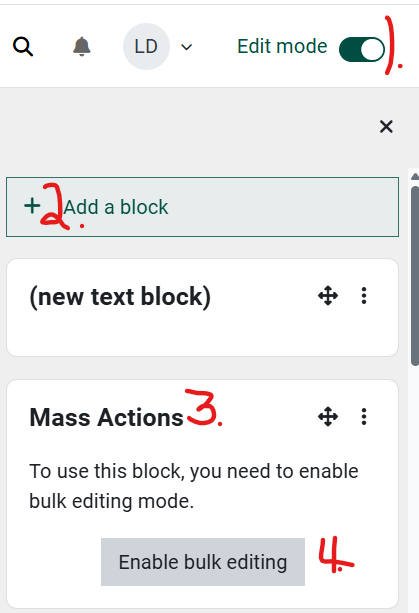
Open the course block drawer on the right side of the Moodle course homepage.
- Turn Edit mode on
- Click to Add a block
- Choose the Mass Actions block
- Turn on Bulk editing.
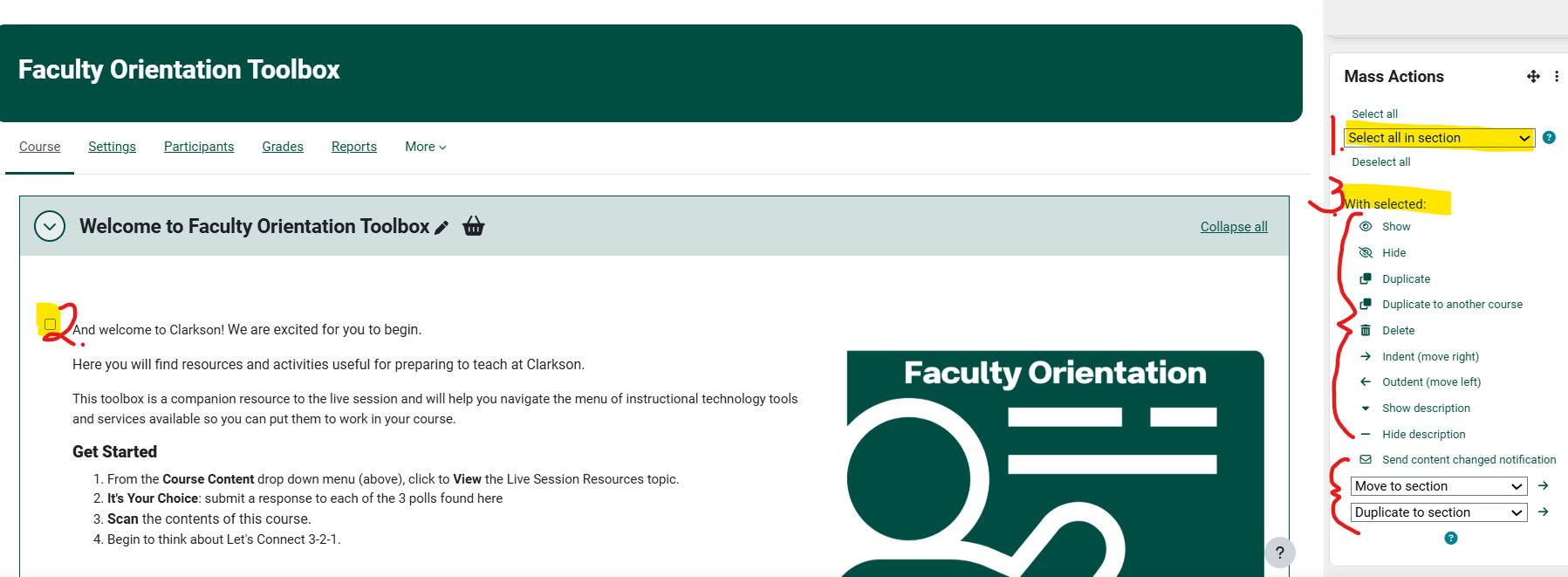
Note the available options in the Mass Actions block
- Select all in particular section
- Or use the check-block to the left of each item to select specific items
- Note you can choose to Show/Hide, Duplicate, Delete, Indent or Move by section or item
Use Bulk Actions
- On the course home page, ensure editing mode is turned on and the block drawer closed.
- Click on Bulk actions in the top right corner beneath the course banner.

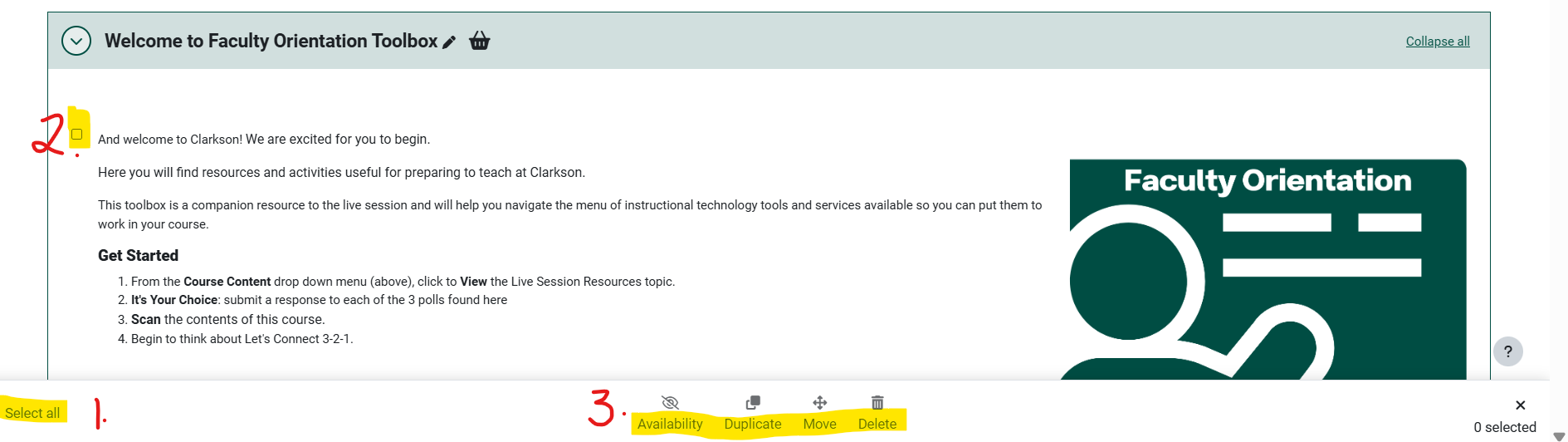
Note the action options are now at the bottom of the screen.
- Select all in particular section
- Or use the check-block to the left of each item to select specific items
- Note you can choose the availability, duplicate, move, or delete sections or items.
For in-depth information on the Mass Actions block, see Mass Actions in Depth.
Seek Further Assistance
For additional assistance please contact, Clarkson OIT Help Desk;
Online: Get Help
Email: helpdesk@clarkson.edu
Call: 315-268-HELP (x4357)