
Microcredential to Moodle Gradebook Link
What is the Microcredential to Moodle Gradebook Link?
Instructors: Are your students completing a Clarkson microcredential as part of your for-credit course? Instead of asking your students to submit a copy of their badge completion for a grade, we can integrate the completion status into your course gradebook.
The Microcredential to Moodle Gradebook Link tool adds completion status from a microcredential in Clarkson Learn into a course gradebook in Moodle.
Once set up, the microcredential will push completion status to a gradebook in Moodle. It adds a column at end of the gradebook.
The column will show one of the following statuses for each student in the Moodle course:
| Status | Definition |
| Empty | Student has not enrolled in the microcredential. |
| Not Completed | Student is enrolled in the microcredential but hasn't completed any of the assessments yet. |
| In Progress | The student has completed at least one assessment, but has not completed all. |
| Completed | The student has completed the microcredential. |
Here is an example of how it looks in a course that has some completions:
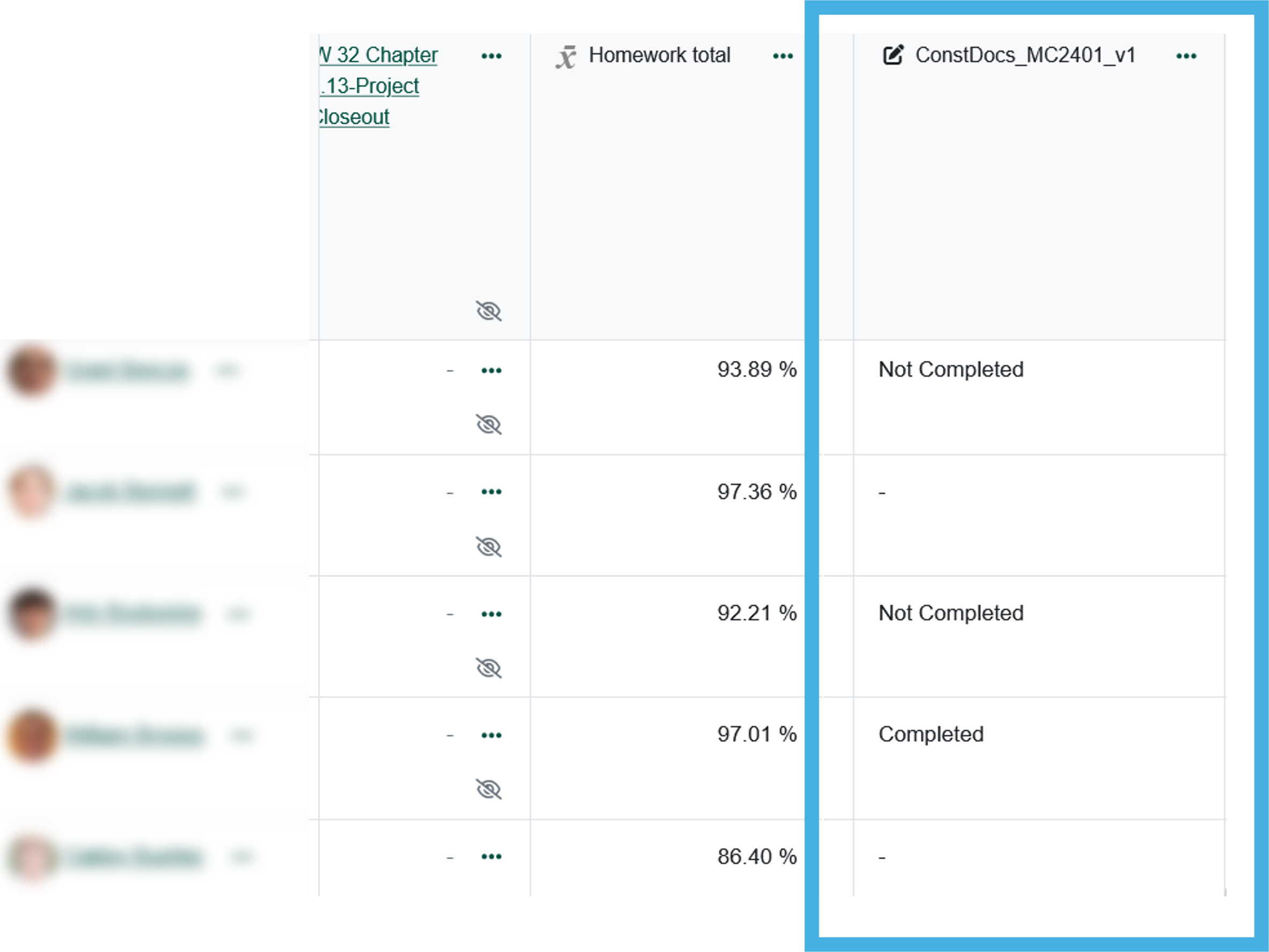
This column will not affect any gradebook calculations, as it is not numeric. You can create an additional column to your gradebook to manually enter a numeric grade or figure the status into a column that you already have.
How do I get the Link?
Send an email to learnhelp@clarkson.edu with the following information:
- the name of your course section (or link to) in Moodle
- the name of the microcredential you would like to receive completion status for
Upon receiving the request, a member from the Office of Microcredentials will set up the link for you. Please allow for 1-3 days for the custom link to be set up for you.