
Grading & Giving Feedback
Grading Practices
- Develop a grading philosophy that matches your course (e.g., traditional percentages, mastery-based, or contract grading).
- Be clear about weighting: assignments, participation, exams, projects.
- Decide how to handle late work and extra credit before the semester starts.
- Maintain transparency with students about how grades are calculated.
Setting Up Your Gradebook
Moodle includes a comprehensive gradebook which can be used for online or offline assignments to enter and tally grades. Clarkson University recommends instructors make grades and course averages available to students in Moodle.
To get started, see the article Grades: Setting Up Your Gradebook. which includes several videos describing the options for aggregation. See the BookStack chapter about Grading for more topics including all about the Grader Report.
Quick Tip: The Moodle Gradebook can automatically weight categories, drop lowest scores, and show students their running totals.
Giving Feedback
Feedback is most effective when it is timely, specific, and actionable. Instead of “Good job,” try “Your analysis of consumer trends was strong; consider expanding on how this impacts pricing.”
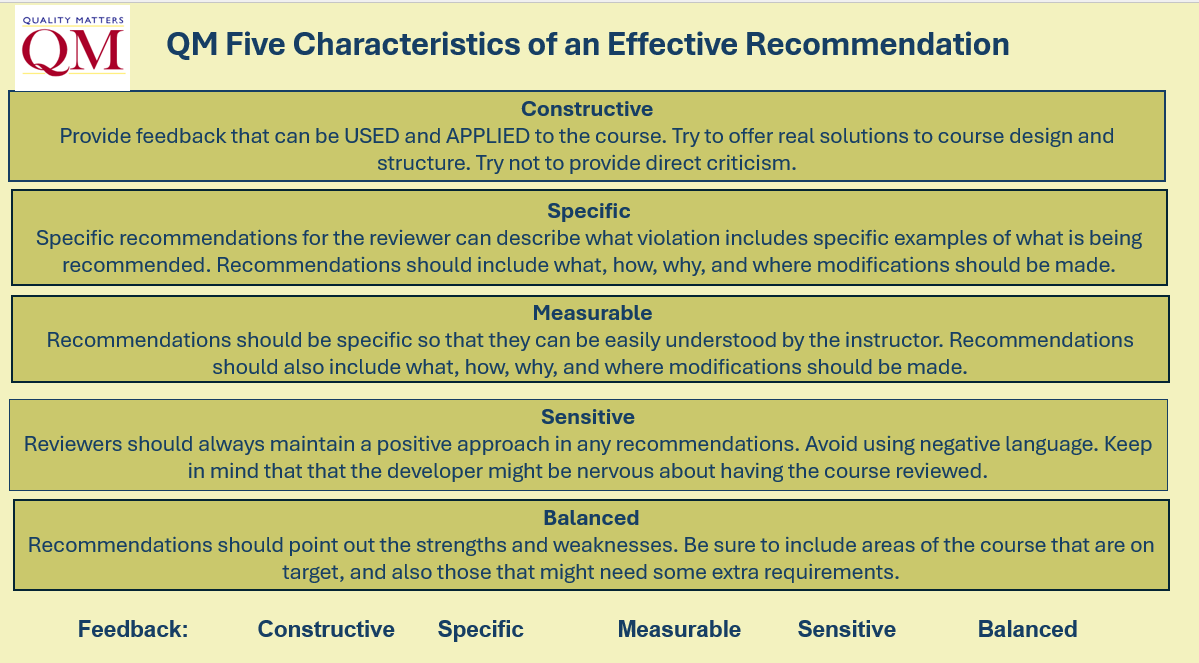
Quick Tip: Moodle lets you leave inline annotations, audio comments, or video feedback on assignments, which can be faster and more personal than text comments.