
Instructor FAQs
Moodle |
Echo360 |
Zoom |
Grades |
Announcements |
Groups |
LTI |
Moodle
When should I open my Moodle course to students?
Best practice is to show (open) your Moodle course for students two weeks prior to the official start date. Only the Homepage needs to be available along with Getting Started steps and a link to the course syllabus. Module content does not need to be available early. The reason for this practice is that students panic when they see they are enrolled in the course in MyCU but do not see the course on their Moodle Dashboard. See Show Course to Students.
Does Moodle have an attendance tool for F2F classes?
Teachers (and students!) can take attendance during class and then students are able to view their own attendance record and teachers can run attendance reports by using the Attendance Activity. The attendance activity can be linked to the Grader Report. Teachers can use the default markings for attendance status: "Present", "Absent", "Late", or "Excused" or customize the markings.
How do I switch my role to student so that I can see the course as they see it?
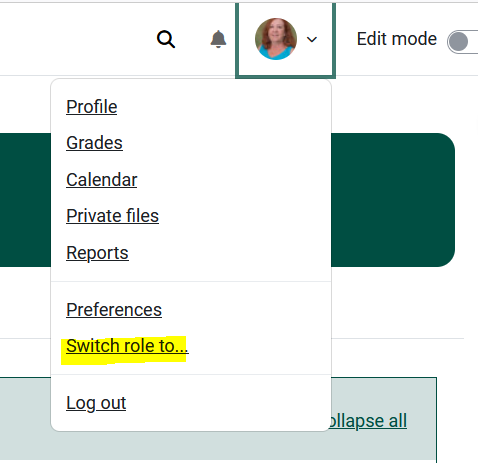
Locate the Switch Role to Feature
- From inside your course, click the profile icon in the top right corner of Moodle.
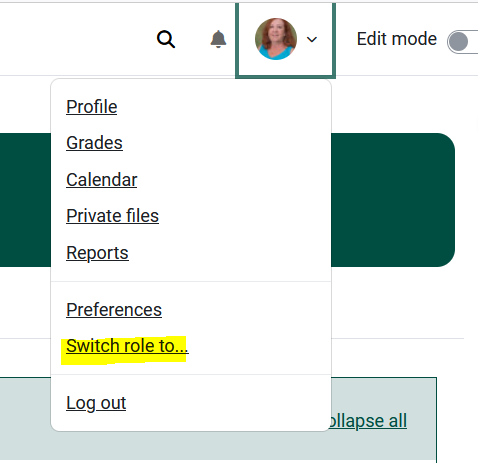
- Select Switch role to... student in most cases). Also see the Switch role to article.
What do I do if some students tell me that they could not access the course?
- Check to make sure the course is set to Show to Students.
- If so, view the Participant list in the Moodle course to see if they are enrolled.
- If so, send them this Dashboard and Course Overview in Moodle article via an email.
- If not, have them contact the HelpDesk:
Online: Get Help
Email: helpdesk@clarkson.edu
Call: 315-268-HELP (x4357)
Echo360
When should I set up my Virtual Class and Recordings link?
Set Up Virtual Class and Recordings no more than two weeks before the term's first day of class.
How do I add content from my Echo library to my course in Echo?
-
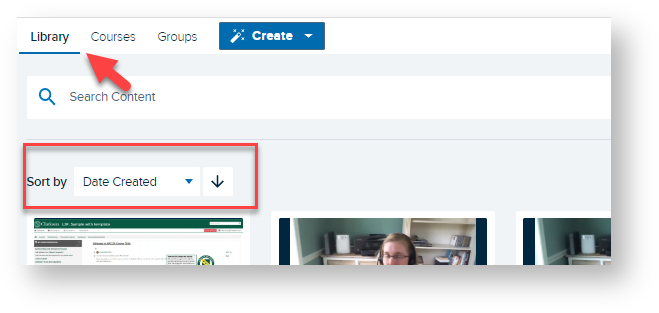
Log into Echo at go.clarkson.edu/echo
-
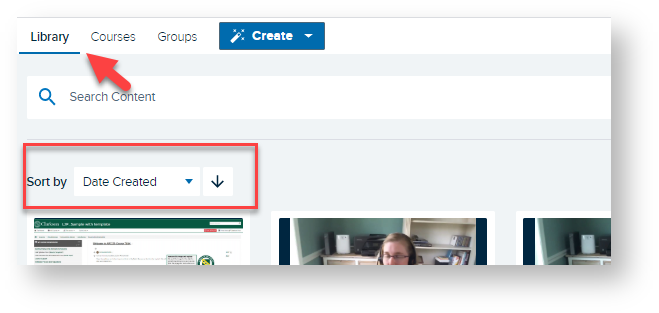
Click Library
-
Sort by or Search for desired recording

-
Click on desired recording
-
Scroll down until you see Info/Share Settings
-
Click Add to A Class
-
Select Course, Term, Section, New Class and Availability Settings - see full article Echo Cloud: Add Content from Library to an Echo Course
How do my students submit their video assignments to Echo?
Briefly, the steps for students to submit Echo360 video as an assignment in Moodle:
- Log into Moodle.
- Locate the course and assignment in Moodle.
- Click add submission,
- Click the Echo button and locate their recording.
- Locate recording, select and save.
Zoom
Grades
Groups
How do I set up groups in Moodle
Announcements
LTI (Publisher)
How do I set up a Zoom meeting?
- Go to clarkson.zoom.us, click Sign In. Use Clarkson Username and Password to Sign in to your Clarkson Enterprise Level Zoom Account.
- After signing in, select "Meetings" in the left side menu. Click Schedule a New Meeting.
- See detailed information on scheduling Zoom meetings.
Can my students share their screen during Zoom meetings?
- Click on the Manage Participants icon on the bottom toolbar in Zoom, mouse over desired individual.
- Select make Co-Host. You may select multiple Co-hosts.

-
- Co-hosts will have option to Share Screen.
- You have option to remove co-host role when complete.
- See detailed options for screen sharing in Zoom.
-

Grades
How do I enter mid-term grades?
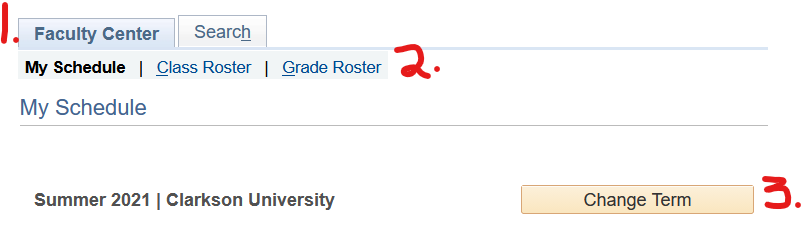
- Log-in to PeopleSoft and select myCU (Peoplesoft Student), click the Faculty Center tile.
- Click the Grade Roster link.
- Choose the course and term.
How do I set up my Moodle gradebook?
answer
Groups
How do I set up Groups in Moodle?
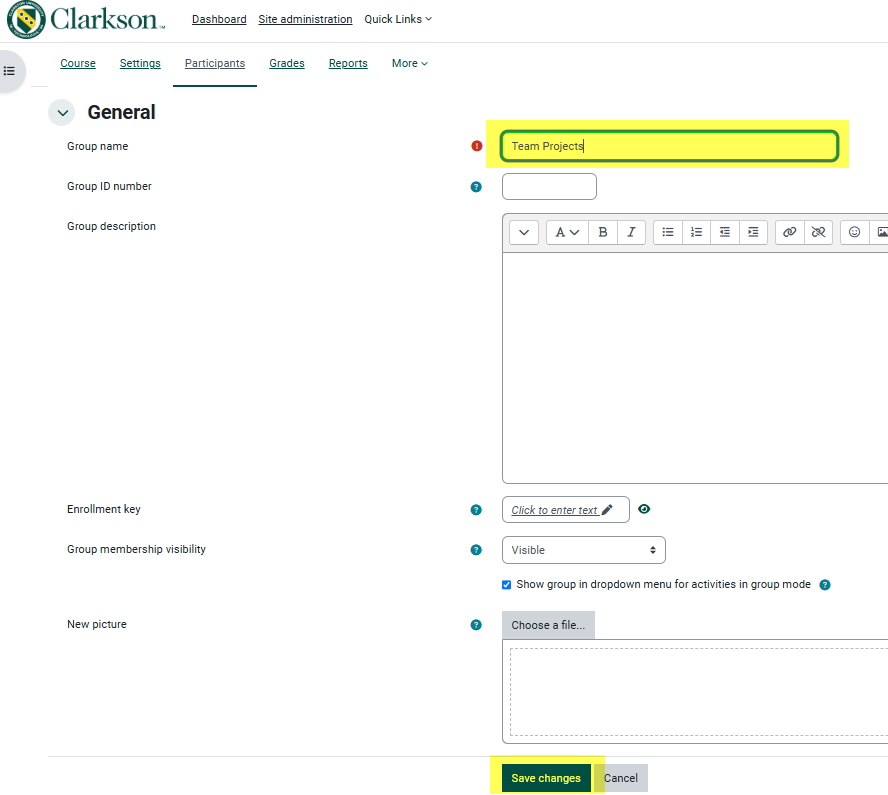
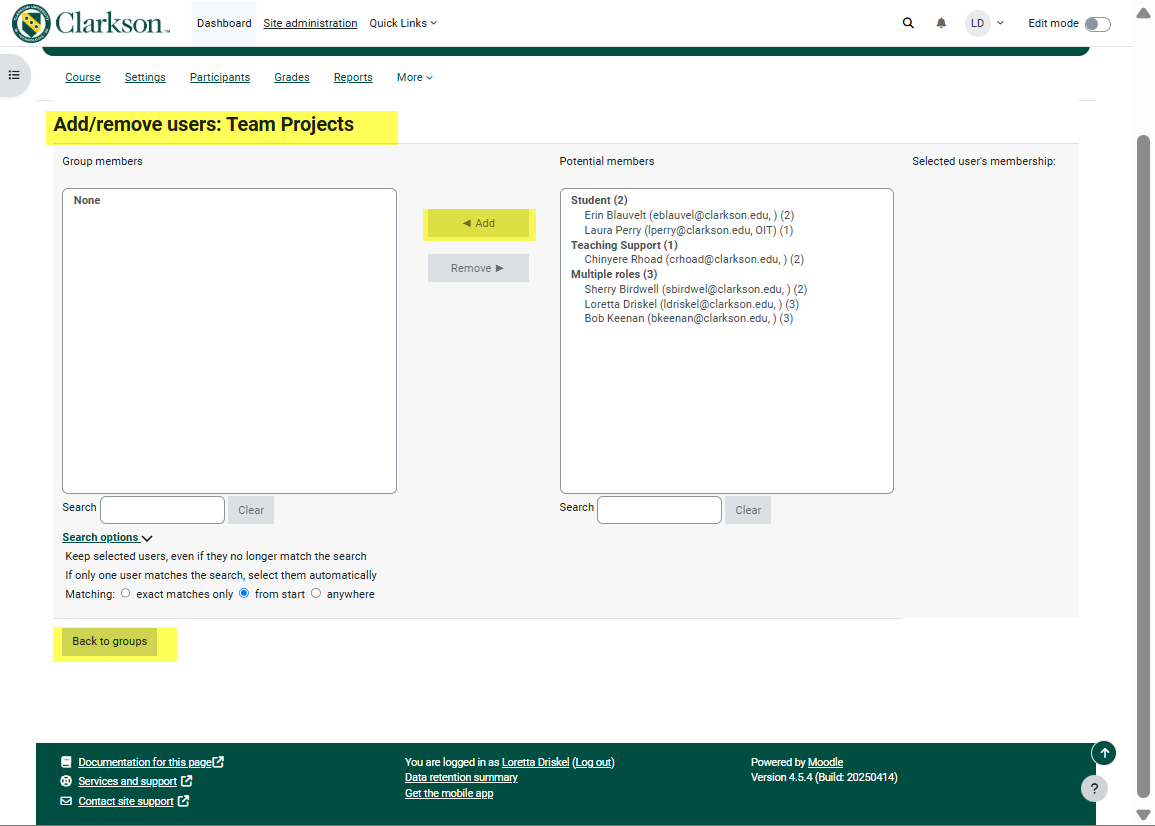
Steps for Creating Groups
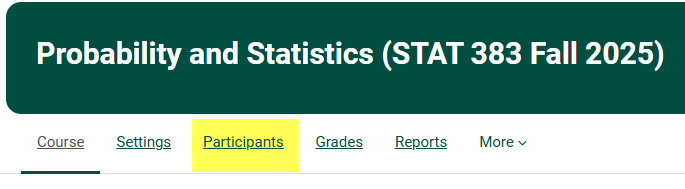
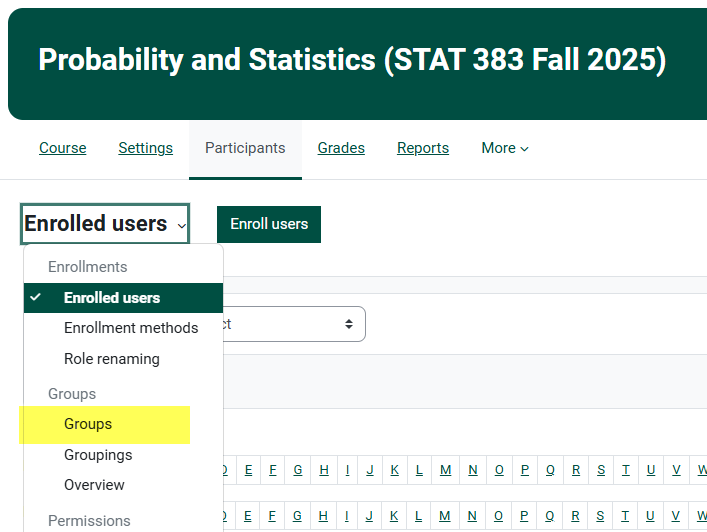
Under Enrolled Users on the drop down menu, click Groups.
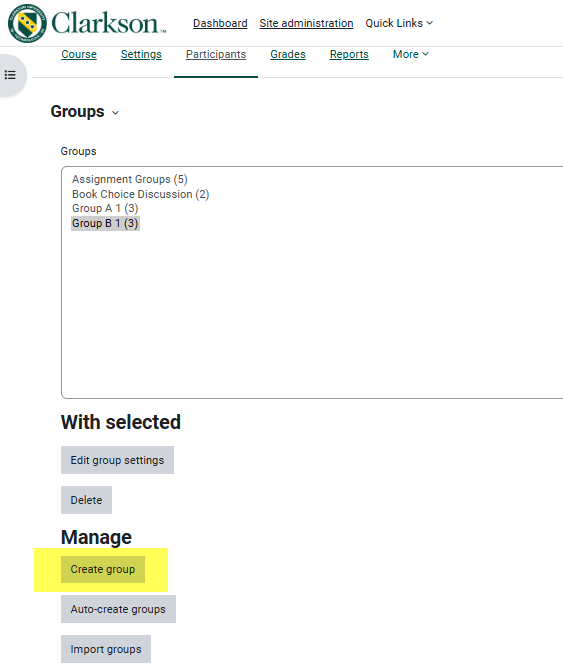 Give the group a name and then click "Save changes".
Announcements
Do announcements get sent to students when the course is still set to Hide?
The News & Announcements forum is a great way to easily and quickly get a message out to your students, however the course must be open to students in order for students to receive the Announcements (see open my Moodle course).
I deleted the Announcements forum in my course, how can I get it back?
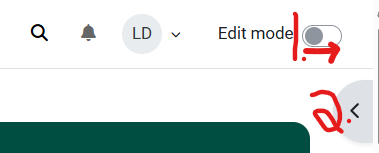
Click on the arrow to open the Add a Block tool.
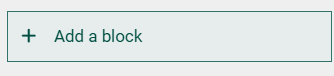
Scroll down in the Add a block tool and choose the Latest Announcements block:
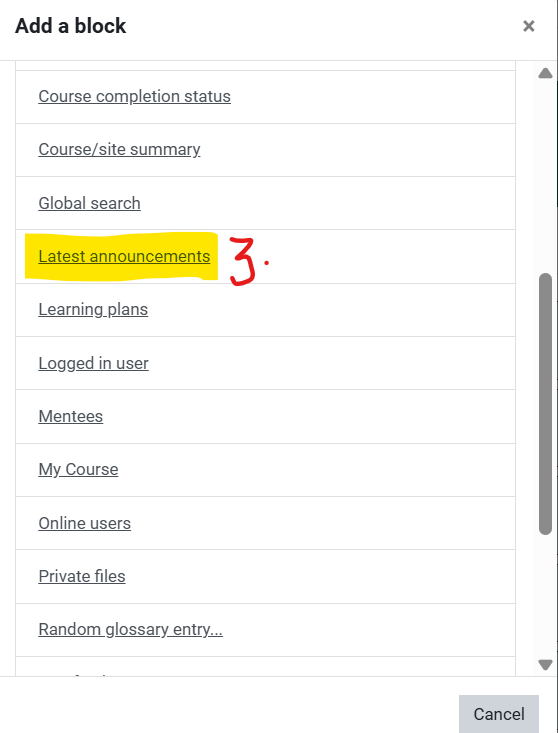
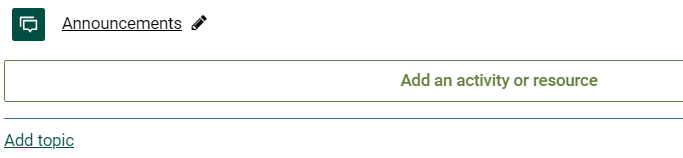
The Announcements forum will automatically reappear at the bottom of the top section of your course.
Drag and drop the forum to wherever it works best for you and your students.
Note also that you may rename the forum, Clarkson is currently using the title News & Announcements and add this description: "You are subscribed to this forum so my posts will automatically be sent to your email."
LTI (Publisher)
How can I integrate publisher content into my Moodle course?
Steps to Add an External Tool with LTI
Example: Cengage


4. Give the activity an appropriate name and click Select Content.
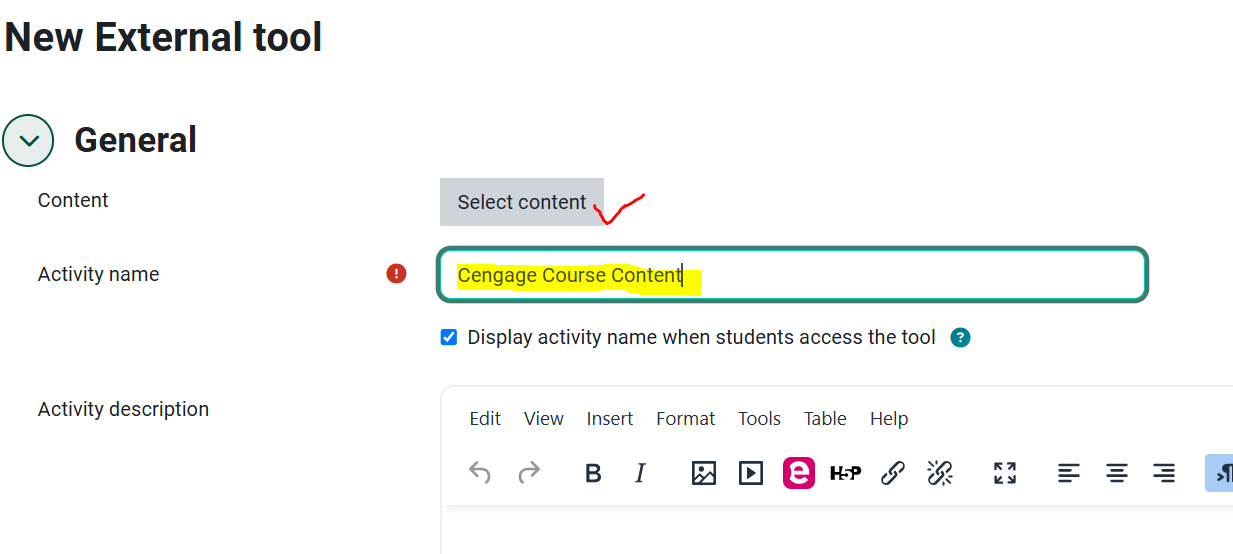 Note: if you do not see the tool in the Activities and Resources, contact the HelpDesk, they may be able to add it.
5. Follow the steps provided to you by your 3rd party provider:
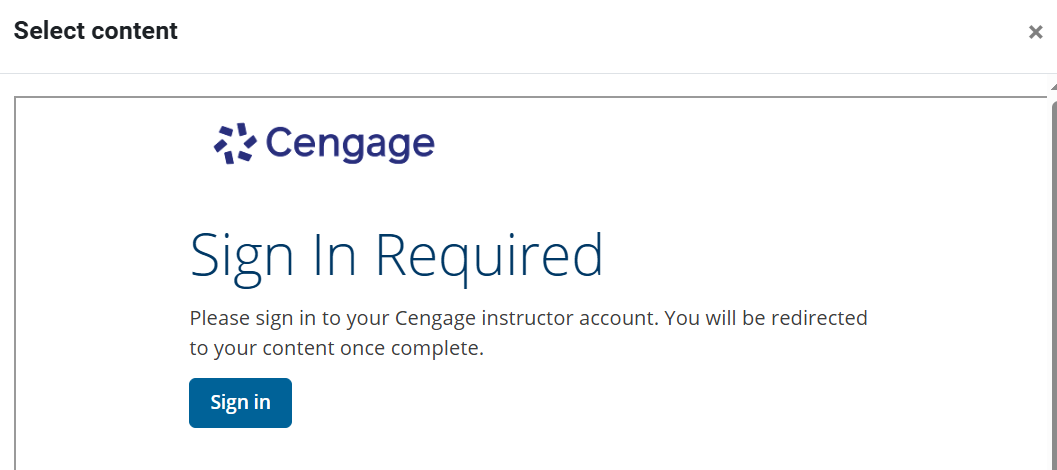
6. Save and return to course.
Notes from Specific 3rd Party Providers:
Perusal
If you are using Perusal, follow these instructions from Perusal Support the first time you setup the external link in Moodle 4. If you have questions or need help, See Perusall Support-Moodle Integrated LTI 1.3.
Steps for Wiley Plus Integration
Cengage website
Seek Further Assistance
For additional assistance please contact, Clarkson OIT Help Desk;
Online: Get Help
Email: helpdesk@clarkson.edu
Call: 315-268-HELP (x4357)
question
answer
question
answer
question
answer
question
answer
question
answer
question
answer
question
answer
question
answer
question
answer
question
answer
question
answer
question
answer
question
answer
question
answer
question
answer
question
answer