
Migration Checklist
 Our Moodle environment has changed! Welcome to Moodle 4.1. After extensive testing (thank you to the team and beta testers!) your course is ready for your updates and revisions in Moodle 4. Please use this checklist as a guide for additional revisions you may need to make.
Moodle Profile
We encourage you to set up your personal Moodle Profile. Information you provide here will show up on the Course Info page locatedin nextevery tocourse yourthat you have the official Teacher role in. Instructions: Edit Profile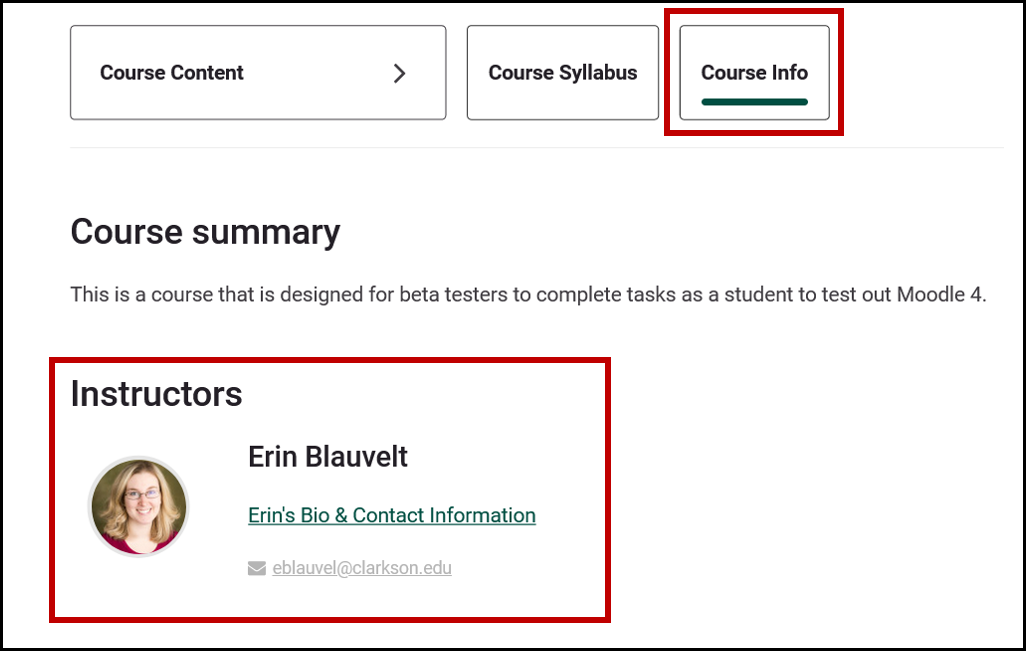
Course Summary
The Course Content and Course Syllabus at the top of your Course page. Instructions:
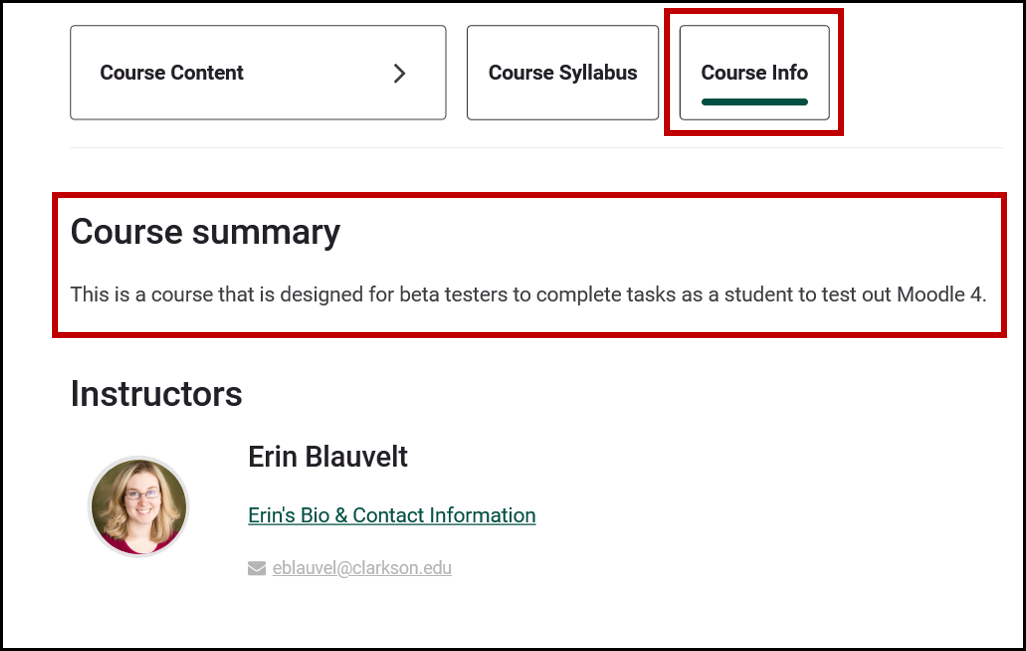
As part of the migration process, the TLC has linked your course syllabus in the new Course
Syllabus area of the course, if they could locate it within the course they migrated from Moodle 3. You will most likely need to edit it or update the file for the upcoming term, and can do so within Course Settings (Post the Course Syllabus Instructions).If you had your previous syllabus
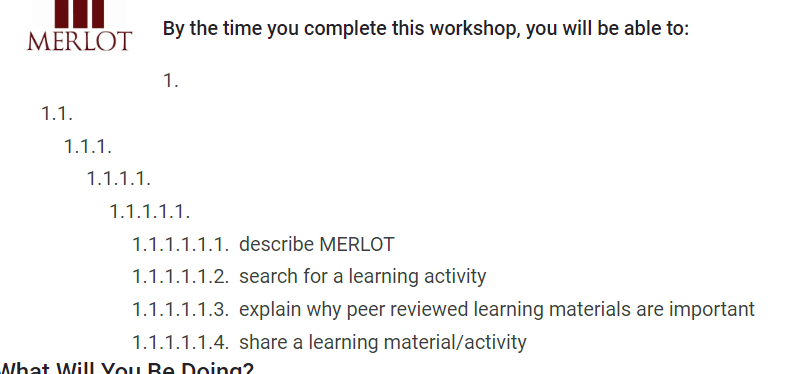
Bulleted lists may need reordering-see example below:
Gradebook Setup
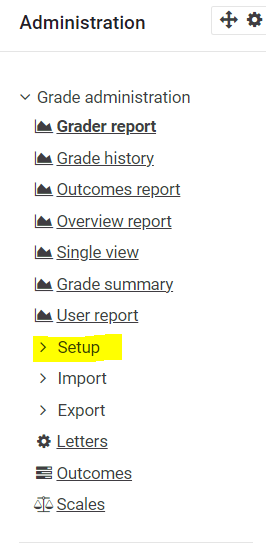
Turn Editing on and click Grades in the Course Manager. Scroll down on the right to find the Gradebook
Administration block and Gradebook Set up. Review the Moodle 4 gradebook setup compared with how the Moodle 3 Gradebook set up. Are all items in categories or in the correct category? Are the weightsDid you have discussions in your course which were created using the Open Forum tool? 
The Open Forum tool is not available in Moodle 4, however the Forum tool
 is. The discussions in your course that were Open Forum did not convert into Moodle 4, so you will need to recreate them in your Moodle 4 course using the Forum tool.
Teaching Assistant Role
From now on, only official instructors will have the Teacher role. All others that need teacher-like access should receive the Teacher Support role (for those assisting with teaching, grading, etc.) or Teaching Assistant role (for those not teaching, grading, etc.). You can add users as Teacher Support or Teaching Assistant.
External Tool Links
If you
have external tools such as VoiceThread*, Echo360, Zoom (see Set Up Virtual Class and Recordings in Moodle) or
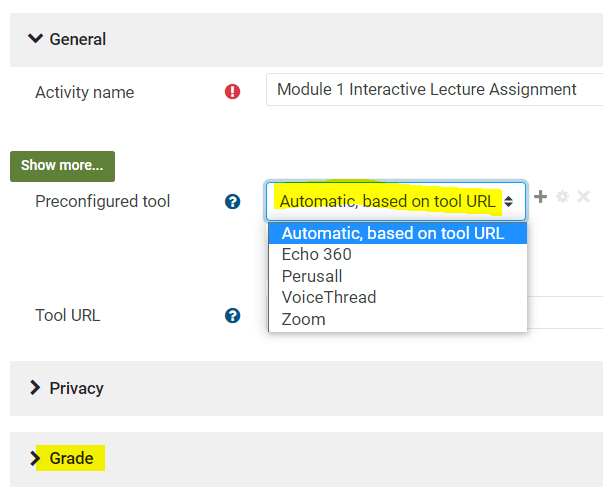
*VoiceThread
If you are using VT, you will be connecting your VTs differently than you are used to, but the good news is that you won't have to reconnect each semester hereafter. Follow these directions (coming) or watch this video (coming) to reconnect each in Moodle 4.