
Quiz: Importing a Quiz to the Moodle Question Bank
Best practice for using quizzes in Moodle is to add questions to the Question Bank first and then add them to the actual quizzes from the Question Bank. The first step is to create categories for organizing the questions. You might organize by topic, chapter or week, for example. This will guide will walk you through how to create a category in your course Question Bank in Moodle. Then you can add questions to the categories byby:
In the Moodle Course, with editing
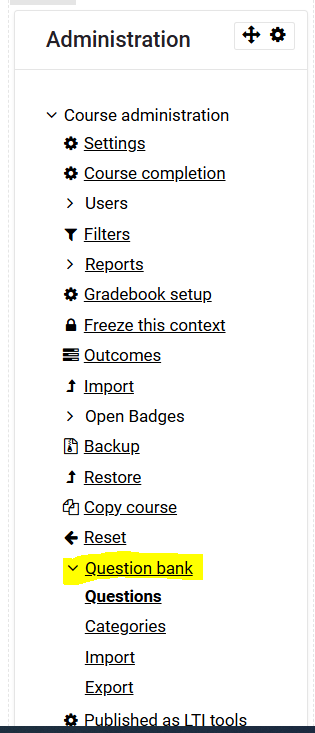
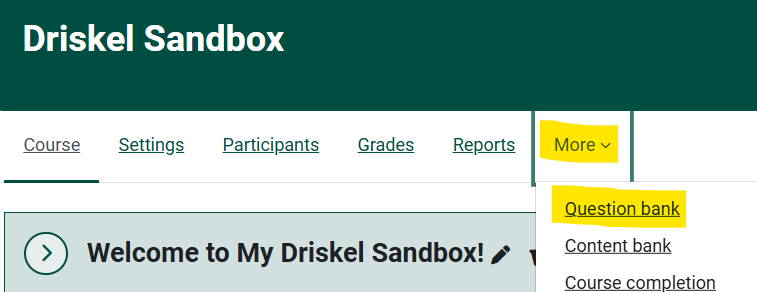
on,on clickonMoretheand then click Question Bank linkinfrom theAdministrationdropblockdownon the right.menu.
2.
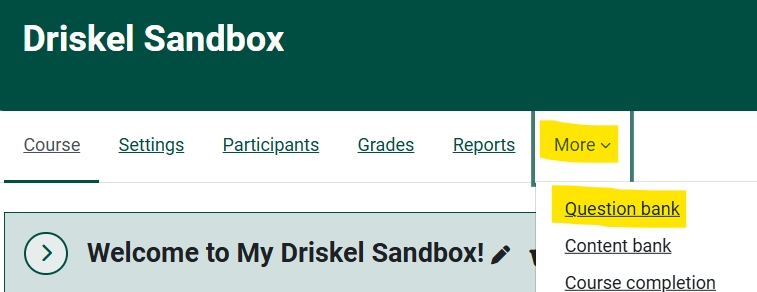
ThenBank"

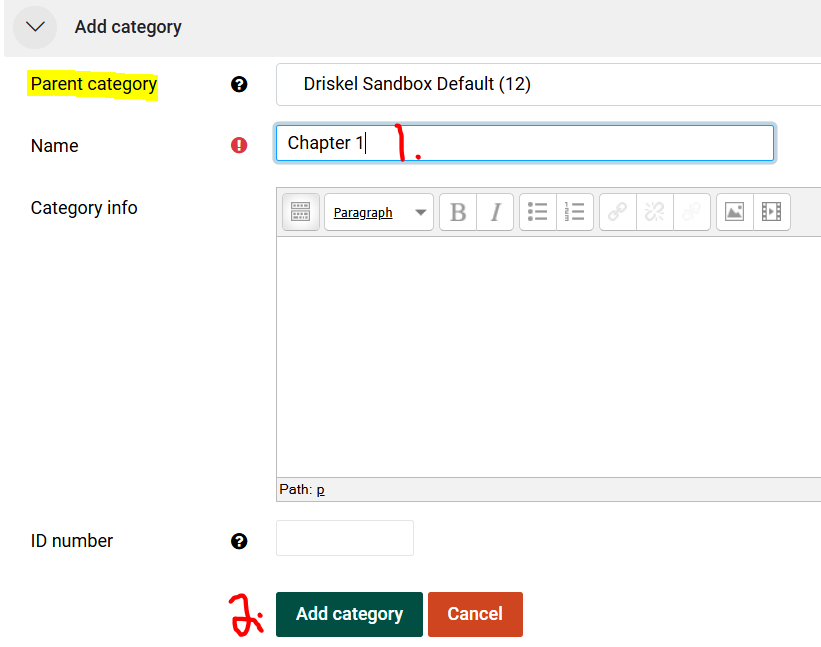
 3. With a Parent category selected, add the title for the first sub-category questions Chapter 1 (or Quiz 1, Test 1, etc.) and click the Add Category button.

In the updated category list, click on Chapter 1 to add the questions.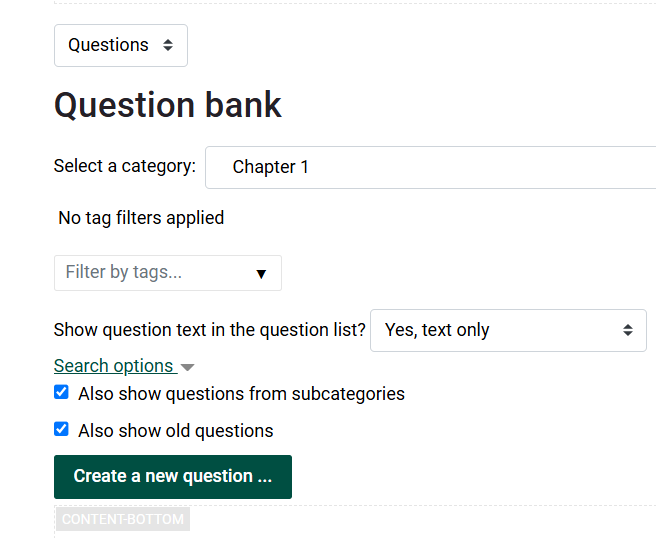
5.
At this point, by clicking on the Create a new question button would provide a list of question types and is fairly self-explanatory. However, importing an existing quiz is the fastest way to add questions to the Question Bank. Go back to the Administration Block and click on Import to import questions that have been prepared in the proper format.
6.
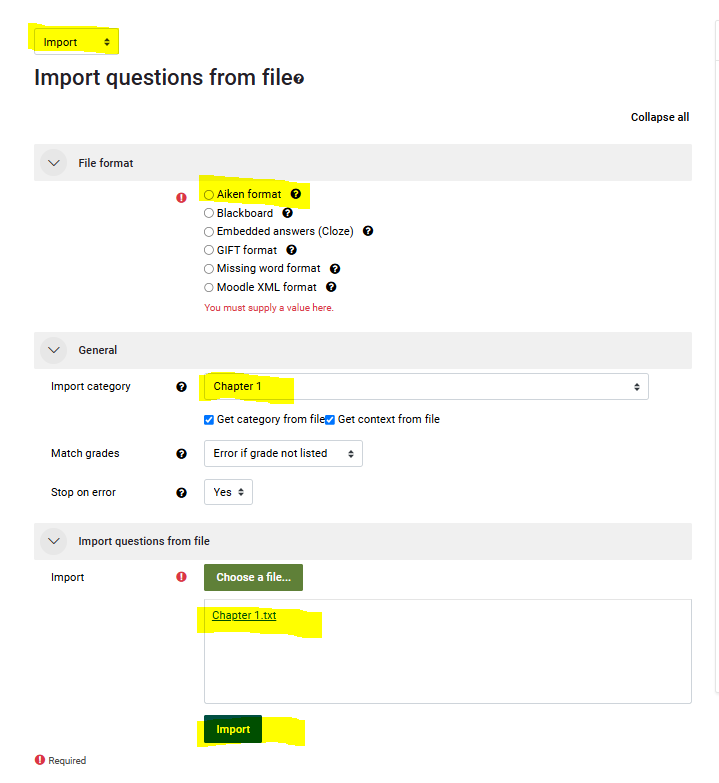
Under Import Questions from file
-
-
select Aiken format
-
under General, choose the preferred category (in this case it's Chapter 1)
-
drag and drop or upload your prepared text file

-
7. Click Continue to upload the questions. (Note that if there are any errors on import the errors will show on the following screen. Errors must be corrected in the text file and the .txt file uploaded again until there are no errors)
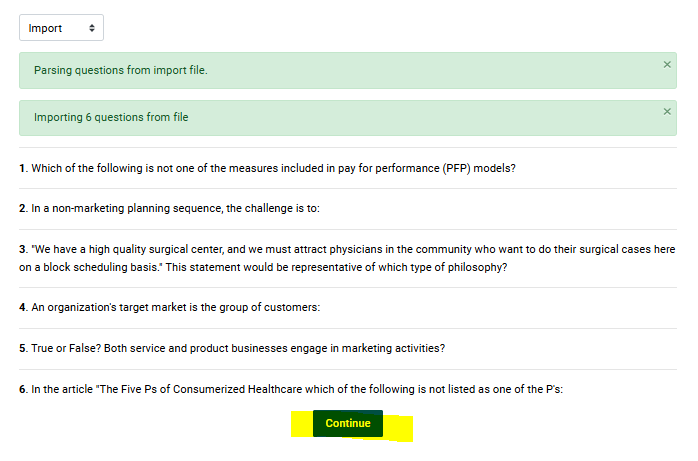
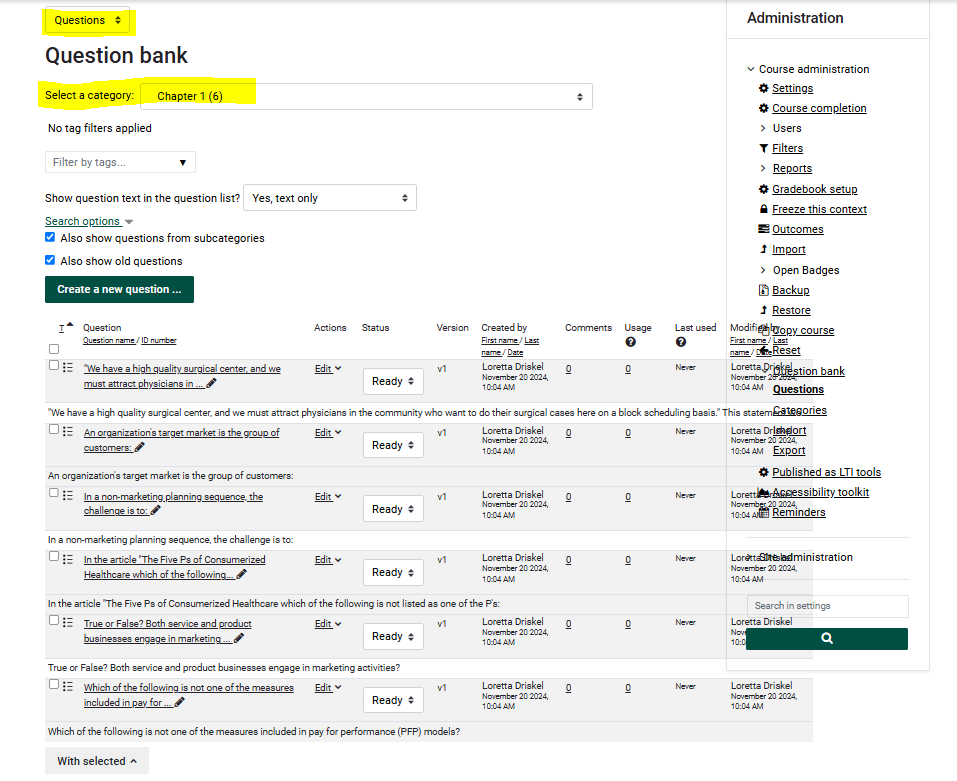
 8. The Question Bank now has 6 questions for Chapter 1 and can be added to a Quiz shell in the course.
Quiz: Prepare a Word Quiz for Import into the Moodle Question Bank
Create A Quiz in Moodle
For more about Quiz, check the Bookstack article list of related topics.