Feature: Class Schedule Overlay

Goal

This feature is used to indicatehelp whatplanning schedules around individual or groups of students. These groups could be a Class Roster, an Athletics Roster or even an Advising Roster. Look for the goalimage.png oricon intendedthroughout purposethe of this feature is.system. 

StepsAccess

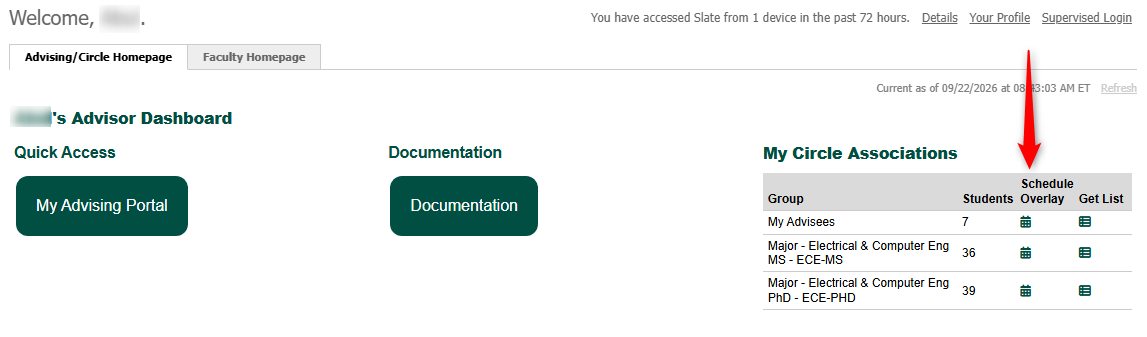
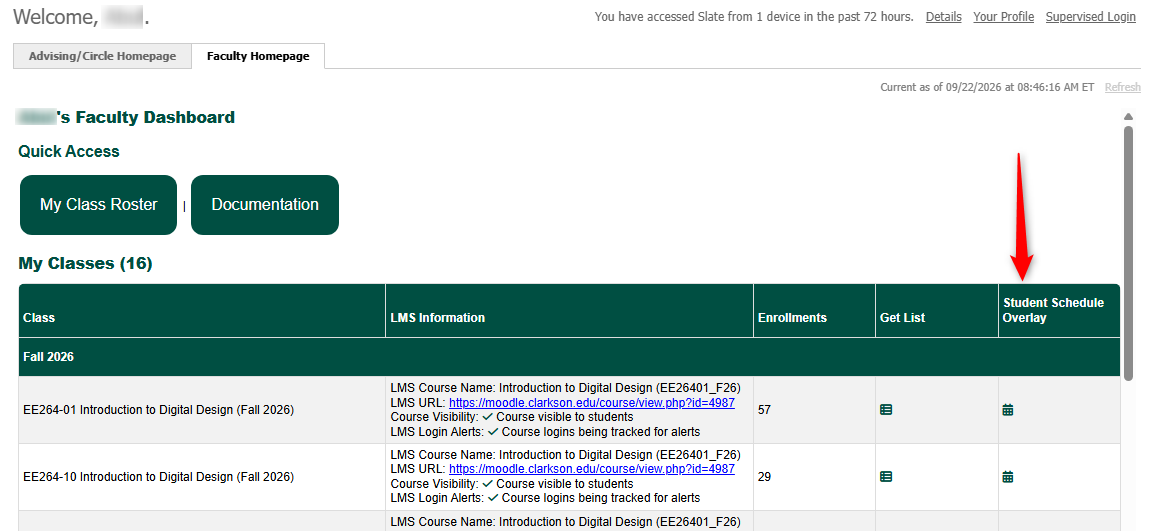
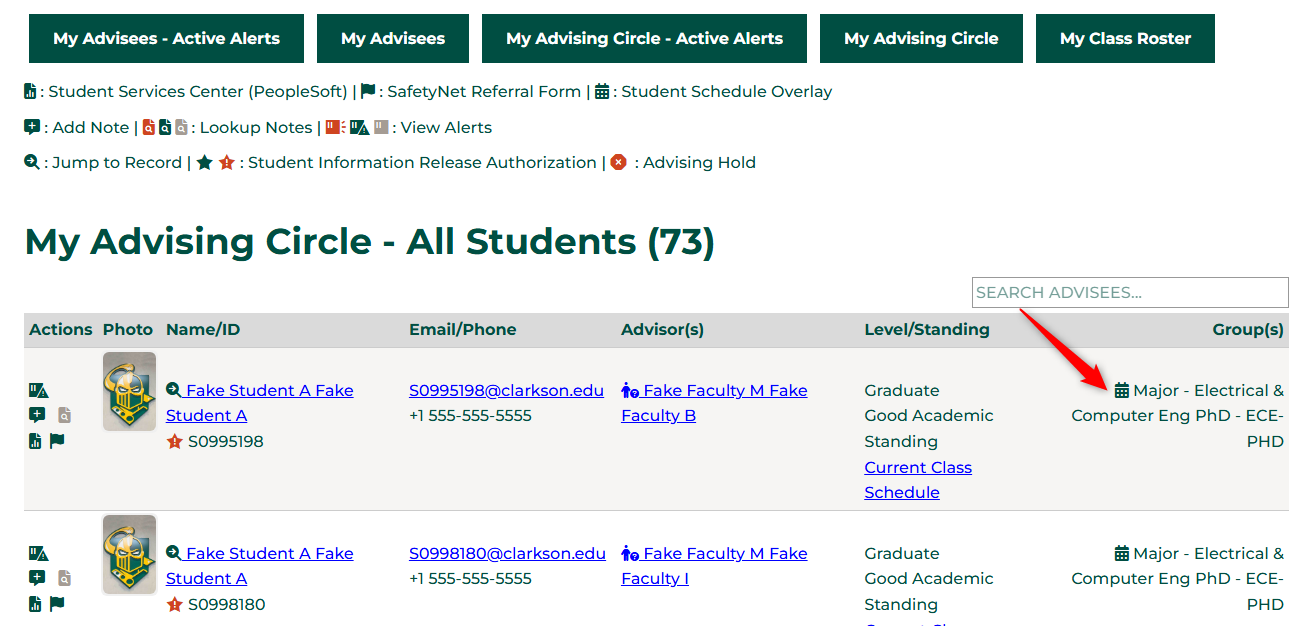
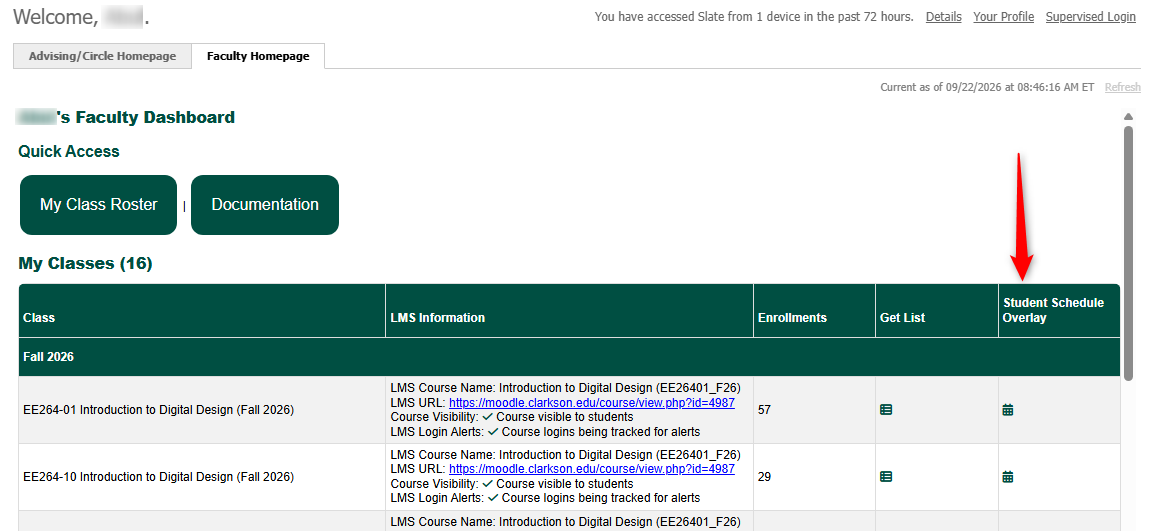
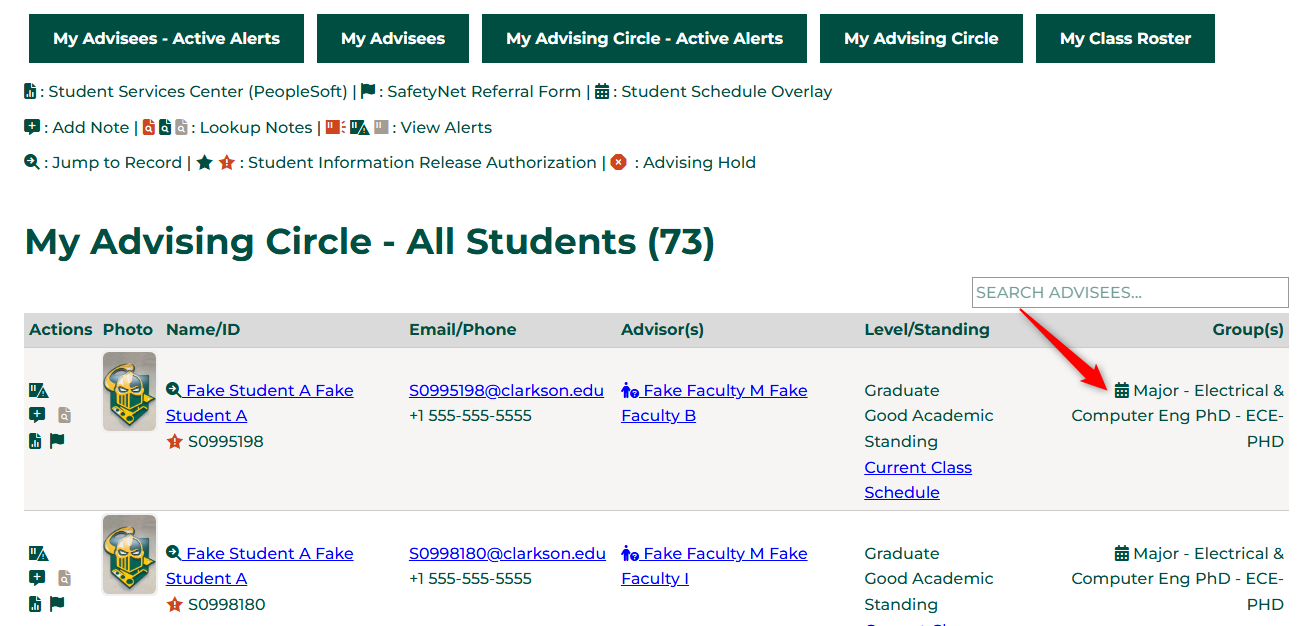
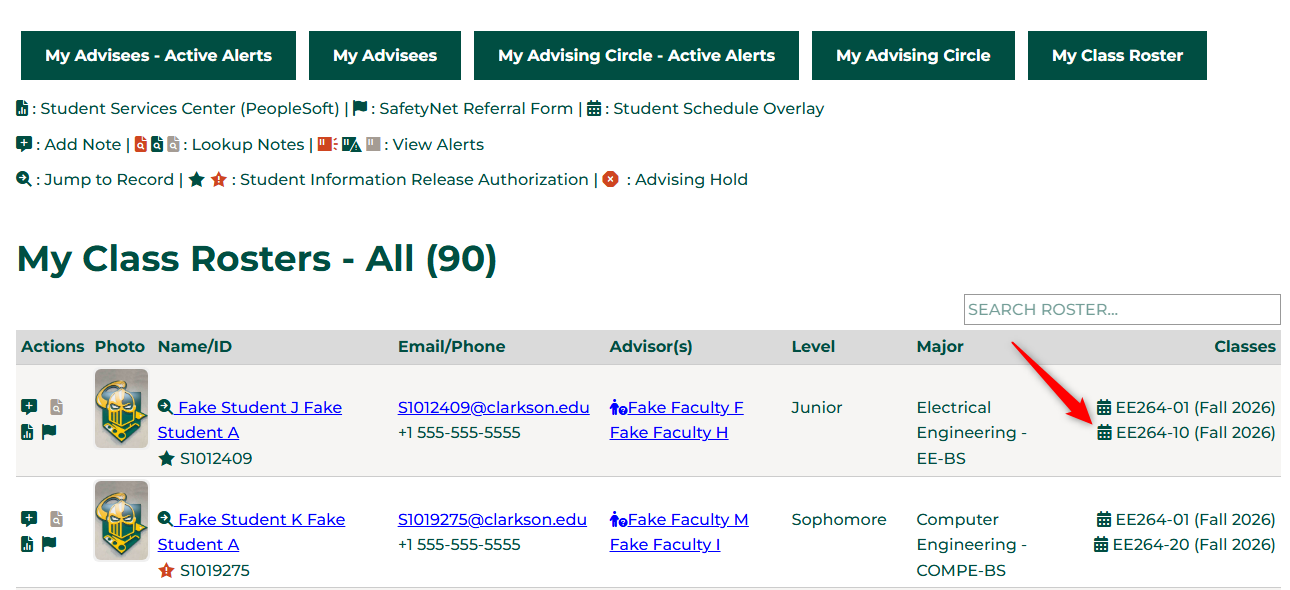
The icon can be found on many screens. All are listed below:

  1. StepYour 1Advising/Circle
      Homepage
    • StepDashboard
      1a
    Step 1b

    image.png

    Step 2
    • Step 2a


      Your Faculty Homepage

      image.png


    • StepYour 2bAdvising Circle Portal

      image.png


    Your Class Roster Portal

    image.png


    On an individual student's record above their current semester schedule
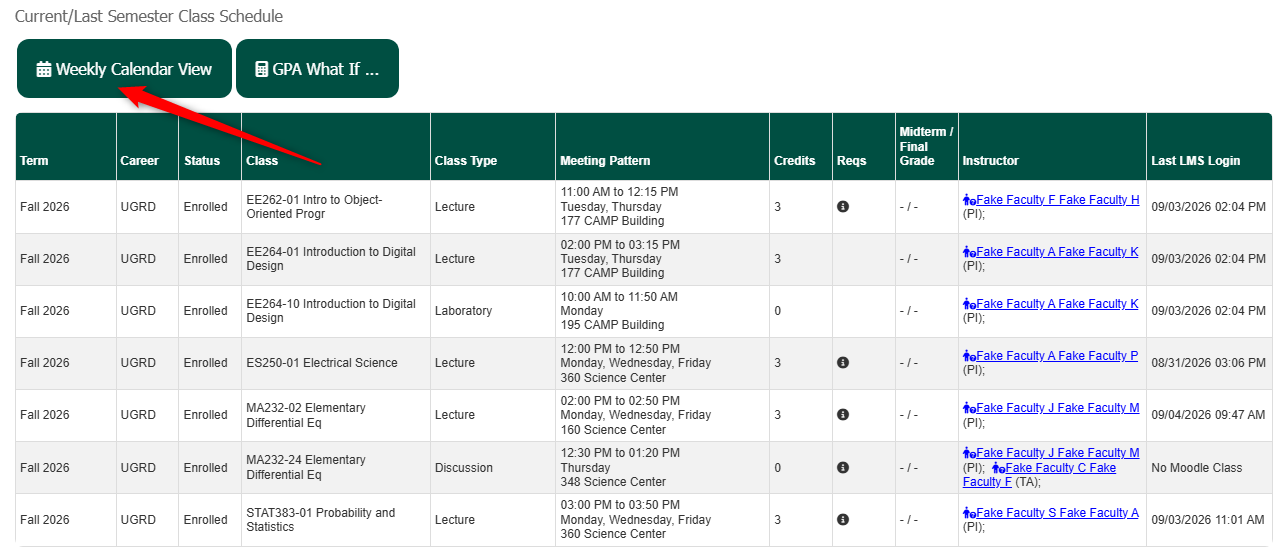
    image.png

    Visuals

    Clicking the icon an any of the screens will produce the following screen:
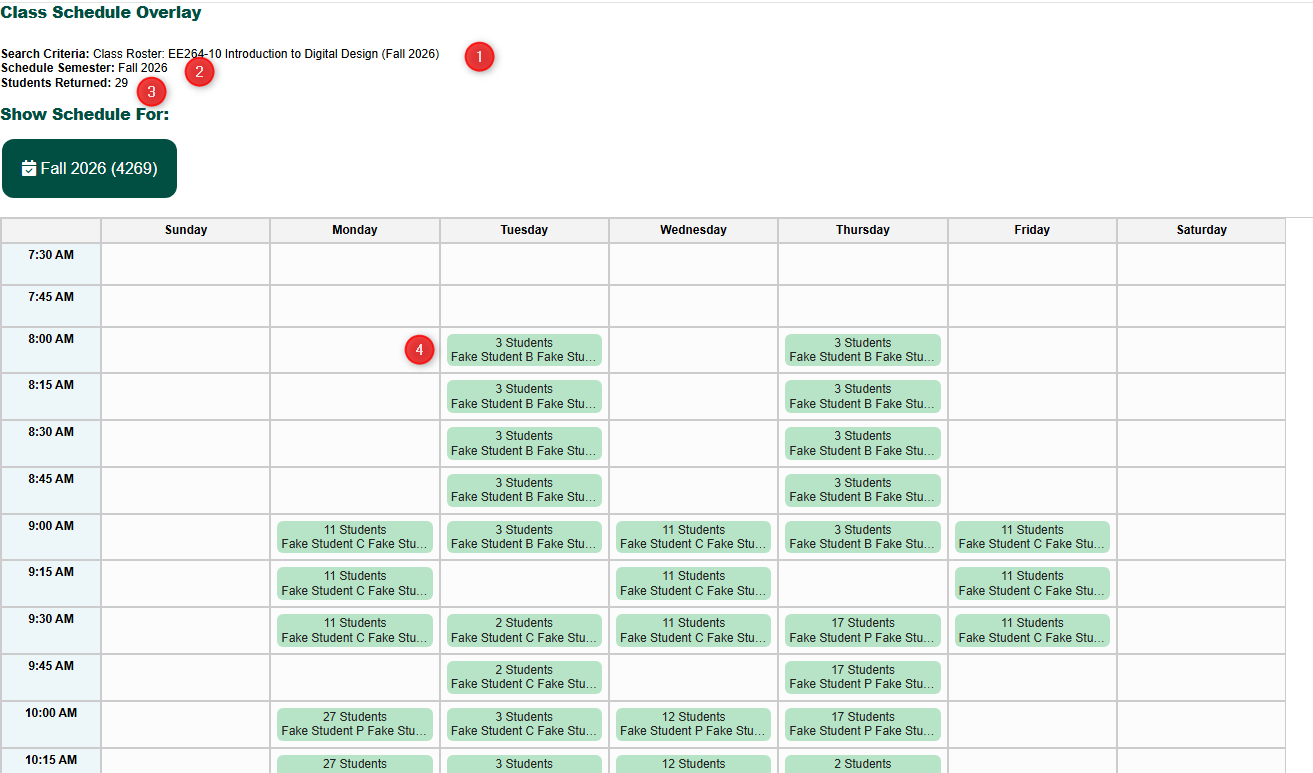
    image.png

      Search Criteria: Indicates the search criteria used when you clicked the button so you have a reference of what you clicked to get to this screen. Schedule Semester: Indicates the semester you are viewing. As students enroll into future semesters, you will be able to swap to a different semester to look ahead by clicking the Green Semester icon (when more are present).  StepStudents 3Returned:
        A Stepcount 3aof how many students were returned in the query StepThis 3bis a break down, in 15 minute intervals, of all the students and included in the query, and their schedules. Each slot indicates how many of the students are reflected by that time slot, and hovering over the box will show you what classes they are taking at that time. 

        Automatic Notifications

        Are there Automatic Notifications happening as part of this process? If so, list them here, if not, use "There are no automatic notification as part of this process."

        Automation Notes

        Are there automations happening in the system when something from this feature is submitted or updated? This might need to be updated by the Slate Developer for the feature.