
Student FAQs
Below is a collection of questions that the TLC and Helpdesk have frequently received.
How do I switch my role to student so that I can see the course as they see it?question
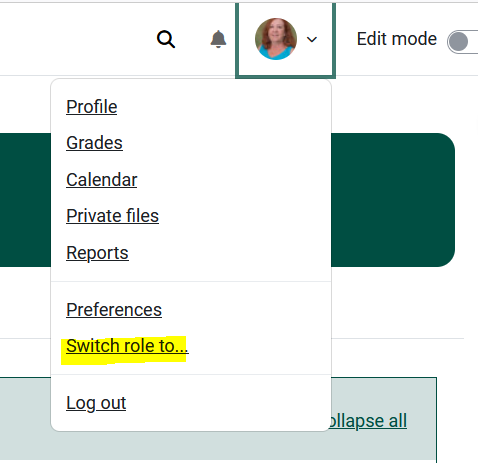
Full article.answer
Where can I access items previously in the Administration block?
Settings, reports, users, etc. previously found in the Administration block to the left side of your course in Moodle 3 can be navigated to through various methods:


What happened to QuickMail?
Quickmail was no longer working correctly. Please use the alternatives suggested in the Communicating with your Students...article.
What do I do if someI students tell me that they could notcan't access themy course?
Send studentsSee the Moodle Quick Resources for Students viafor the course News & Announcements forum and they will get the instructions in their email.instructions.
How do I open my course to students?
Set the course to Show instead of Hide in the Edit Course Settings area - see Make Course Visible to Students.