
Show Moodle Course to Students
Summary:
Best practice is to show (open) your Moodle course for students 2 weeks prior to the official start date. Only the Homepage needs to be available and a link to the course syllabus with Getting Started steps. Module content does not need to be availble early. The reason for this practice is that students panic when they see they are enrolled in the course in MyCU but do not see the course on the Moodle Dashboard.
In order for Students to access your course in Moodle, teachers mustsimply change their Moodlethe course visibility from 'Hide' to 'Show' atprior to the beginning of each term. This will make your course appear for students and allow them to access the course from the Course Overview block on their Moodle Dashboard.
This guide will help you to:
- Change the Course Visibility setting on your course from 'Hide' to 'Show'.
Go to your course from the Moodle Dashboard.
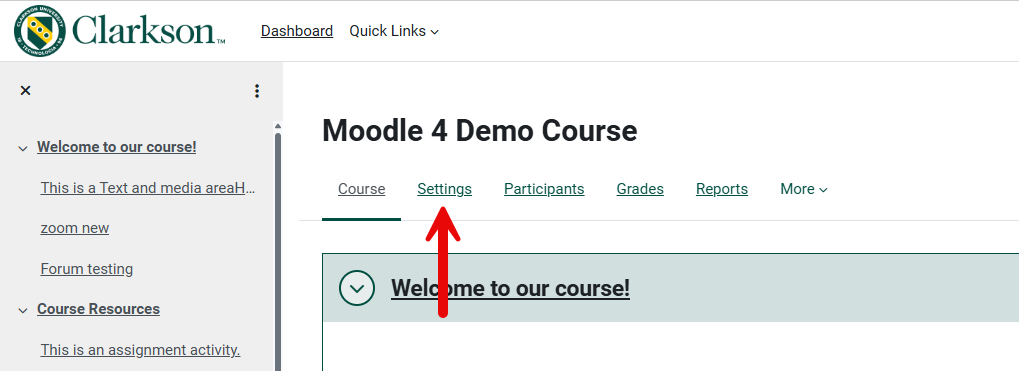
1) From the course start page, go to Settings tab.
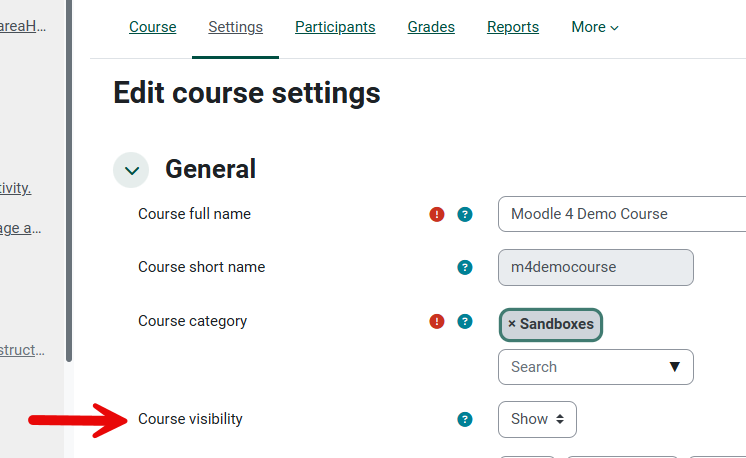
2) In Settings, under General, Course Visibility, change to Show, then Save.
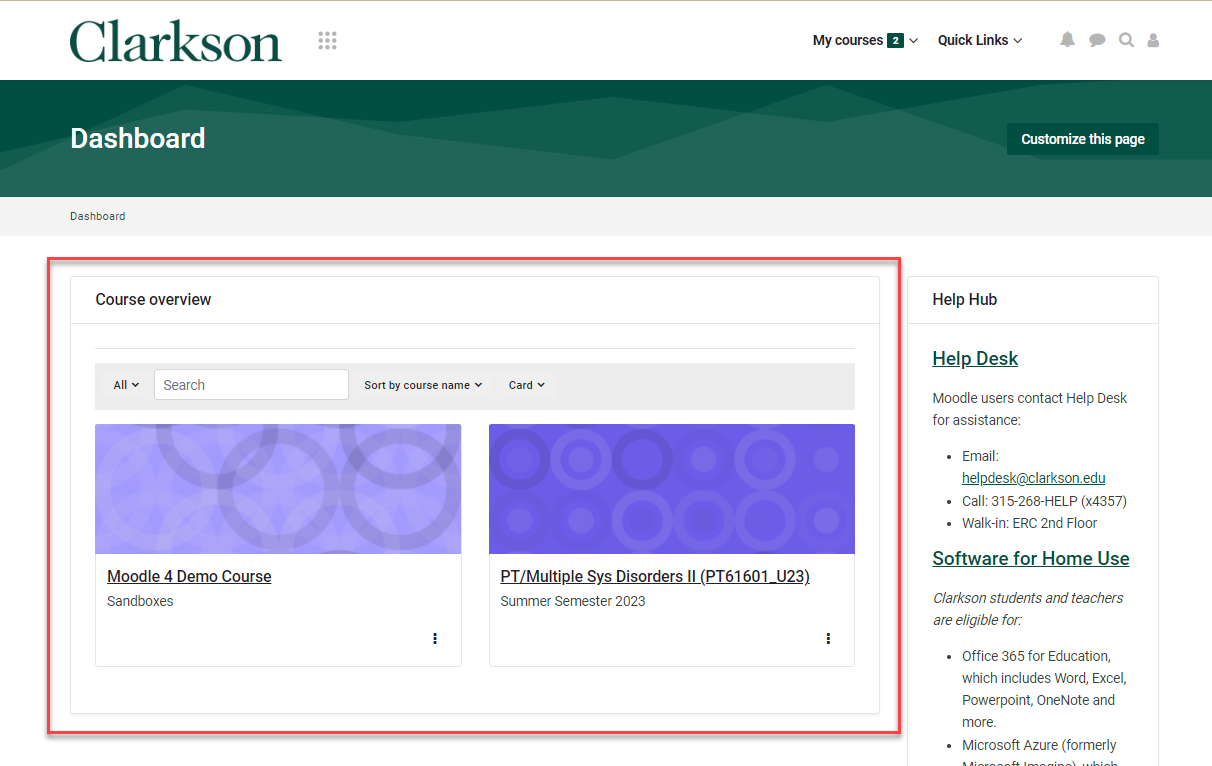
Your course is now visible to students. Students will be able to access the course on their Dashboard in the Course Overview area as shown below. Students will now receive any announcements you send through the News& Announcements forum in your course.

Seek Further Assistance
For additional assistance please contact, Clarkson OIT Help Desk;
Email: helpdesk@clarkson.edu
Call: 315-268-HELP (x4357)