
Moodle: Question Sharer Role for Question Bank
Summary
Instructors may be interested in sharing Question Bank questions from one course to another, or one instructor to another. This is possible by assigning the teacher the Question Sharer role.role. The Question Sharer role will beis assigned to instructors by sending a helpdesk request.
Teachersa cann instructor hold the Question Sharer role, they will be able to save questions to the Category or to the SystemSystem, and then access those questions from courses either in the same category or system wide.
This article will help to:
System admin instructions
Question Sharer role is a system wide role. To locate and add this role to usersNote: the instructor must have Non Editing Teacher or Teacher role in at least one course to appear in the Search results.

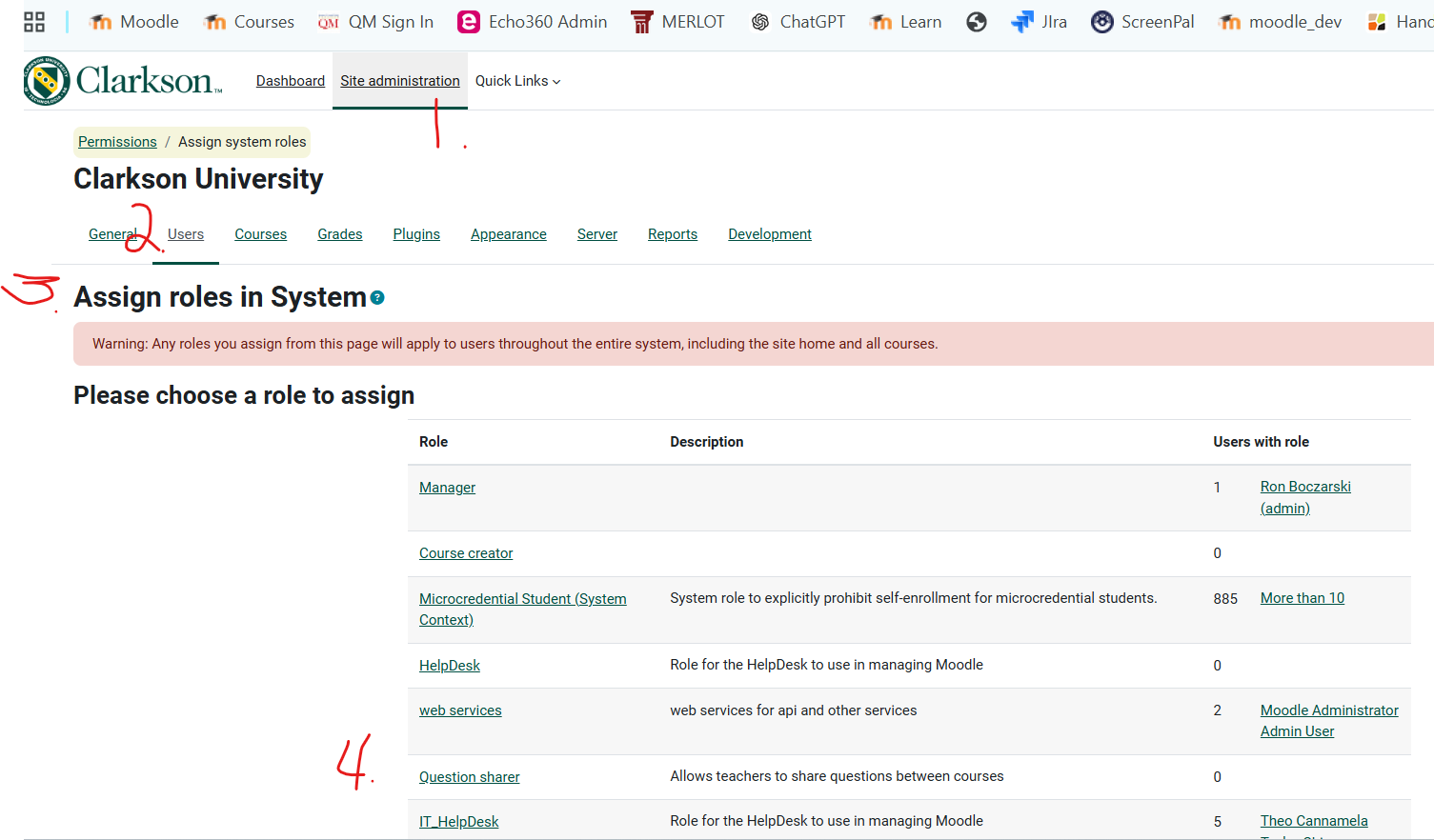
Instructors with Question Sharer role in Moodle
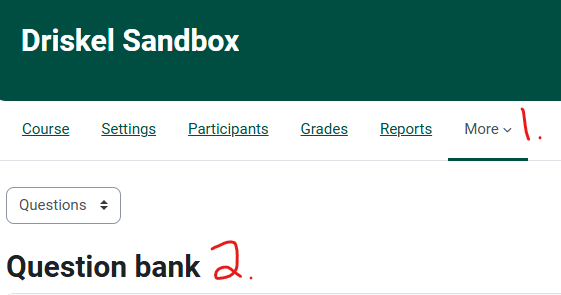
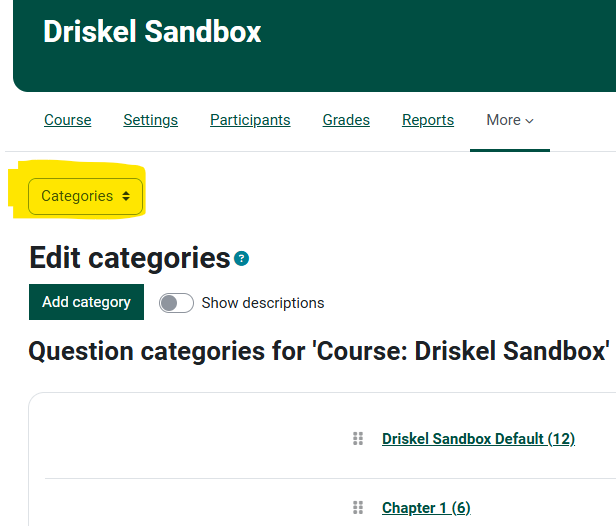
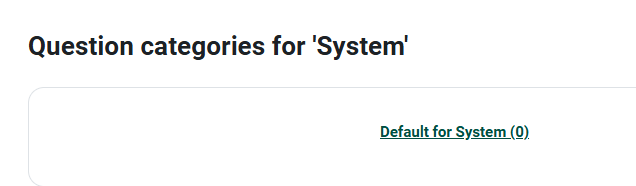
You may want to create a new System level folder. You can add sub folders, import or create questions in there, and then access them from any course going forward.
Seek Further Assistance
For additional assistance please contact, Clarkson OIT Help Desk;
Email: helpdesk@clarkson.edu
Call: 315-268-HELP (x4357)