Grades: How to Find the Grader Report

TheReady locationto add grades or view the status of the Gradecurrent Bookgrades? /You are looking for the Grader Report haswhich changed.can be found in two ways.

It
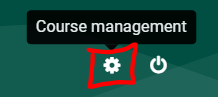
    Course Management gear - When editing is nowoff, locatedclick underon the mainCourse "Navigation"Management block.gear It used to be located underin the "Courseupper administration"right block.corner of the course page. image.png
    Under the Students column, click Grades:
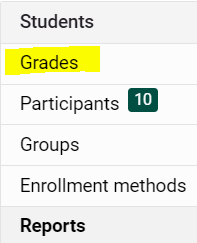

    image.png

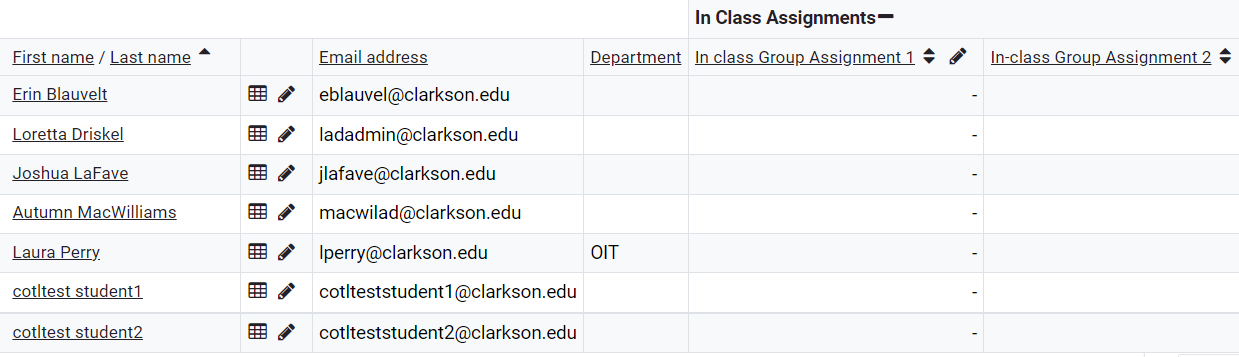
    You now see the Grader Report:image.png

    Alternatively:


    1. If editing is on, click on Gradebook setup in the Administration block:
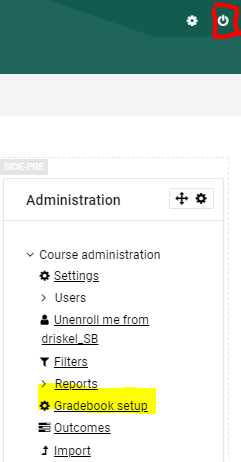
    image.png

    2. In the Gradebook setup window, choose Grader Report from the top of the Administration block.
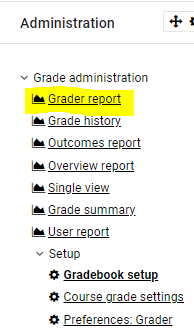
    image.png


    grader_report_1.PNG?version=1&modificationDate=1526585534000&api=v2View details about the Grader Report in Moodle Documentation.