
Forum Not Visible in Gradebook
Problem
If you do not see your discussion forums in showing the course gradebook, the settings for the forum are probably set to “none”. You will need toSimply edit the settings for the forum(s).
Here’s how:
- Turn editing on in your course.


- Go to the Forum(s) that is not visible in the gradebook and click the ellipse (3 dots on the right of the Forum title to Edit.
- On the drop down menu, choose Edit Settings.




Forums can be graded either by Whole Forumforum Gradegrading or Ratings,
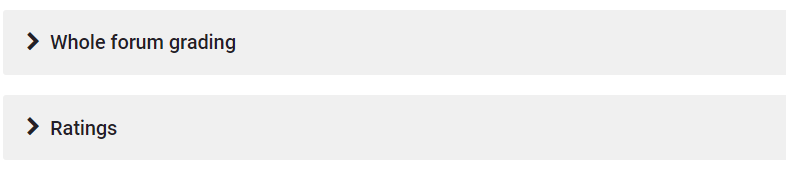
4. Scroll down in the forum settings to the Whole Forum Grade area and click the arrow to the left of Grade. If you see None for the Grade Type, then you need to change this setting. There are several options for getting Discussion grades to the Gradebook.
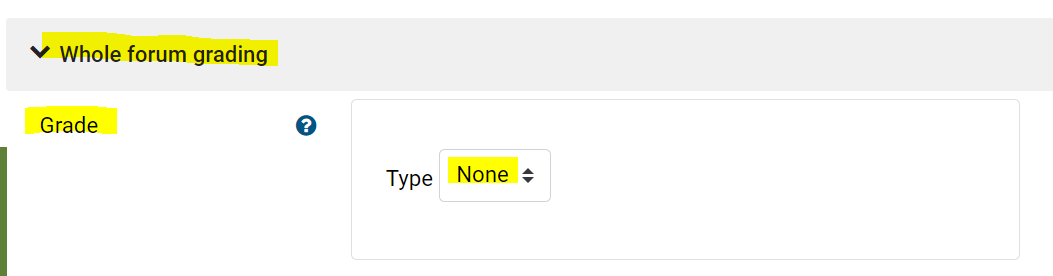
In
See themore about Forum Grading in Moodle: Whole forum vs Rating
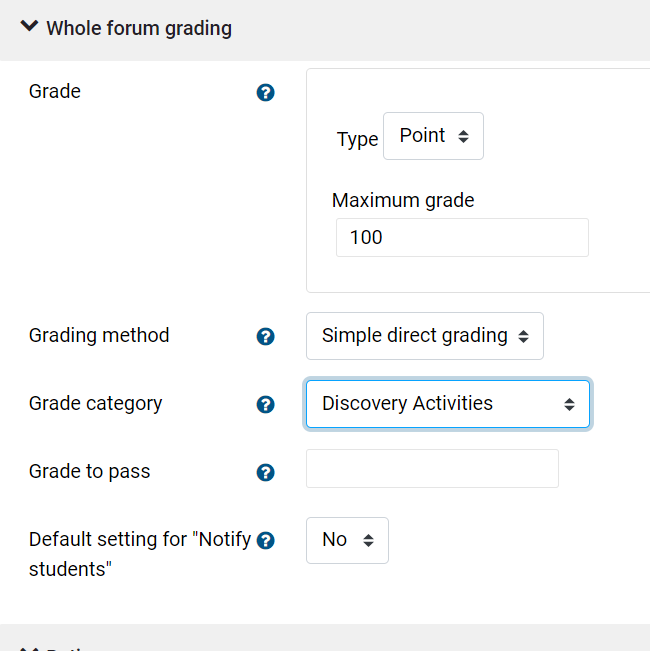
Whole Forum Grading,
Choose either Point or Scale, depending on your grade preferences explained to students in the syllabus and/or rubric. The Points and Grading Method are another choice to make. And
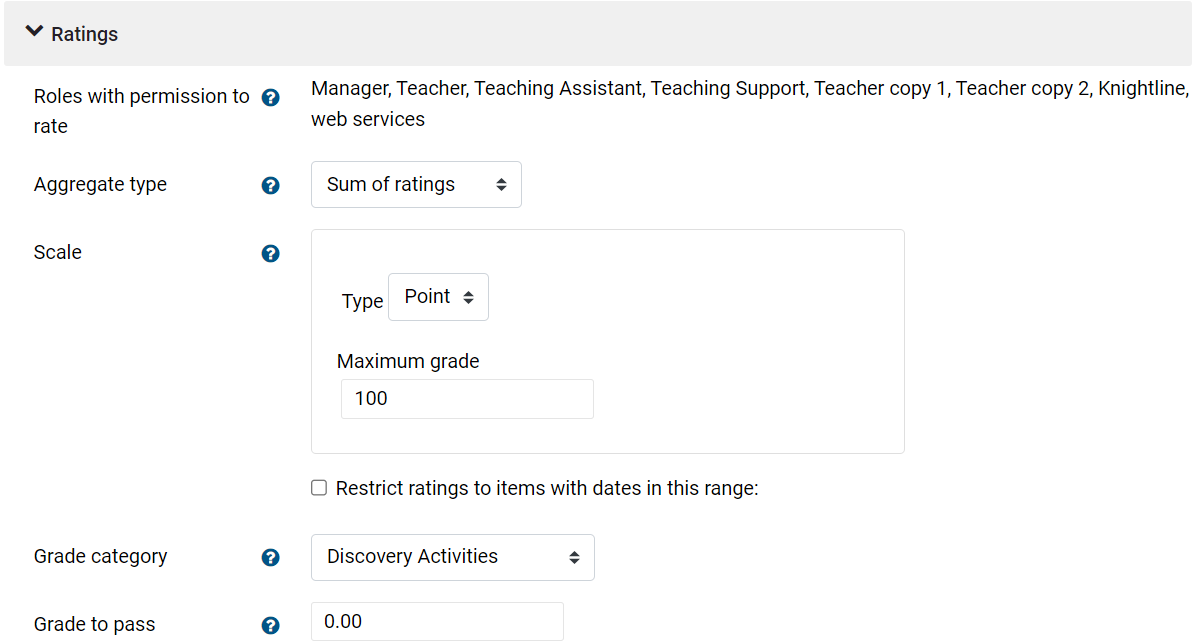
Rating Posts in a Forum
Another way to grade students is by rating the posts as you read them. The aggregate type and scale are two other settings here.
No matter which option you choose, if you have set up Grade Categories, the Forum will automatically fall into place in the Gradebook SetReport. View this brief video on category set up.
Category
Rating Posts in a ForumSetup
Another way to grade students is by rating the posts
See detailed information for Forums in the Moodle Help & Documentation