
Forum: How to View All Responses by Student
How to: Summary
When anusing instructorthe wouldWhole likeForum option for grading a discussion, the easiest way to view all posts made byof one personstudent's inposts an forum simply click onfor the discussion at once, is the Grade Users button.
How to Steps
- From your course page, click into the forum.
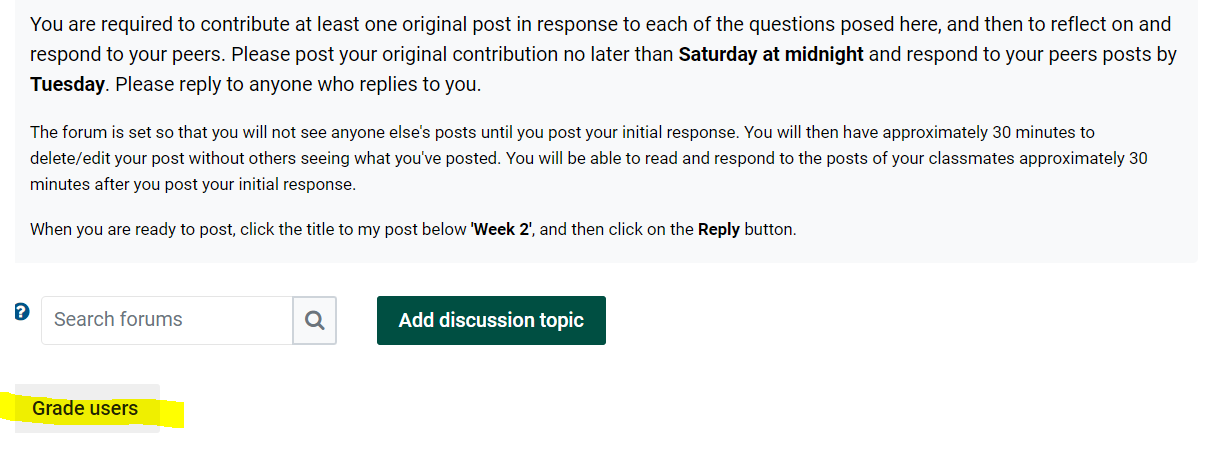
- Scroll to the bottom of the forum, and click on the Grade Users button:
Grade Users Screen
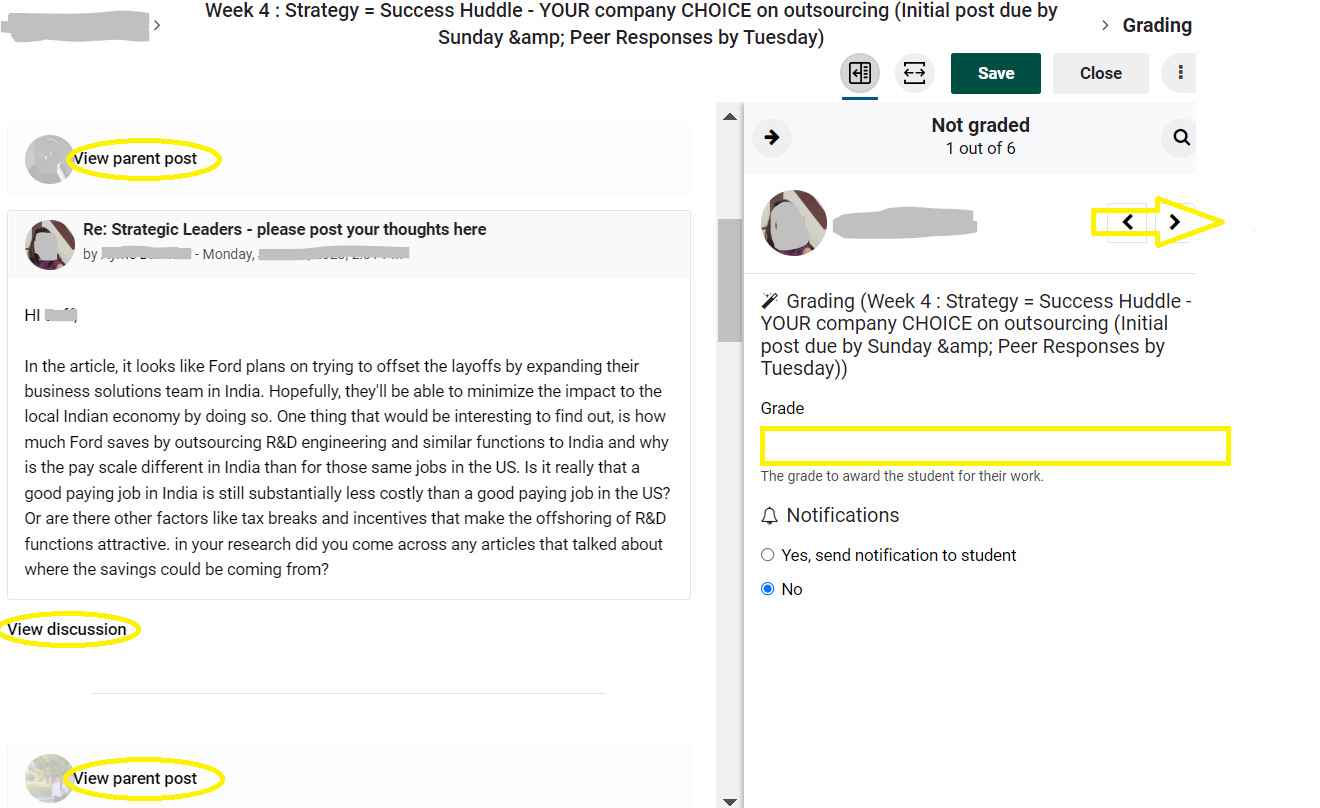
- Note that on the left side of the Grade Users screen, you will be able to view a student's posts all at once or within context.
YouOn the right side of the screen can also give the student a gradehereand feedback which will automatically transfer to the gradebook.- Use the arrows at the top of the screen to Navigate to the next student and repeat!
Other ways: Instructors can always run a report on any student or activity in the course. With editing on, access the Administration block on the right of the course homepage ,(add the block if you don't have it) expand the Reports option and choose the type of report you want to run.
View detailed information on the various Moodle Course Reports.
Seek Further Assistance
For additional assistance please contact, Clarkson OIT Help Desk;
Online: Get Help
Email: helpdesk@clarkson.edu
Call: 315-268-HELP (x4357)