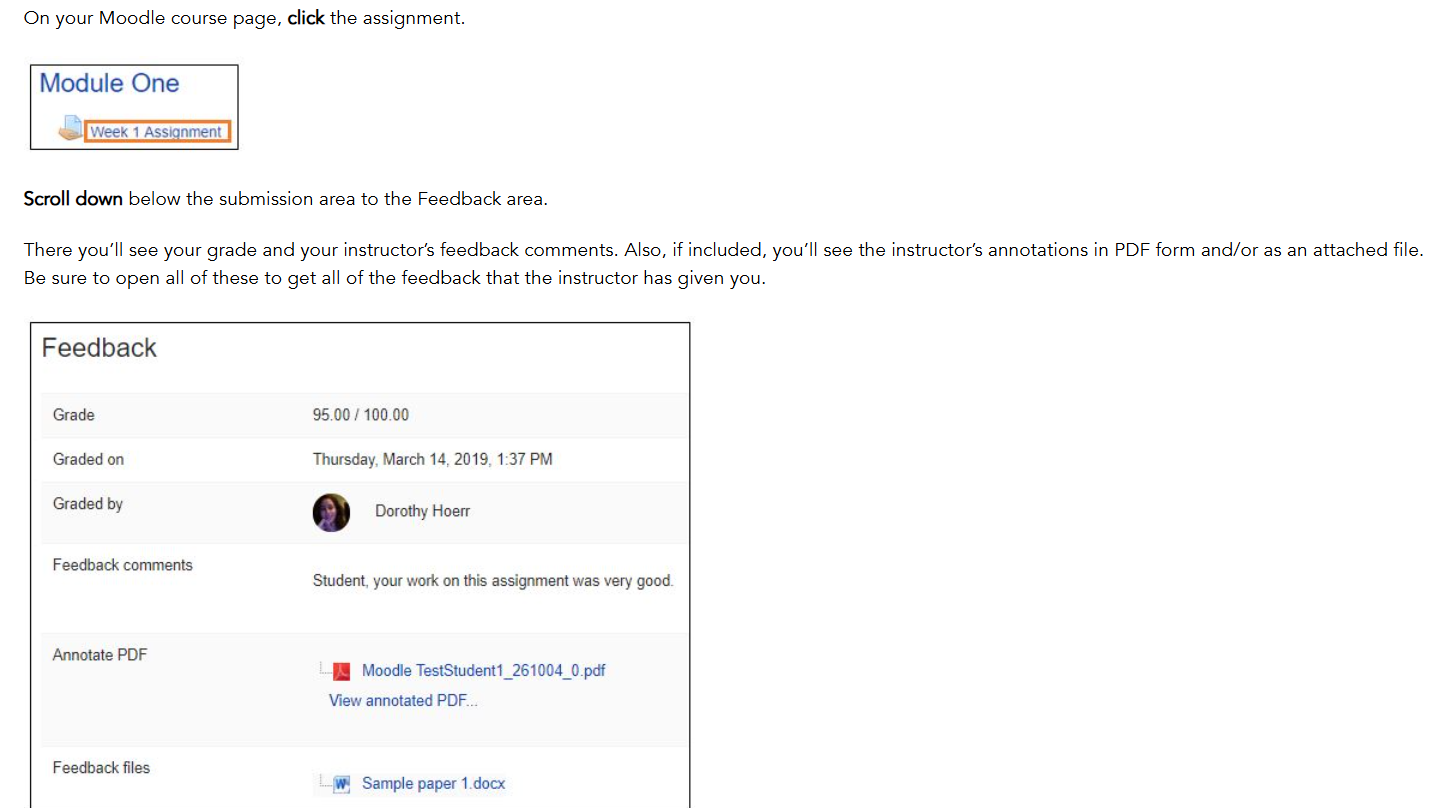
Assignment Feedback (Student View)
For instructors, if you are wondering how your students will see or receive your feedback in Moodle - see the following images:
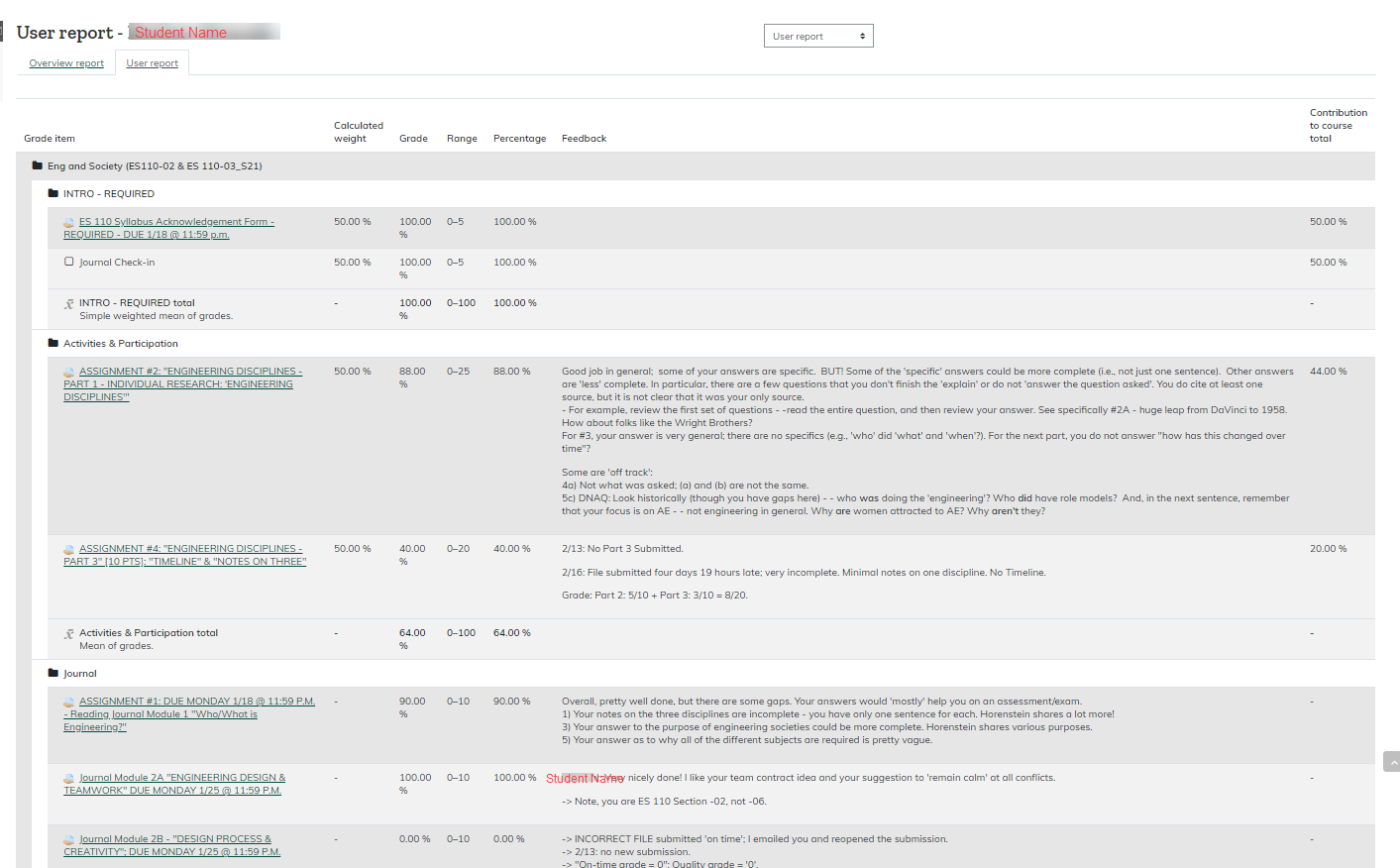
Student can access their Grades from the drop down menu at the top of their course. Here they will see their User Report, an overview of all grades and feedback for the course.

Another Way:
Students can also return to the original assignment submission  and click through the 'Feedback available' indicator Submission status page which states assignment details, grade and feedback comments.