Add/Edit 'Getting Started' Information - Top of Course Homepage
The top of the course homepage is the perfect place to welcome students to your course and provide instructions for how to get started with the course. In fact, if you are teaching an online or synchronous course, this area is like when students walk into your brick and mortar classroom. Try to make this area a reflection of your class, both welcoming and informative!
If you're creating a new course from the institutional template, you may see a placeholder like this:

Examples of information to put into this area:
- course
description
welcome video an image relevant to your course content (or
To edit this content:
Click
to turnTurn on editing settings.
- To the right of the item you would like to edit, click the ellipse to Edit then choose Edit settings.
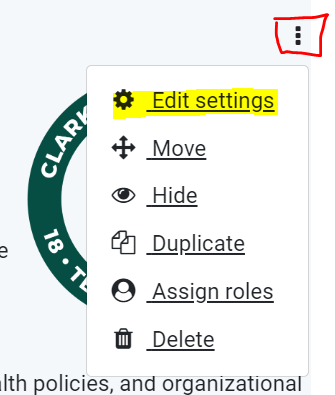

- Edit the text using the tools on the text
editing iconseditor and typing your message. - To add/edit an image, refer to these two part instructions: Obtaining an Image from Pixabay and Adding it to a Course
- When you are finished, scroll down and click
 .
.