
Access Class Roster and Email Adresses in Moodle Course
The Class Roster can be exported from Participants list in Moodle:
Steps to Export
-
- Log into the course.
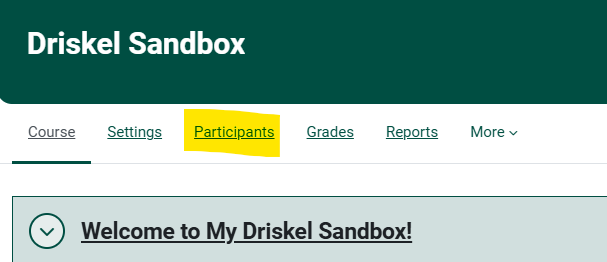
Click onOn theCoursetopManagementnavigationgear iconin the upper right of the page.
- Log into the course.
In the Course Management window, under the Students column,bar, click the Participants link: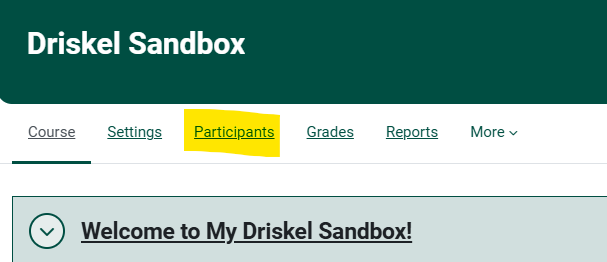

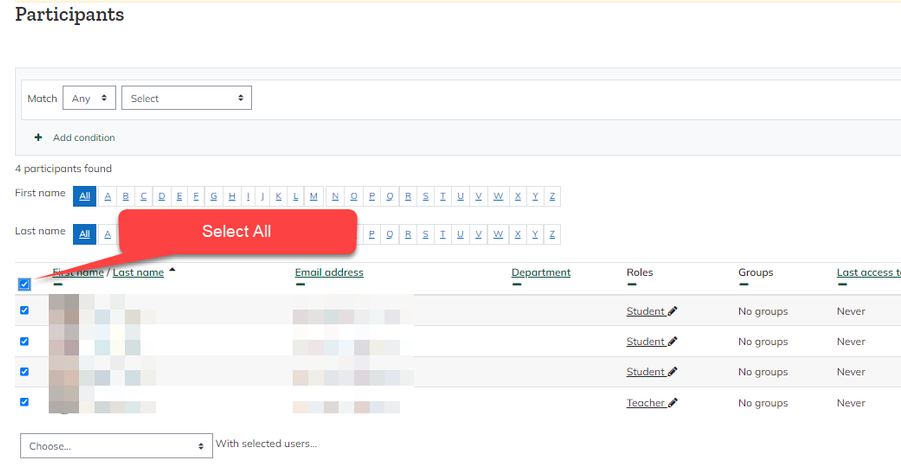
Inn the Participants window, click to Select Allstudents:students: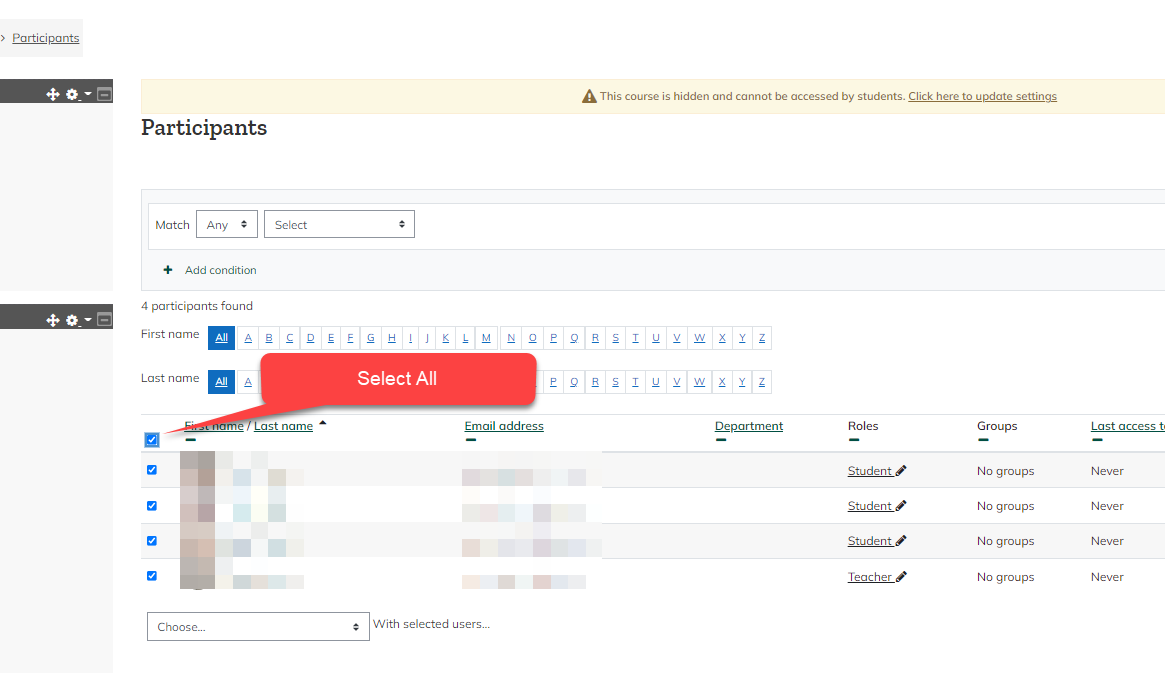
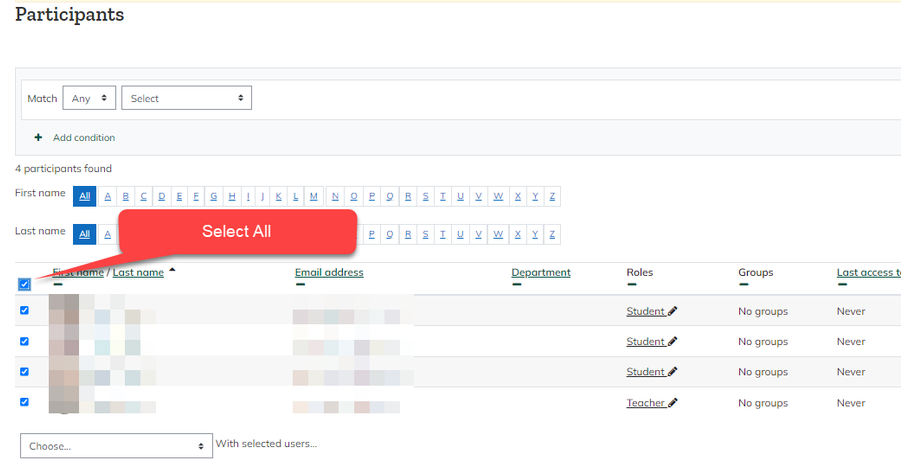
- At the bottom of the roster, in the drop down menu for With selected users...the Choose.... menu. "Download table data as" option to export the desired file format.


Seek Further Assistance
For additional assistance please contact, Clarkson OIT Help Desk;
Email: helpdesk@clarkson.edu
Call: 315-268-HELP (x4357)