
Division Head Tasks
1. Review case contents
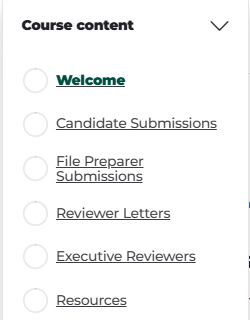
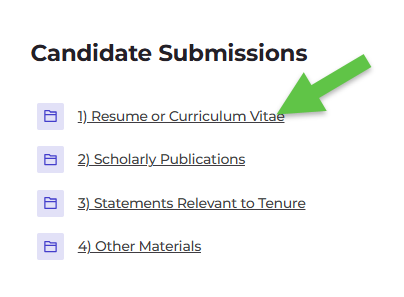
b. Enter each folder in each section to view contents of the folder.
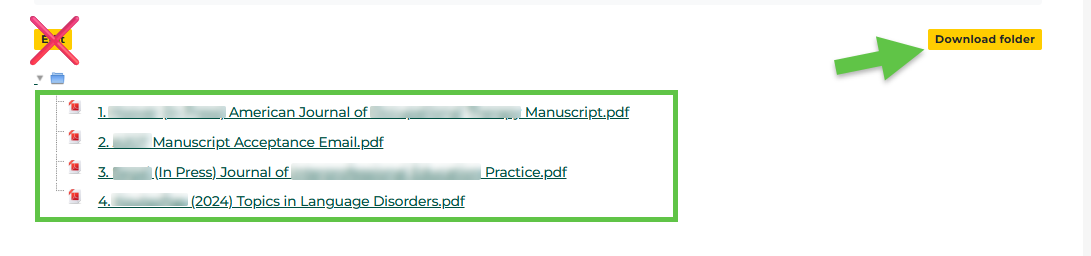
c. Click on the file name to view each file or click Download folder to download and view the contents of each folder. Do not edit.
2. Division Head writes a letter
that evaluates the candidate's promotion file (in terms of the standards articulated in OM 5.3) and presents a recommendation regarding the candidate's suitability for promotion.
3. Upload letter
In Executive Reviewers section:
a) Double click to open Division Head uploads their review here folder.

b) Click Edit.
c) Drag and drop files and Save Changes.
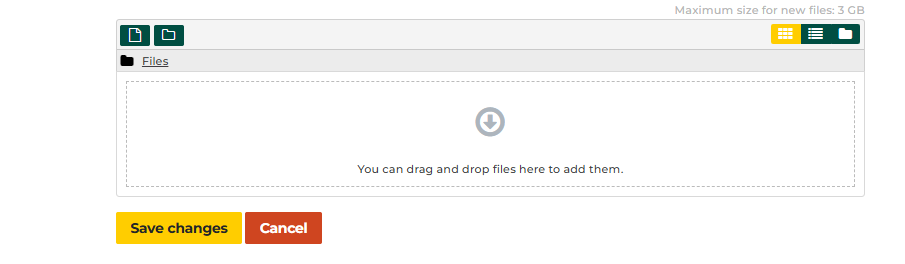
When complete, the letter is added to the file, and is conveyed to the Committee and the President.