
Dean Tasks
1. UploadReview Tenurecase Filecontents documents
A) Upload these files BEFORE Clarkson Faculty Reviewers access Candidate's file and begin review:
***A NOTE about Comparative Teaching Data:
If the Candidate elects to share Evaluation of Instruction Reports to Clarkson Department Faculty reviewers, then Comparative Teaching Data is also made available to Clarkson Department Faculty reviewers.

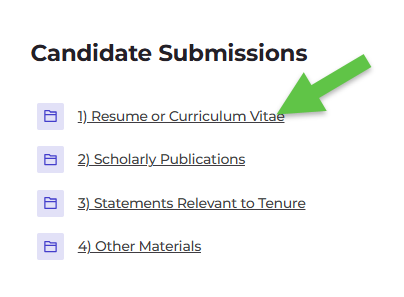
Enter each folder in each section to offerview the student evaluation of teaching scores for review by faculty colleagues, the preparer shall append the "appropriate comparison data" (referenced in item 5.5.A.11.econtents of the definitionfolder.
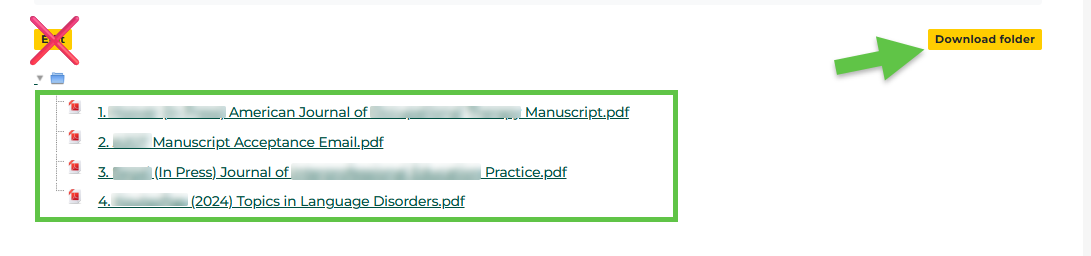
Click on the file name to view each file or click Download folder to download and view the contents of each folder. Do not edit.
2. Write evaluation and recommendation letter based on the contents of the tenure file) to these scores."
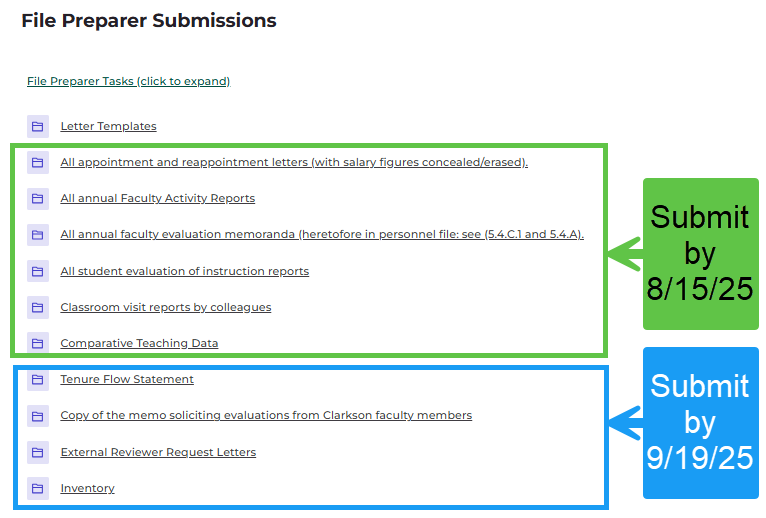
B) Upload these files by File Preparer's deadline to load required documentsfile and reviews (additional guidance in the folders):
Exhibit A: Fall 2025 Submission Deadlines:
2. Managing Reviewers:
Complete all the following by File Preparer's deadline to load required documents and reviews:
A. Access Reviewer Checklist submitted by Candidate located in the Candidate Submissions section.
B. Select/download desired files for External Reviewers. Create .pdf for sharing to External Reviewers.
C. Select/download desired files for Testimonial Reviewers. Create .pdf for sharing to Testimonial Reviewers.
[Administrators will adjust file visibility for Clarkson Faculty reviewers as indicated on the checklist submitted by the Candidate]
D. Solicit reviews from External, Clarkson Faculty and Testimonial reviewers via email (check Letter Templates folder for samples):
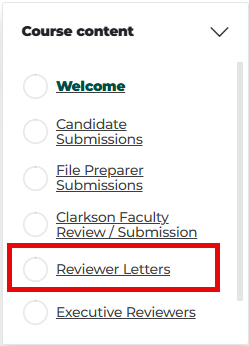
E. Once reviewers submit files, upload them to designated folders in Reviewer Letters section. From Course Content menu, select Reviewer Letters. Upload files to designated folders. See images below.
i. For Clarkson Faculty Reviewer Submissions:
ii. For External Reviewers:

3. File Preparer/Chair writes a letter
that evaluates the candidate's promotion file (in terms of theevaluative standards articulateddescribed in OM 5.3)3.
and
This presentsmust be accompanied by a recommendationstatement regarding thetenure candidate's suitability for promotion. File Preparer/Chair uploads their letter to the folderflow in the Executiveschool, Reviewersindicating section.
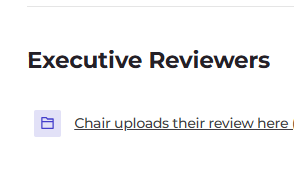
Note:
Afterhow the Fileaward Prepareror hasdenial submitted the Tenure File - only the File Preparer may add new material to theof tenure filewould (apartaffect fromteaching itemsand listedresearch in the OMschool. 5.5.A.11.m-qThis statement must also indicate the number of thetenurable tenurerank file).faculty Consequently, if any person or group, including those reviewingin the promotionSchool, file,the developsnumber newcurrently informationtenured, thatand isa projection for the next three years taking into account anticipated departures, faculty scheduled to be considered duringfor tenure review, and changes in the number of tenurable positions.
Both the Dean's letter and the tenure review,flow this information mustwill be conveyedadded to the File Preparer for inclusion in the file. Likewise,
3. anyUpload reviewerletter
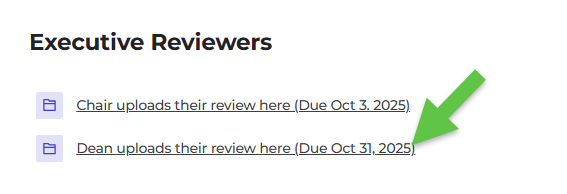
In theExecutive authorReviewers ofsection:
a) confidentialDouble deposition for clarification of the author's comments, an attempt must be madeclick to secureopen thisDean clarificationuploads intheir writing.review Ifhere writtenfolder. comments
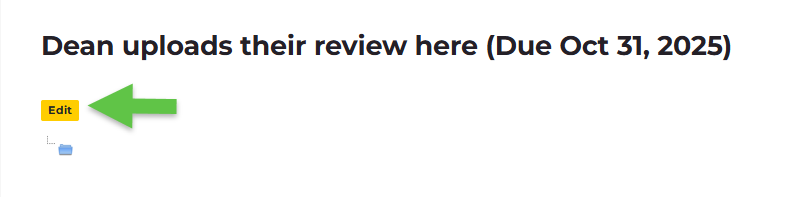
b) obtained,Click thenEdit.
c) record of the conversation must be developedDrag and sentdrop to the File Preparer. In sum, any new information, documents, conversation accounts, or depositions considered during the tenure review must be forwarded to the File Preparer for inclusion in the file, the inventory updated,files and theSave candidate so informed. The File Preparer may then develop a revised recommendation, if any, and forward it along with the new information through appropriate channels.
Changes.
File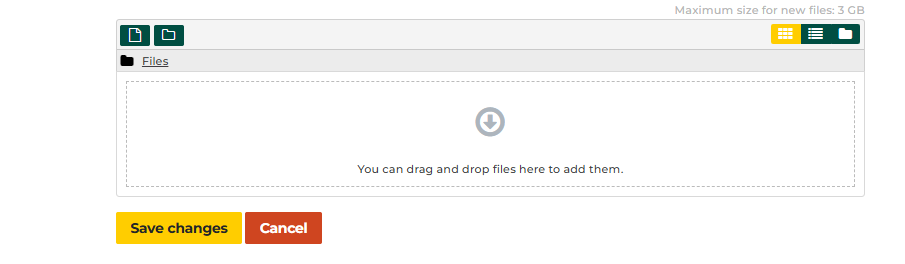
When readycomplete, for DeanCommittee review.