
Fixing Application Data Errors between Slate and PeopleSoft
Quick Links
-
- Admit Term Mis-match
- Recruiting Mis-match
- Major Mis-match
- Admit Type Mis-match
- Notification Plan Different
- Admit Date is before Application Date
Admit Term Mis-match
-
- Student Already Matriculated
- Put in a ticket to helpdesk@clarkson.edu asking for the Administrative Computing team to update the correct Admit Term for the student within PeopleSoft. Include the Student's PeopleSoft ID, and the PeopleSoft Application Number and what the correct Admit Term and Expected Graduation Term values should be.
- Contact registrar@clarkson.edu indicating the student might have the wrong starting term for them to manually fix the student. Send them the same information provided to the helpdesk ticket.
- Slate Value Wrong, PeopleSoft Correct
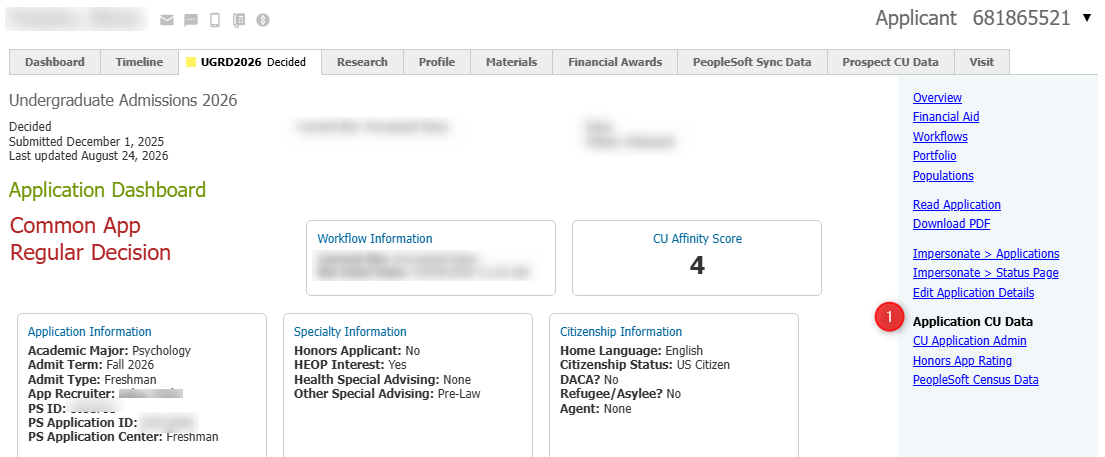
- Click the "Slate App ID" URL in the mailing, which should take you directly to the students application in Slate. On the right hand navigation, click the "Application CU Data" link.
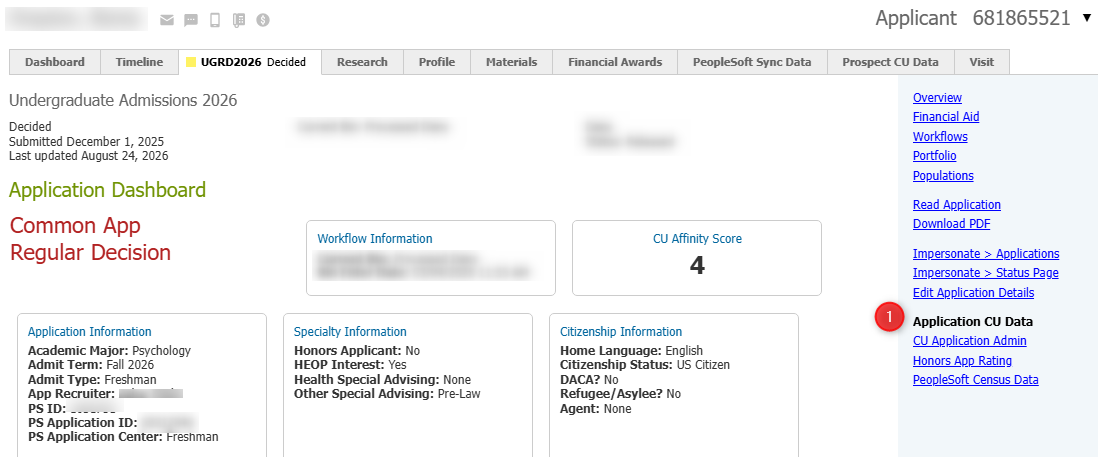
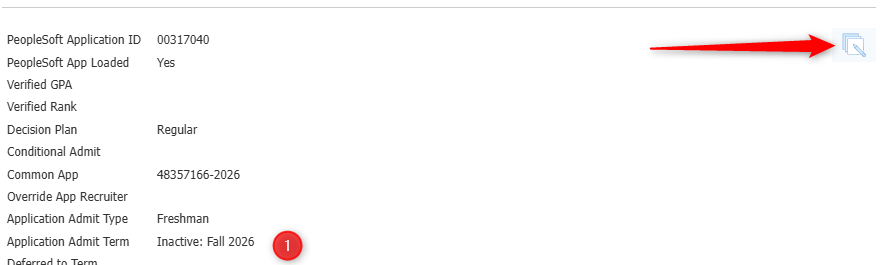
- Scroll to the bottom of the screen and click the "Edit" icon. Change the Application Admit Term value and hit save.
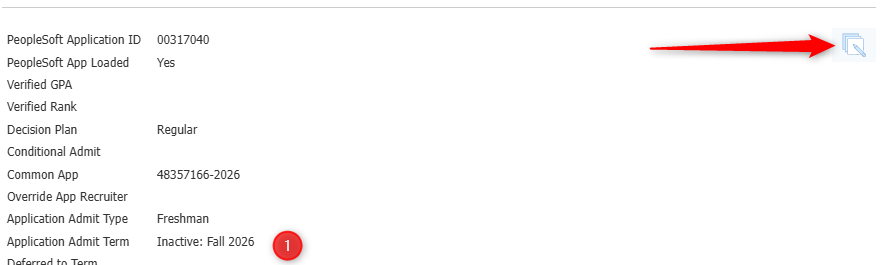
- Click the "Slate App ID" URL in the mailing, which should take you directly to the students application in Slate. On the right hand navigation, click the "Application CU Data" link.
- PeopleSoft Value Wrong, Slate Correct
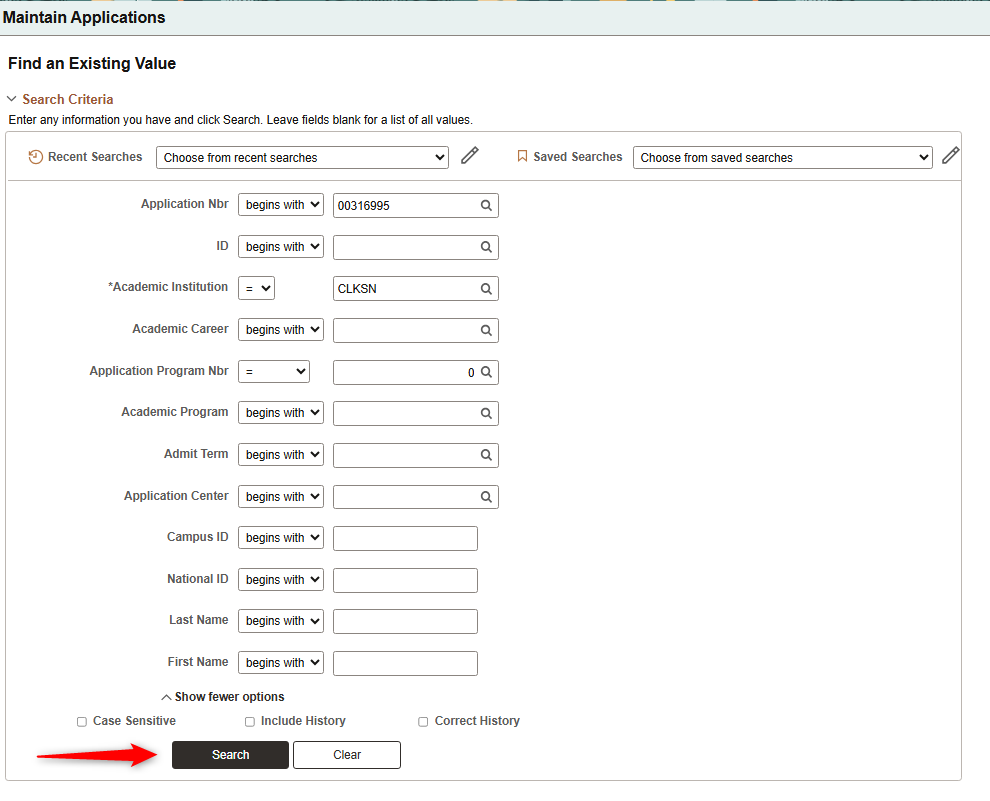
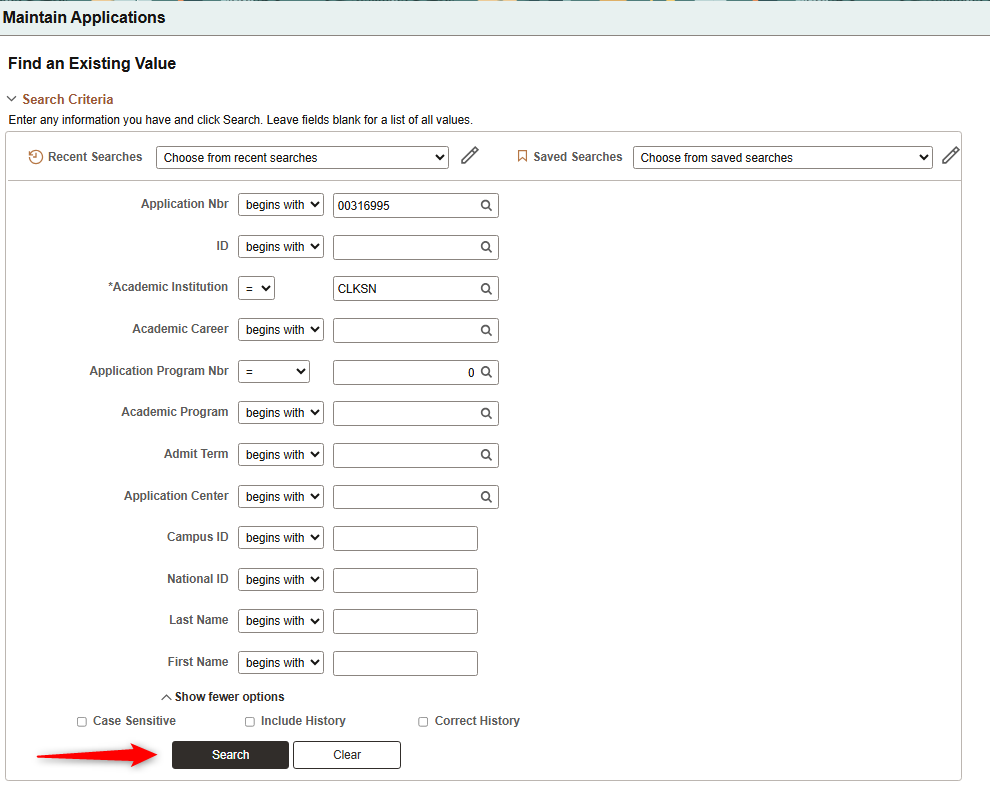
- Click on the "PS App ID" link in the mailing, which should take you directly to Maintain Applications in PeopleSoft with the PeopleSoft ID already filled in. Hit Search.
- Navigate to "Application Program Data" at the top of the screen.
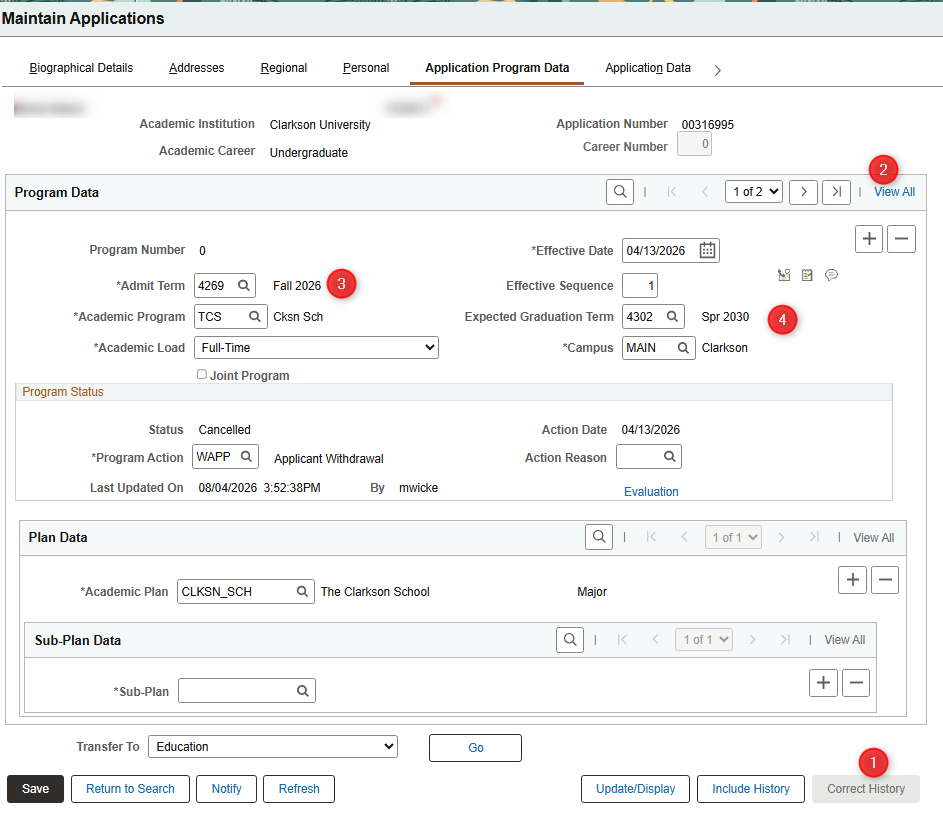
- NOTE: Do not change the Effective Date value, that will cause issues with the decision interface from Slate.
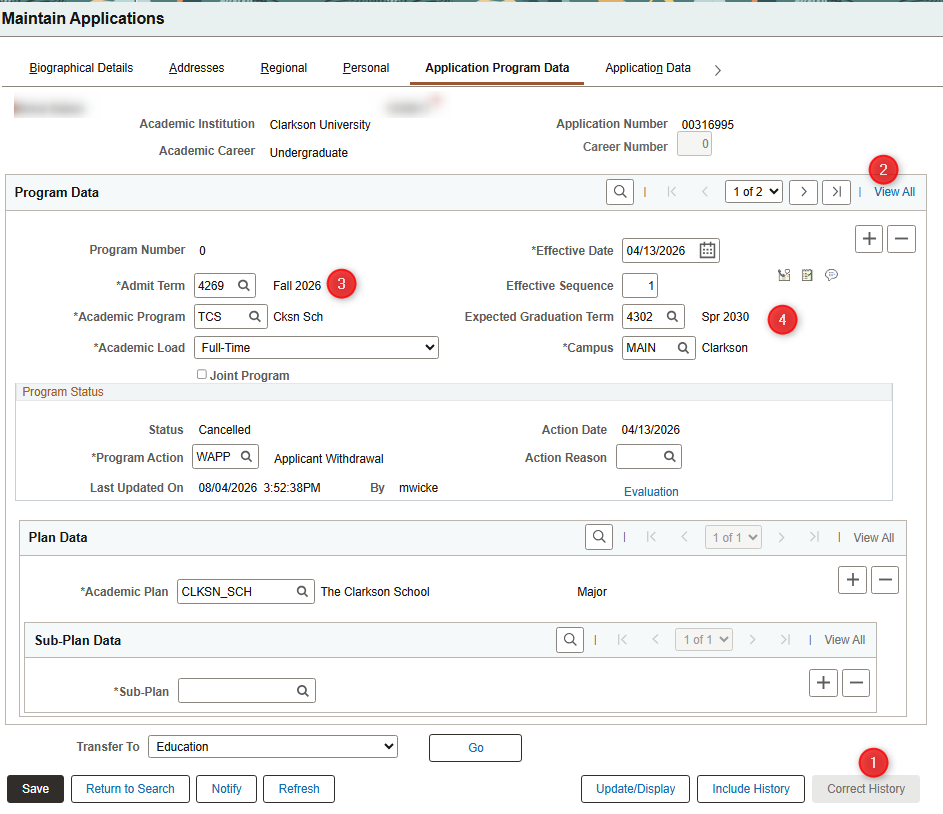
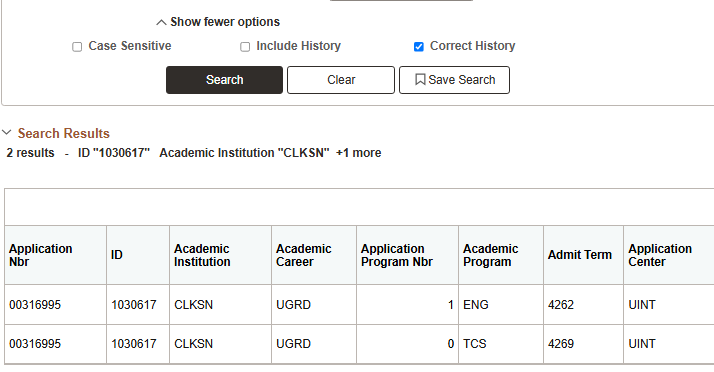
- NOTE: If student is a TCS Student, you will have to update both Application Row Numbers. On the main search screen in PeopleSoft, remove the value in the "Application Program Nbr" row if its filled in and hit your search. This should return multiple rows. You will need to repeat all the steps below for both.
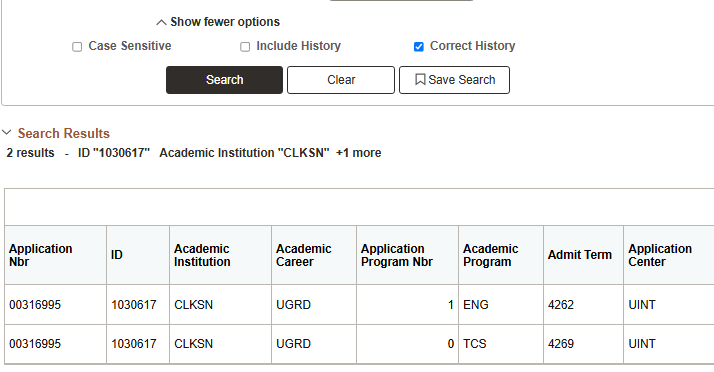
- 1 - Click "Correct History" at the bottom of the screen to update all of their rows to the correct value
- 2 - Click the "View All" link at the top of the screen. You should see it telling you how many rows there are to update to the left of that link (1 of 2 in this example)
- 3 - Update the Admit Term to match the correct value
- 4 - Update the Expected Graduation Term to the correct value
- Repeat this for how many rows of decisions there are on a student.
- Click on the "PS App ID" link in the mailing, which should take you directly to Maintain Applications in PeopleSoft with the PeopleSoft ID already filled in. Hit Search.
- Student Already Matriculated
Admit Type Mis-match
Major Different
Admit Date is before Application Date
Notification Plan Different
Recruiting Center Different