Market Value File Preparation and Upload Instructions

GoalPurpose

This isdocument used to indicate whatoutlines the goal or intended purposeprocess of thisgenerating, featurereceiving, is.manipulating, and uploading Fund Market Values into Slate. 

StepsProcess

  1. StepEmail 1Reminder:
      Email
    • Stepreminder 1asent on 1st of the month to DAR and Budget & Planning out of Slate
    • StepGenerate 1b
    Market Value Files: Budget & Planning generates the market value files and provides them to DAR staff StepManipulating 2File
      for StepSlate: 2aDAR or IT Staff edit the file so Slate can process StepUploading 2bFile to Slate: DAR or IT Staff upload manipulated file to the Slate Source Format StepCheck 3For
        Unlinked StepFunds: 3aCheck unmatched rows in file to determine if fund should exist for uploading. StepVerify 3bData Load: Check data is appearing in Research under funds

        AutomaticEmail NotificationsReminder

        Are

        thereOn Automaticthe Notifications happening as partfirst of thisevery process?month, Ifa so,reminder listis themsent here,to if[ not,ADD useHOW "ThereITS SENT] Mailing is located here [ADD LINK]

        Generating Market Value Files

          Files are nogenerated automaticfrom notificationthe asBudget part& Planning Department.  They generate the file by [Get Instructions From Tasha]

          Manipulating File for Slate

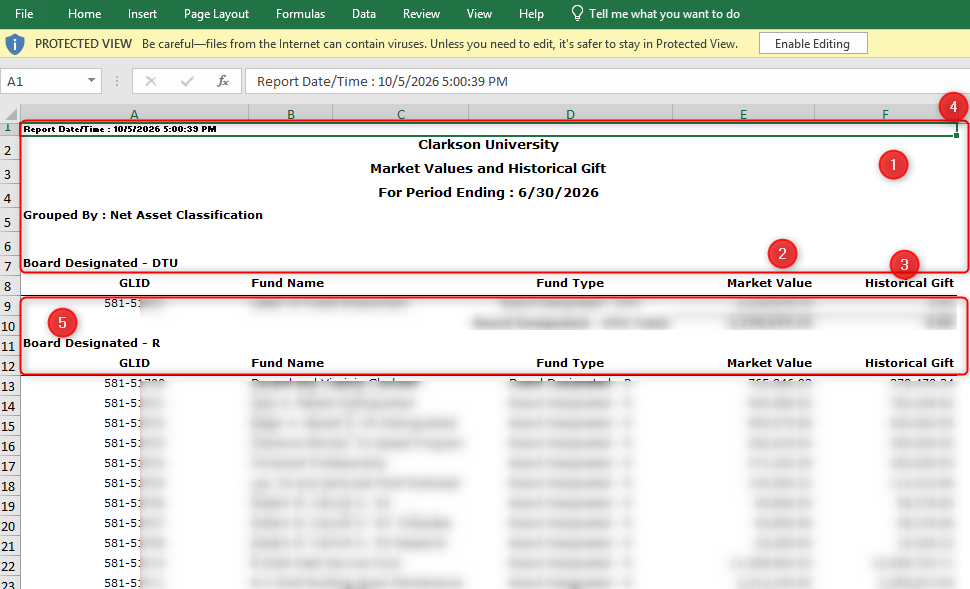
            Open the file in Excel. It will look something like this. Items indicated in red are the items that need to get manipulated. This is so Slate can read the rows directly, and the data matches the expected inputs in Slate. 

            image.png


              Make note of thisthe process."For

              AutomationPeriod Notes

              Ending"

              Are there automations happeningdate in the systemheader, whenas somethingwe fromwill thisneed featurethat isfor submittedstep or4. updated? This mightWe need to beremove updated byall the Slateheader Developerrows up until the column headers. There should be no rows above column headers. The file should have the column headers in Row 1 after you delete the headers from the file. 
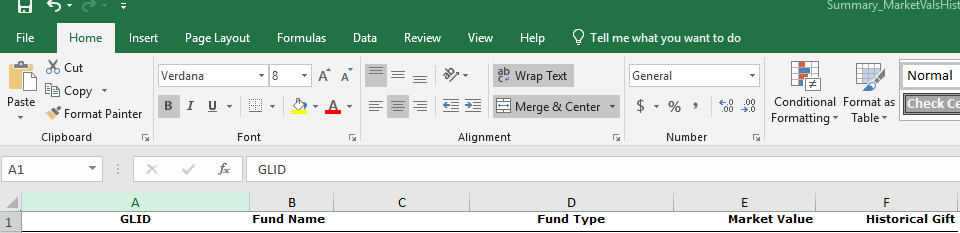
              image.png


              Click Column E so it highlights the whole column, and change the format to "Number".
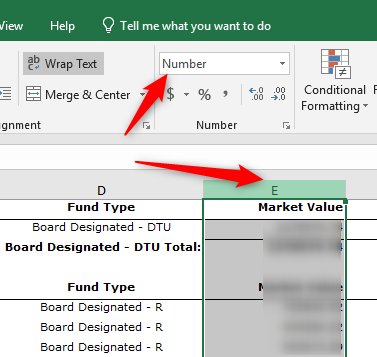
              image.png


              Click Column F so it highlights the whole column, and change the format to "Number"
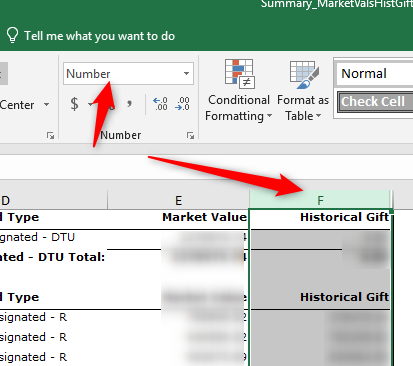
              image.png


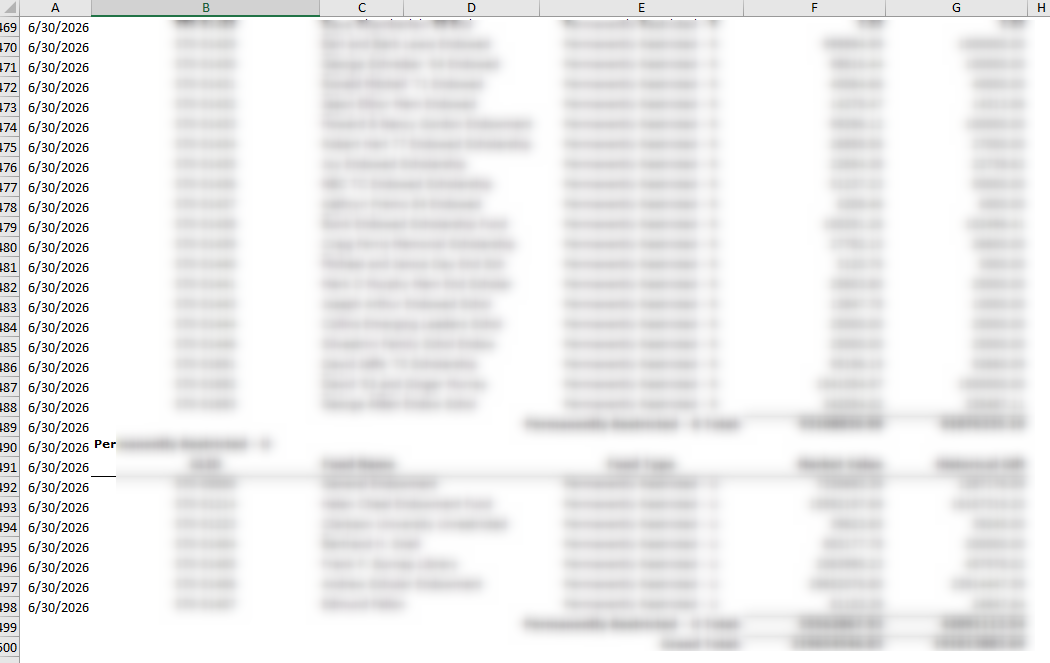
              Click Column A so it highlights the whole column, right click and choose "Insert". Add "As Of Date" as the column header. Spelling and letter case need to match, so ensure the column is exactly "As Of Date". Add the "For Period Ending" Date into the column and copy it down to the last row of data in the file. 

              image.png


              image.png

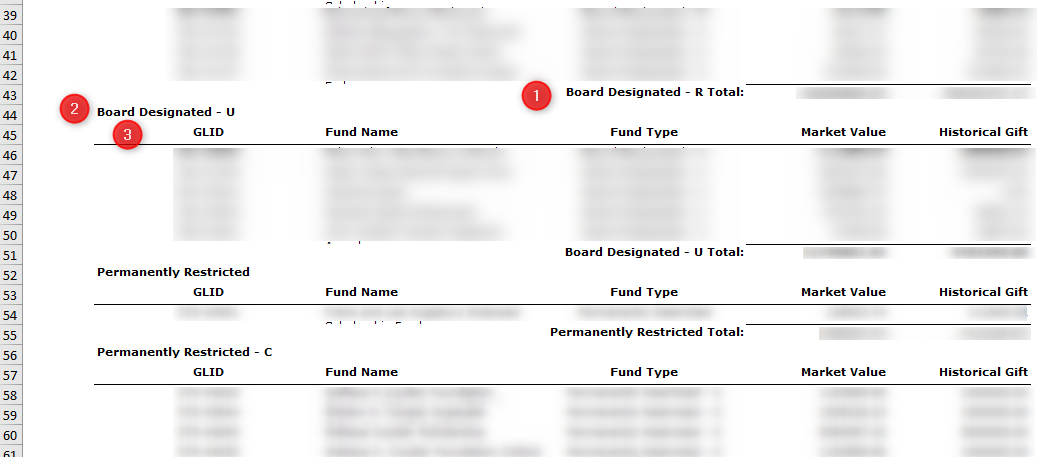
              The file has multiple groupings and sets of headers. We need to scroll through the file and remove any additional headers/column labels in the file. Delete any row that is a Category Total, Category Heading, and additional Column Headers. Repeat for any groupings that exist in the feature.file. 

              image.png

              When you are complete, you should have no breaks between fund rows, and no summation/total rows. 
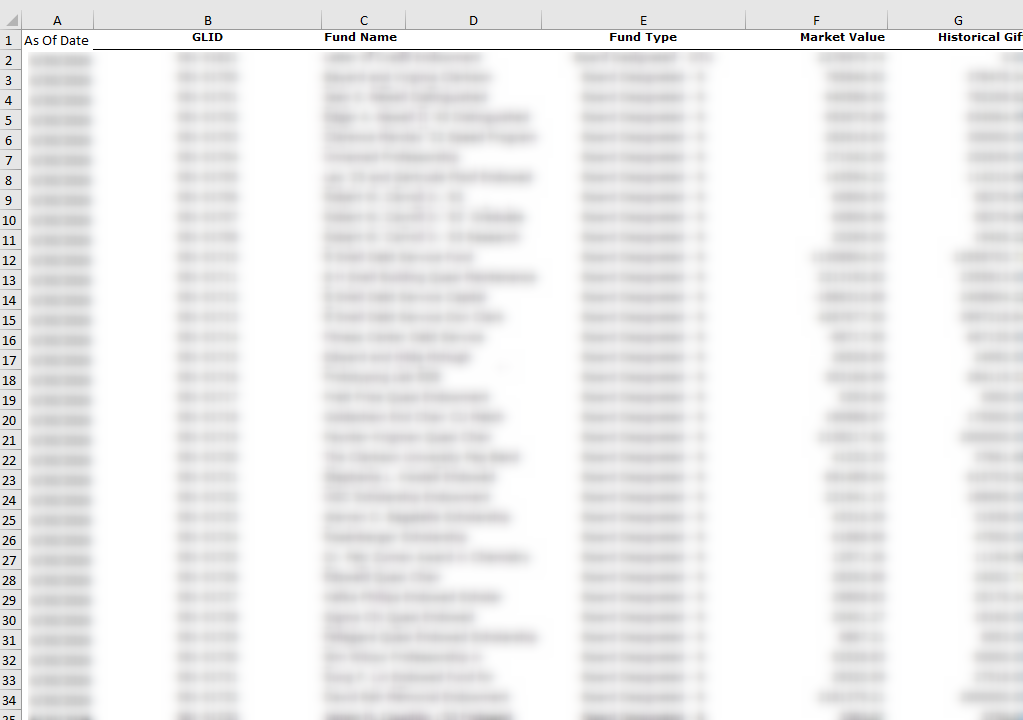
              image.png


              Uploading File to Slate

                On the first of every month, a reminder is sent to [ ADD HOW ITS SENT] Mailing is located here [ADD LINK]

                Check for Unlinked Funds

                  On the first of every month, a reminder is sent to [ ADD HOW ITS SENT] Mailing is located here [ADD LINK]

                  Verify Data Load

                    On the first of every month, a reminder is sent to [ ADD HOW ITS SENT] Mailing is located here [ADD LINK]