
Moodle 4 FAQs
Below is a collection of questions that the TLC and Helpdesk have frequently received during the early phases of the Moodle 4 Migration.
How do I switch my role to student so that I can see the course as they see it?
Where can I access items previously in the Administration block?
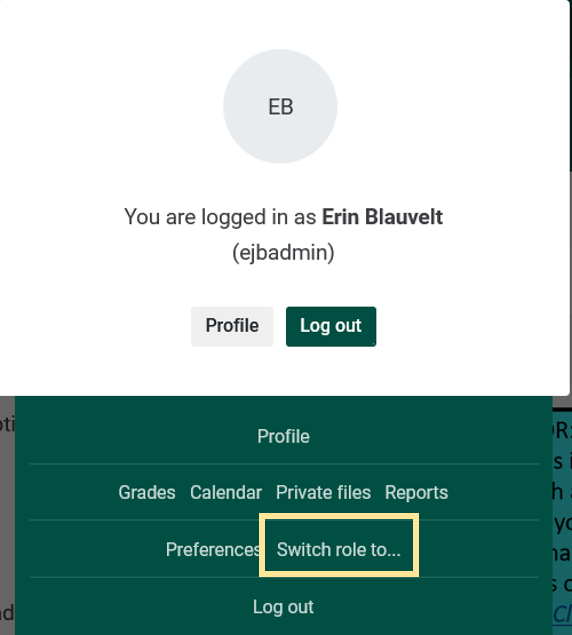
How do I switch my role to student so that I can see the course as they see it?

Select Switch role to... .
Where can I access items previously in the Administration block?
Settings, reports, users, etc. previously found in the Administration block to the left side of your course in Moodle 3 can be navigated to through various methods:
 Click the Course Management button on the left side of your course.
Turn on editing and the traditional Administration block displays on the right side of your course.
