
Quiz: Manual Grading by Question or by Student
Summary
Although many quiz answers such as multiple choice and true false questions are graded automatically, essay and short answer questions, are graded manually. Manually graded questions can be graded by questions-all responses to one question graded at the same time, or by student, where all essay, short answer questions in one student's quiz are graded. Follow the steps below to manually grade quiz questions.
Steps
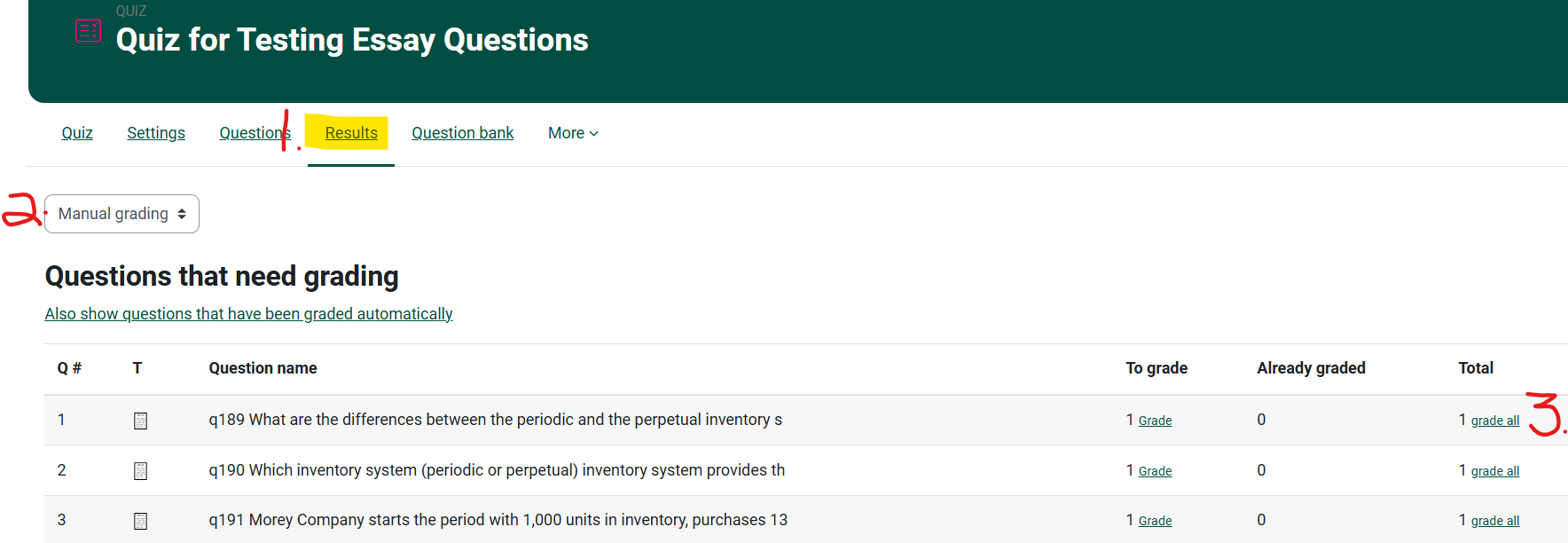
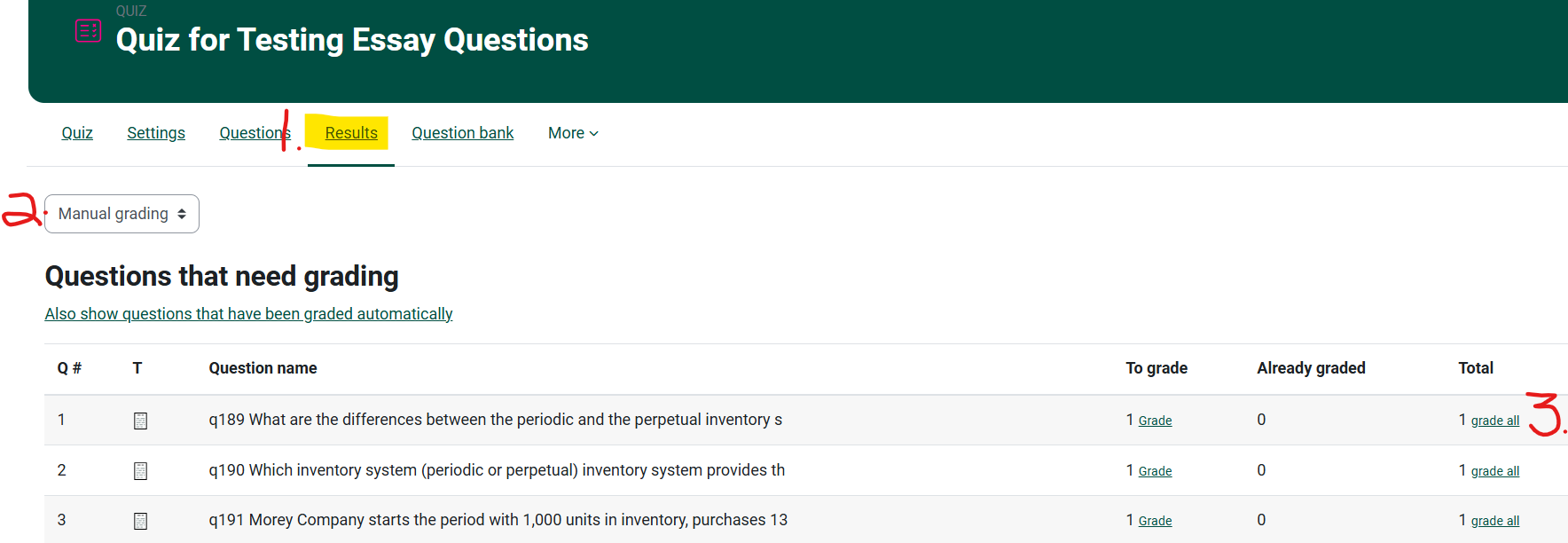
- From your course page, click on the Quiz and choose Results from the top navigation bar for the Quiz.
-
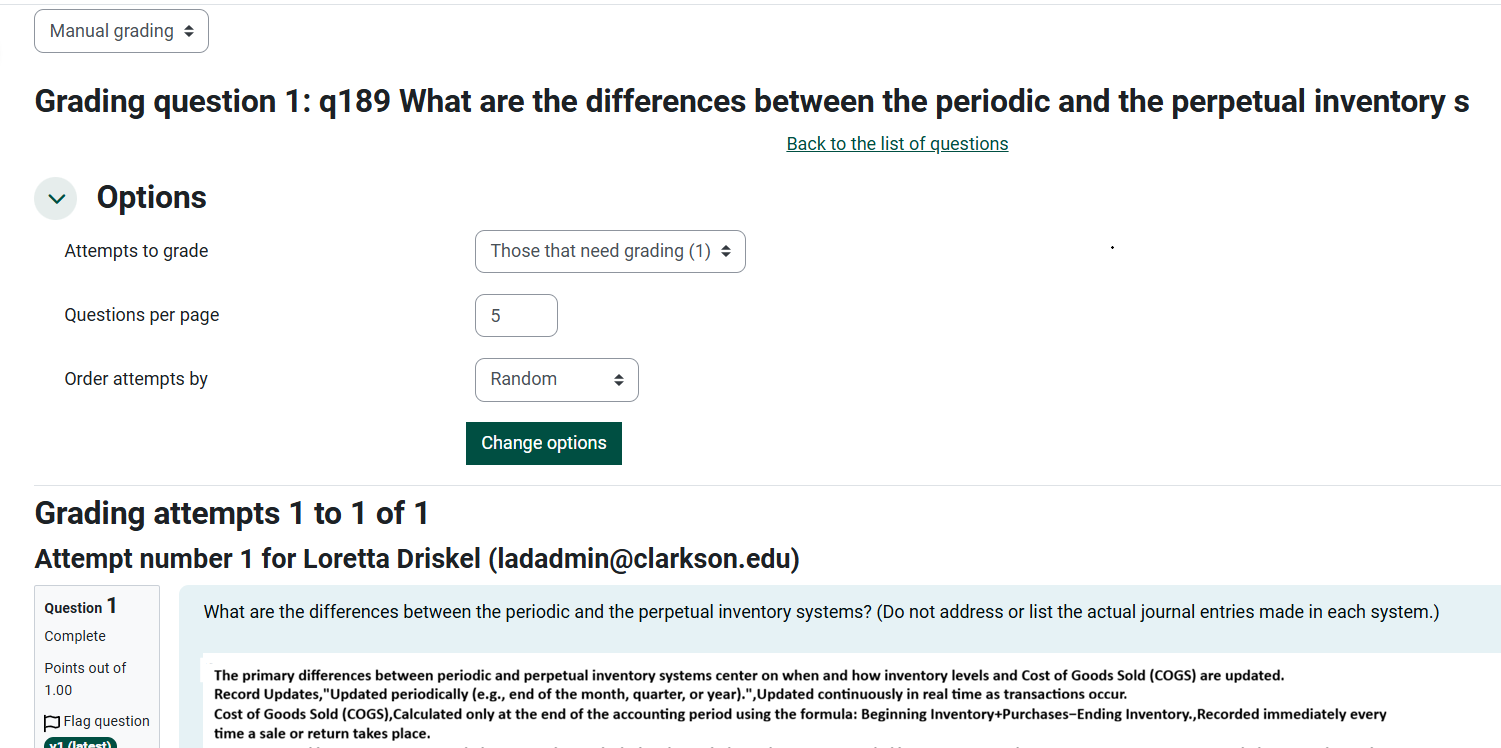
Change Grades to Manual Grading on the drop down menu.
-
Note the number of questions are left to be graded and choose grade all.
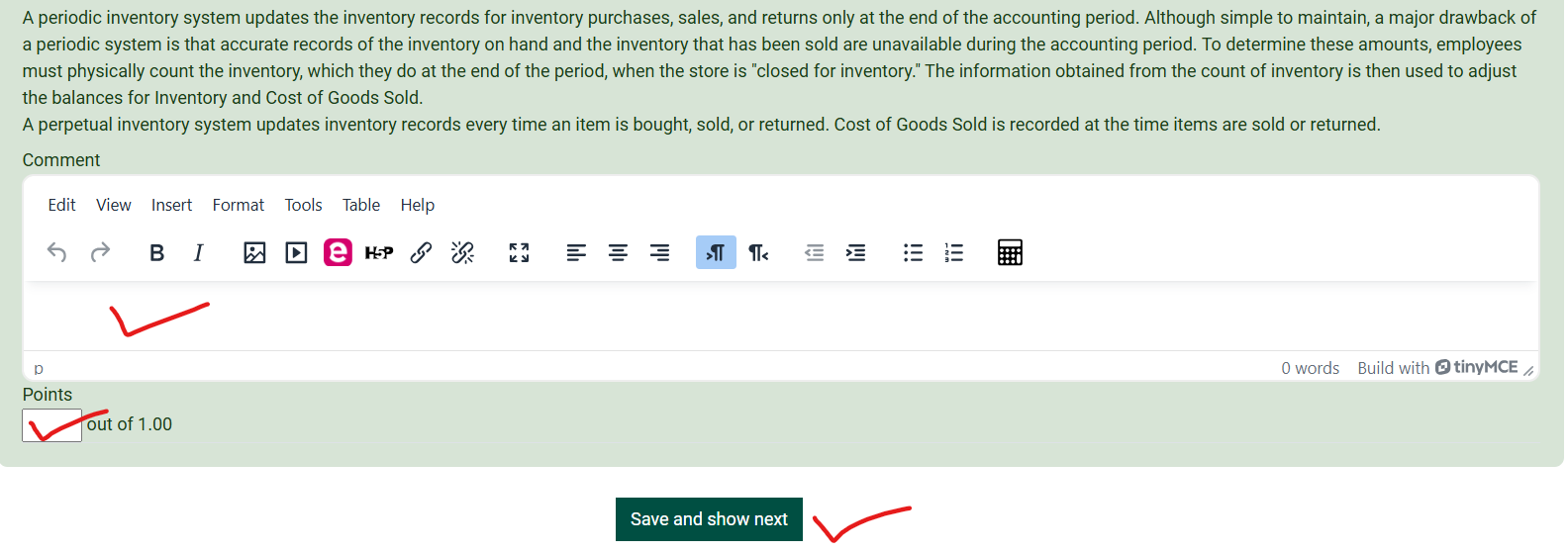
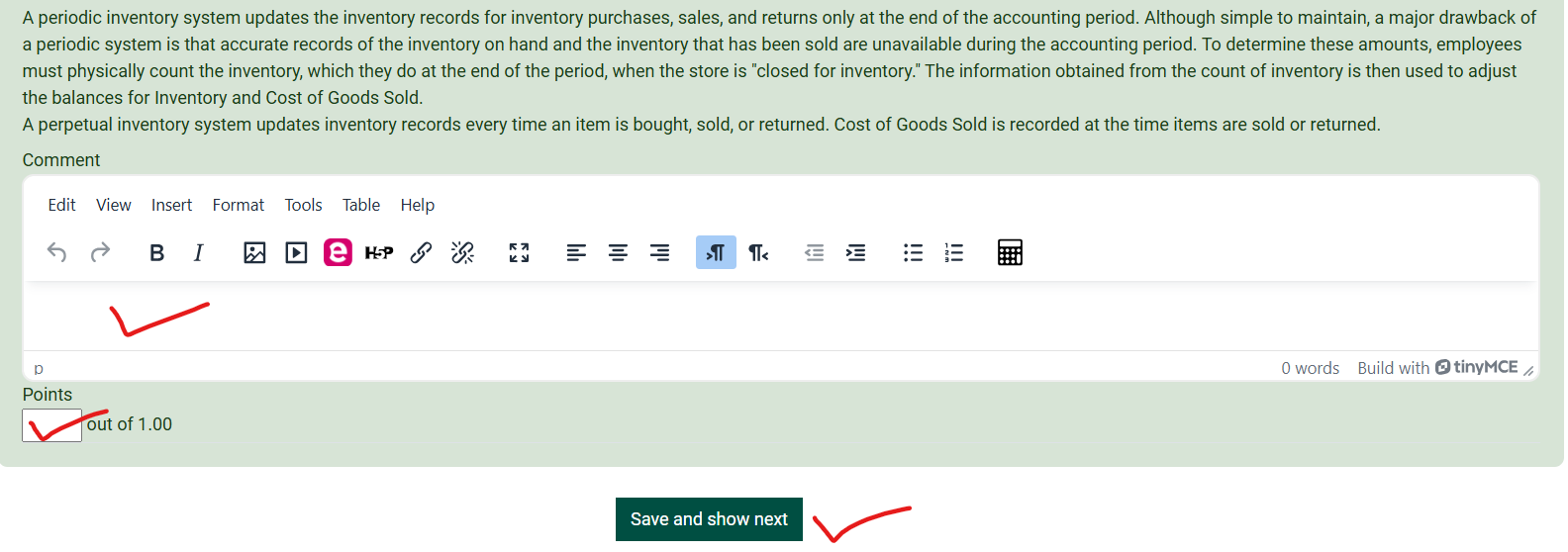
4. Scroll down to provide each student with feedback and a grade.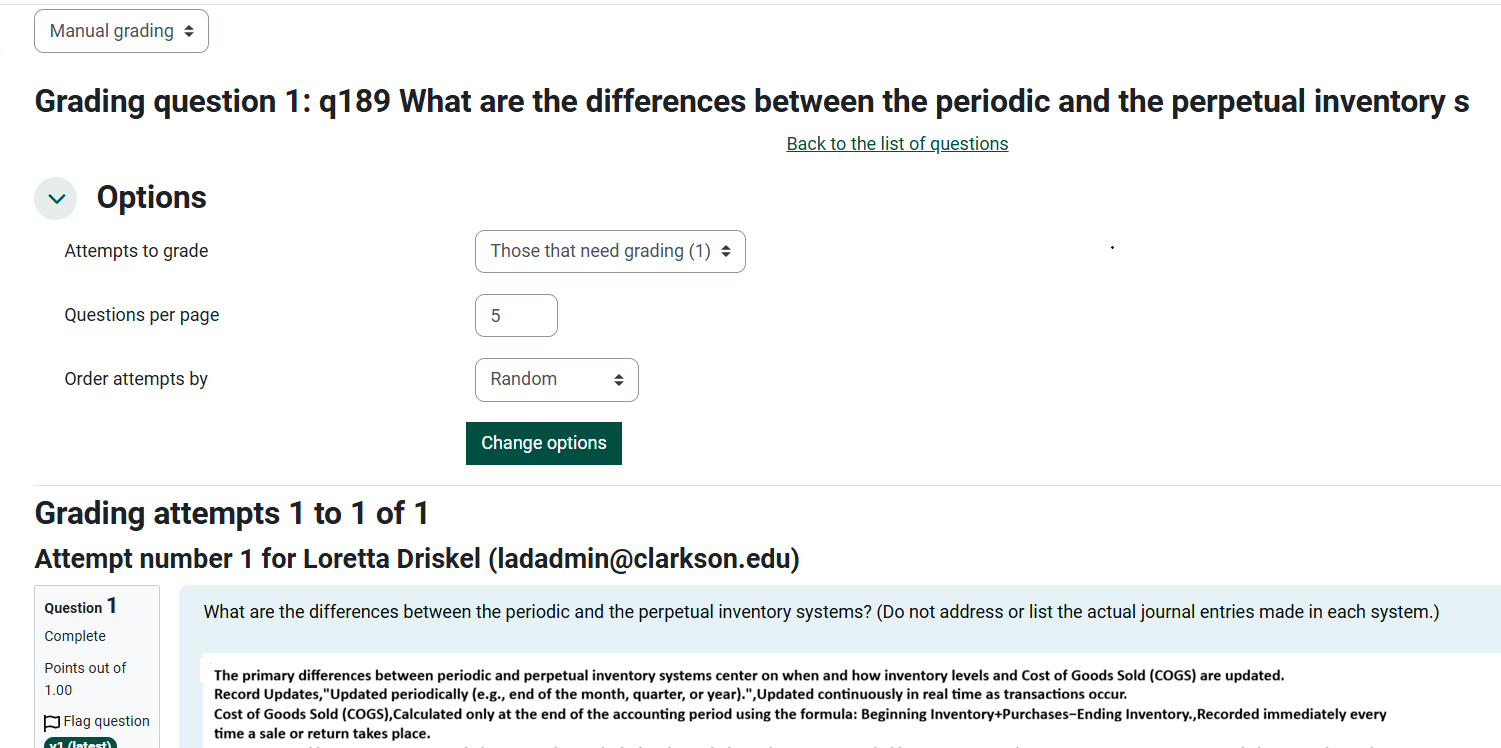
See the Moodle Docs for Quiz Manual Grading.
Seek Further Assistance
For additional assistance please contact, Clarkson OIT Help Desk;
Online: Get Help
Email: helpdesk@clarkson.edu
Call: 315-268-HELP (x4357)