
Quiz Administration Settings on the Top Navigation Bar
Summary
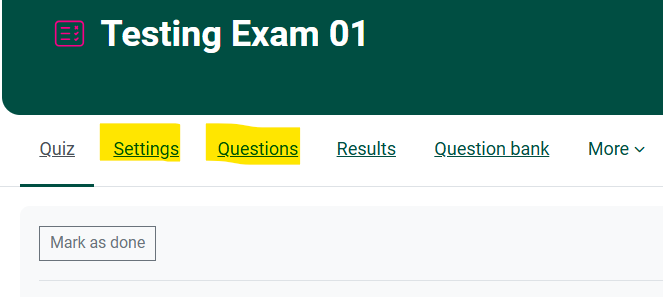
For editingEditing questions and settings in a Moodle Quiz activity,activity Teachersis cansimplified* accessso theinstructors no longer need to use a Quiz Administration blockBlock. through
*Simply click on the Course Dashboard. This is an alternate optionlink to the desired Quiz Administrationand block appearingclick on the right.Settings
Steps
or 1.Questions Turn Editing On in the Course

2. Locate the desired Quiz. Clicklinks on the Edittop Settingsnavigation forbar of the desired Quiz.
3. Click the Course Management wheel in the upper menu near the Turn Editing On button.

4. Then you can get into the Quiz Administration block to edit questions and other settings.

Seek Further Assistance
For additional assistance please contact, Clarkson OIT Help Desk;
Email: helpdesk@clarkson.edu
Call: 315-268-HELP (x4357)