
Printing in Moodle
Problem
If you cannot get the print function to work in Moodle while using Chrome browser,(ie prints only the first page), switch to in Firefox browser and follow the instructions below.
Solution
- Open the Firefox browser and navigate to the content you want to print in Moodle.
- Bring up the print window by holding the Control + P keys at the same time.
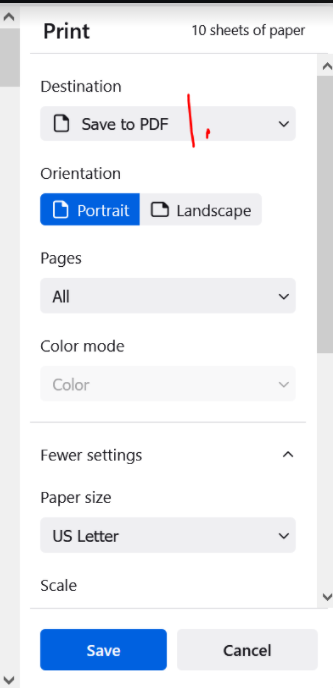
- When the print window comes up there should be options available for printing set-up on the right.
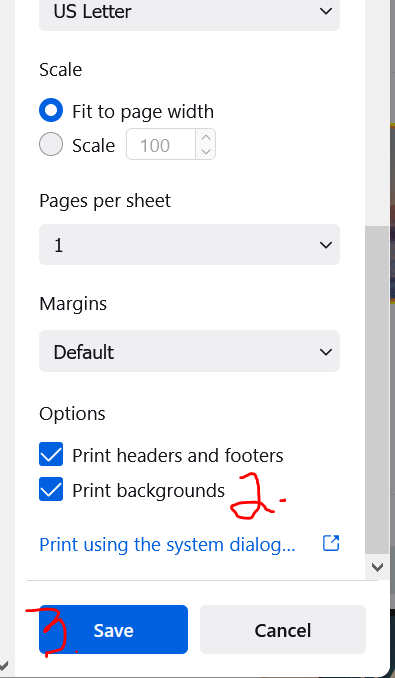
- As shown on the screenshots below, 1. change the Destination to Save to PDF. Leave most of the rest of the options at the
defaultsdefaults,untilthenyou get tocheck 2. Print Backgrounds,then check that box to the left.and 3. Save thePDF.PDF as shown on the screenshots below:


Help sustain our trees, whenever possible, please print only to PDF and save your file rather than printing a hard copy!