Grades: Add Manual Grade Item

InstructorsIn addition to grading assignments that were submitted online in the Moodle Assignment drop box, instructors can post grades in Moodle's grade book for activities completed outside of Moodle.Moodle by manually adding a column in the Gradebook setup area.

Grades:View the video overview for How to Add Manual Grade Item (echo360.org)

Steps:

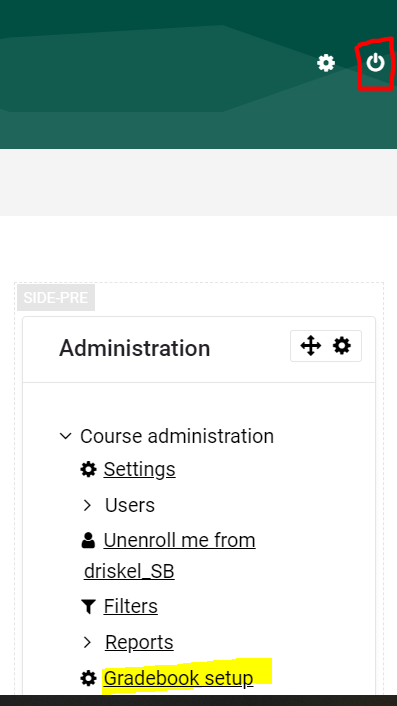
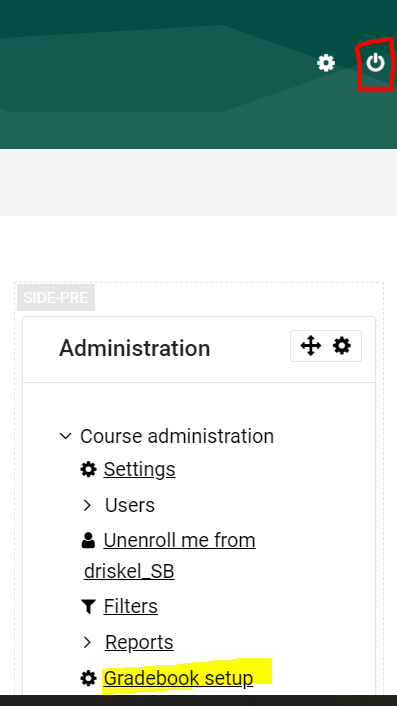
  1. FromTurn yourediting on in the course mainand page,in locatethen Administration block. Under Course Administration,block, click on Gradebook SetupSetup.

    image.png

courseadminstration.jpg?version=1&modificationDate=1585247442000&api=v2&effects=drop-shadow

2.

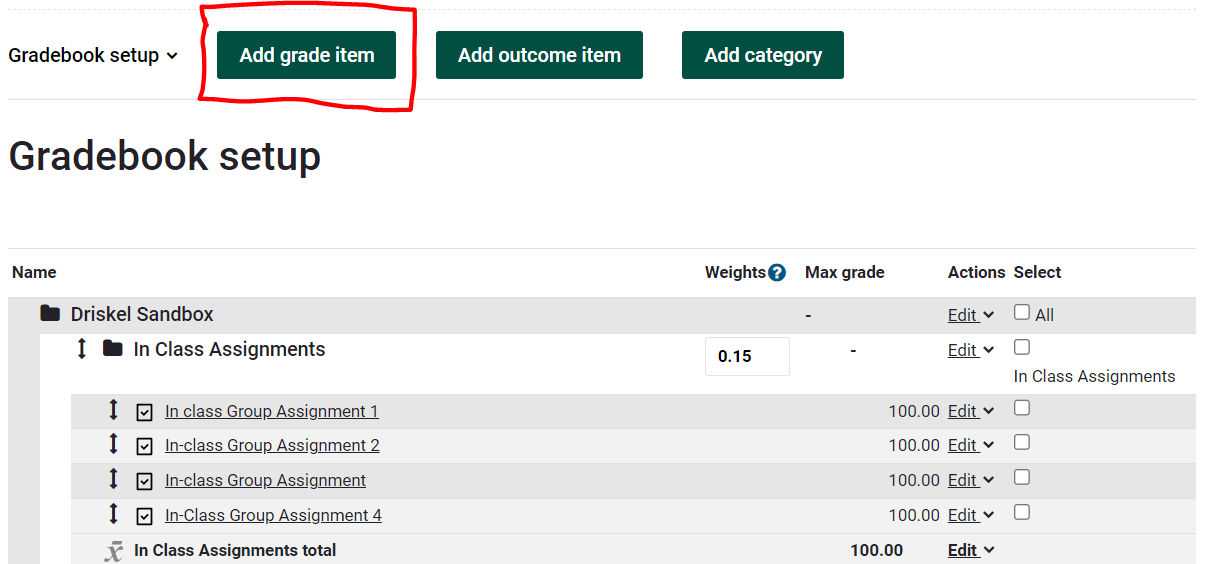
From the Setup, and Gradebook setup tab, click Add grade item button.

image.png

addgradeitem.jpg?version=1&modificationDate=1585247627000&api=v2&effects=drop-shadow


3. Fill in Item name. Leave settings at defaults or customize to your needs. Save changes.
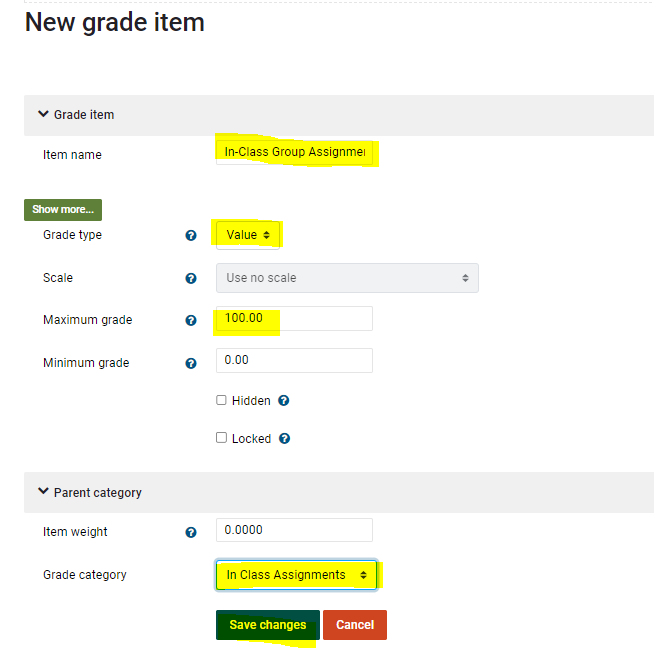
image.png

Itemname.jpg?version=1&modificationDate=1585247784000&api=v2&effects=drop-shadow

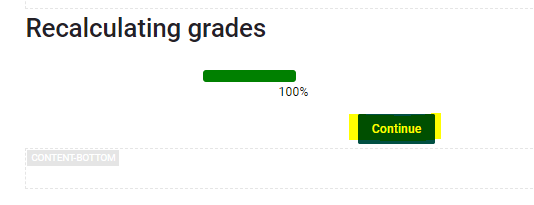
4. Click Continue to recalculate grades. image.png
You will now see the manual grade item located in the Grade category chosen.
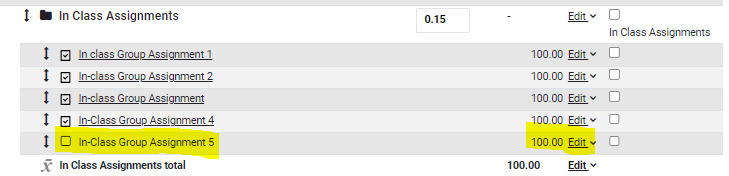
image.png

Add Grades
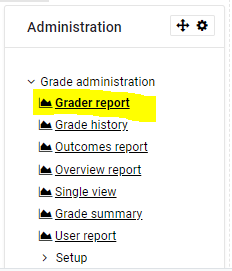
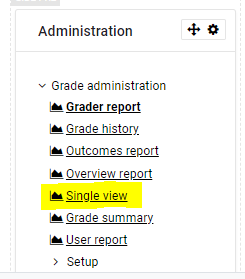
          To add grades, in the Administration block, click Grader Report. Scroll over to the item you added (alternatively instead of grader report you can go directly to the item by using the Single View option in the Administration block instead)


          image.pngimage.png


          Fill in grades and feedback in the appropriate column.
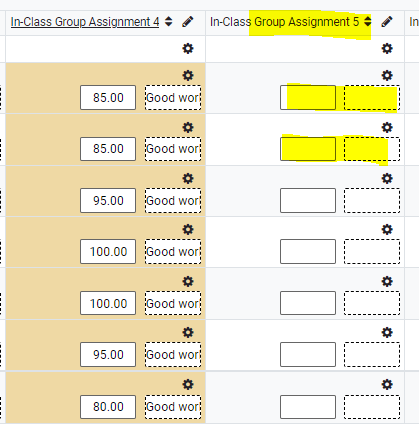
          image.png


          Be careful that you scroll down and look to the left to Save changes.

          image.png

          Tip: if you get lost in the gradebook, look for the bread crumb trail at the top of your page and click View,on thenthe course name to go back to your homepage.

          image.png

          View details about the Grader Report tabs. Turn editing on. Fill in desiredMoodle grades. Save changes.

          graderreport.jpg?version=1&modificationDate=1585247917000&api=v2&effects=drop-shadowDocumentation.