
Bulk Actions/Mass Actions
Summary
ThereUsing areBulk waysActions in Moodle 4.5 streamlines tasks like reorganizing, hiding, or recycling content across your courses. Here’s how to bulkuse updateBulk Actions (Bulk Edit Mode) assignmentin datesMoodle 4.5 to efficiently manage multiple activities, resources, or sections within a course.
This Guide Will Help You to:
✅ What Bulk Actions aCan lot& Cannot ofDo:
✅
The 1.Bulk UseActions the "Dates" Report Plugin (Highly Recommended)
This pluginfeature is built specificallygreat for whatthings you're describing.like:
-
WhatArchiveitordoes:repurpose content quicklyAllowsbyyouhiding/showingtoorseeduplicatingandmultipleeditall availability and due datesacross your course in a single table.items. -
WhatMoveyou can edit:contentOpenintodate,aduemoredate,logicalcutoffstructuredate,orexpecteddifferentcompletion.sections en masse. -
deletingHowTidytoupusebyit: - or
Gounusedtoitemsyourincourse.a single operation. -
InDuplicating
Deleting
But it doesn't support editing specific settings like:
Due dates
Cut-off dates
Availability windows
🔹 How to Use Bulk Actions
Navigate to your course page and turn editing on using the geartoggle iconin menuthe top right.
Click the new “Bulk actions” button located just below the Edit Mode toggle (toplse.atlassian.net).
Once activated, More...checkboxes appear next to each section, activity, and resource.
Select Reportsthe >items Datesyou wish to edit—across sections or within a single section (lse.atlassian.net, CCA Portal).
FilterChange by activity typeAvailability (e.g., Assignments).hide/show)
EditDuplicate dates directly in the list.items
Move items to a different location or section
Example
Delete
Click onan action (e.g. "Hide", "Move"), confirm if prompted, and Moodle processes the Reportschanges.
To exit, click the Administration“x” block
actions button again (
).
to
A sticky toolbar appears at the bottom (and sometimes top) of the page
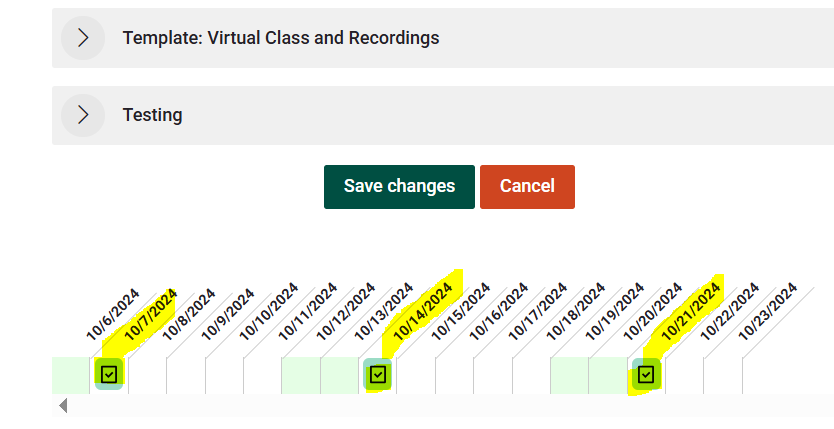
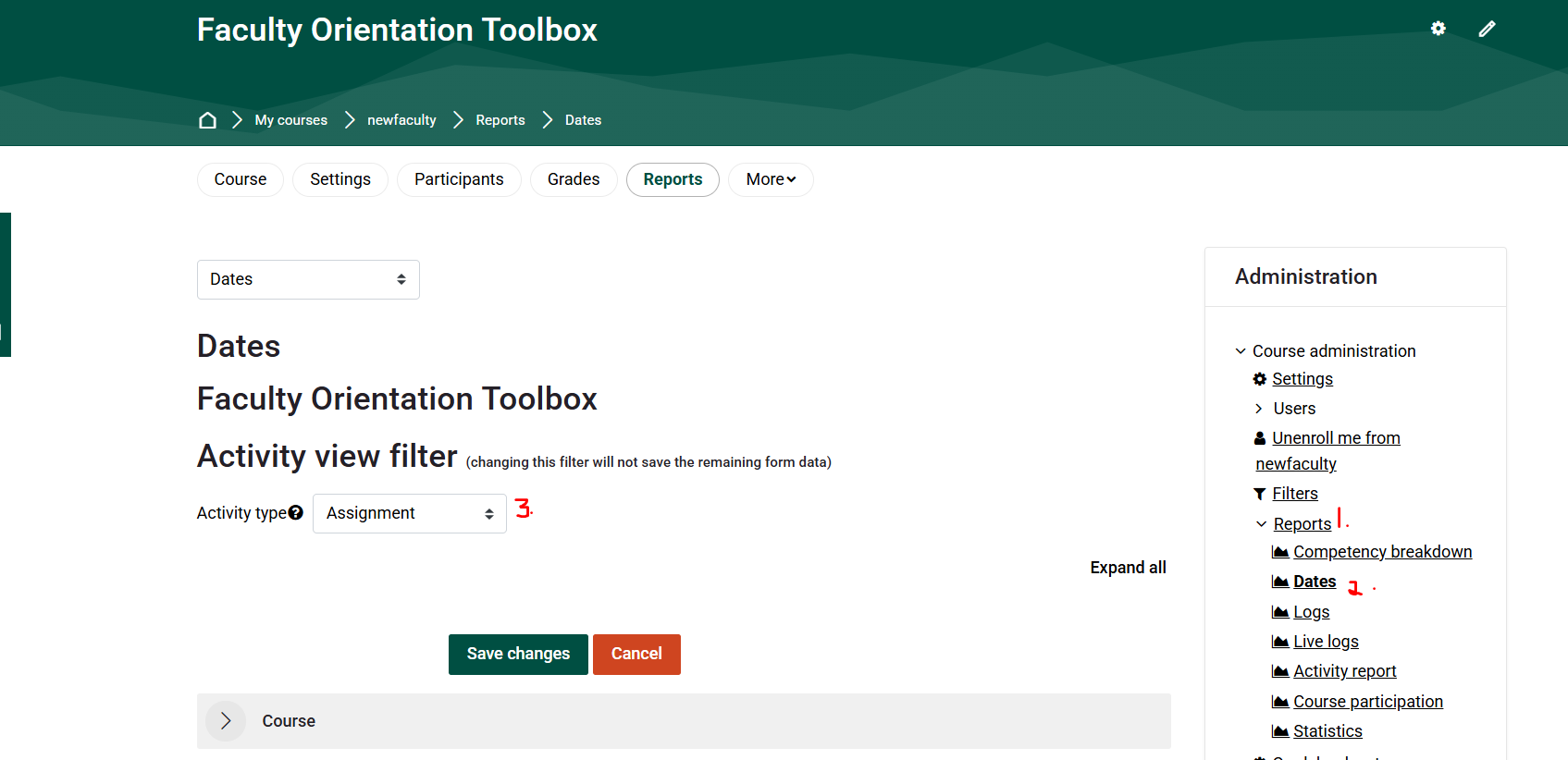
Aw Snap! Tried logging in as admin, as Lperry-teacher, Ldriskel as Manager But received the following error message each time:
actions:

🔧If you don’t see “Dates” in Reports, your Moodle admin might need to install or enable the plugin:
Plugin page: https://moodle.org/plugins/report_editdates
✅ 2.Bonus: UseMass Actions Block

Clarkson Moodle also uses the “CourseMass Reset”Actions ToolBlock, (forIt shiftingoffers datesa betweenmore semesters)persistent
Ifinterface yourcompared course structure staysto the same,toolbar this(lse.atlassian.net, letsCCA you bulk-shift all relevant dates at once.
Steps:Portal).
-
GoAddtoit via theCourseBlockadministrationdrawer>onReset.the right side of your Moodle page. -
ScrollAddtoatheblock → “Mass"Date adjustment"Actions”section. -
Use
"Shiftitallinsteaddates"tobyenableabulkspecifiedediting,numberselectofitems,days.and apply the same actions
Ah🎥 SnapSee again!It Therein is no option for Date adjustment section or Shift all dates
Action
Here’s
⚠️aBequickcareful—thisdemoshiftsshowingallhowdatesto(including quizzes, forums, etc.)activate andmayuseaffectBulkmore(Mass)than intended.Actions:
Make Bulk Changes with the Mass Actions Block in Moodle
✅
🔸 3. Use CSV Upload for Assignments (Advanced/Admin)
You can export assignment settings, update them in Excel, then re-upload.
-
ThisBulkrequireseditadminsupportsormultiplemanager-levelselectionsaccessacross sections—no need to edit items one by one.
Duplications of more than 5 items run in background tasks—Moodle notifies you once done (lse.atlassian.net, orCCA a plugin like Upload assignmentsPortal).
GoodSections formust powerbe usersduplicated orindividually if doingvia the samethree-dot taskmenu—not acrossthrough manybulk courses.mode (docs.moodle.org).
✅
Seek 4.Further Use a Backup + Restore Template with Relative Dates
Assistance
If
For you're reusing the same course every term:
When backing up your course, choose “Include activity completion” and use relative dates.
When restoring, set the new start date of the course—Moodle recalculates all relative due dates accordingly.
✳️ Summary: Best Choice for You
Created withadditional assistance fromplease ChatGPT.contact, Clarkson OIT Help Desk;
Online: Get Help
Email: helpdesk@clarkson.edu
Call: 315-268-HELP (x4357)