
Echo Cloud: Add Content from Library to an Echo Course
Instructors can add contentvideos they have uploaded toor have automatically uploaded from the Zoom Cloud from their Echo libraryLibrary to any of their courses. To do so:
-
Log into
Echo at go.clarkson.edu/echoEcho360. -
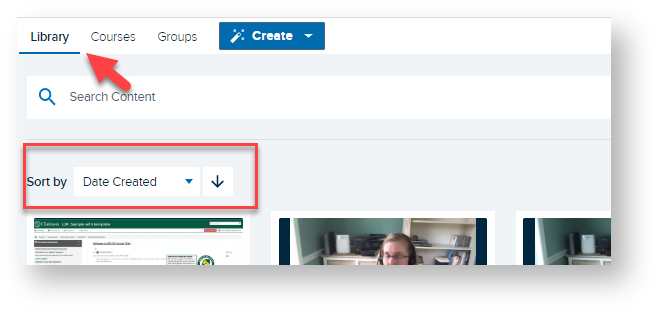
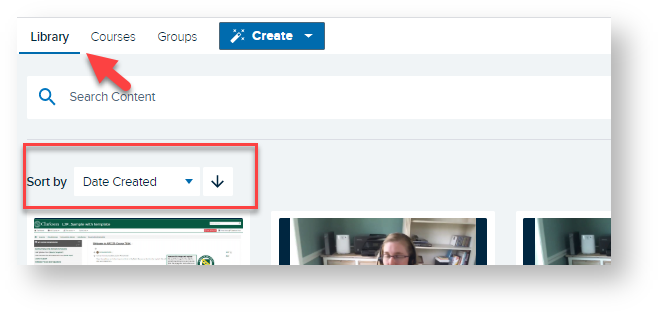
Click Library.
-
Locate desired recording. You can use the Sort by or Search
fortooldesiredifrecordingneeded.
-
Click on desired
recording
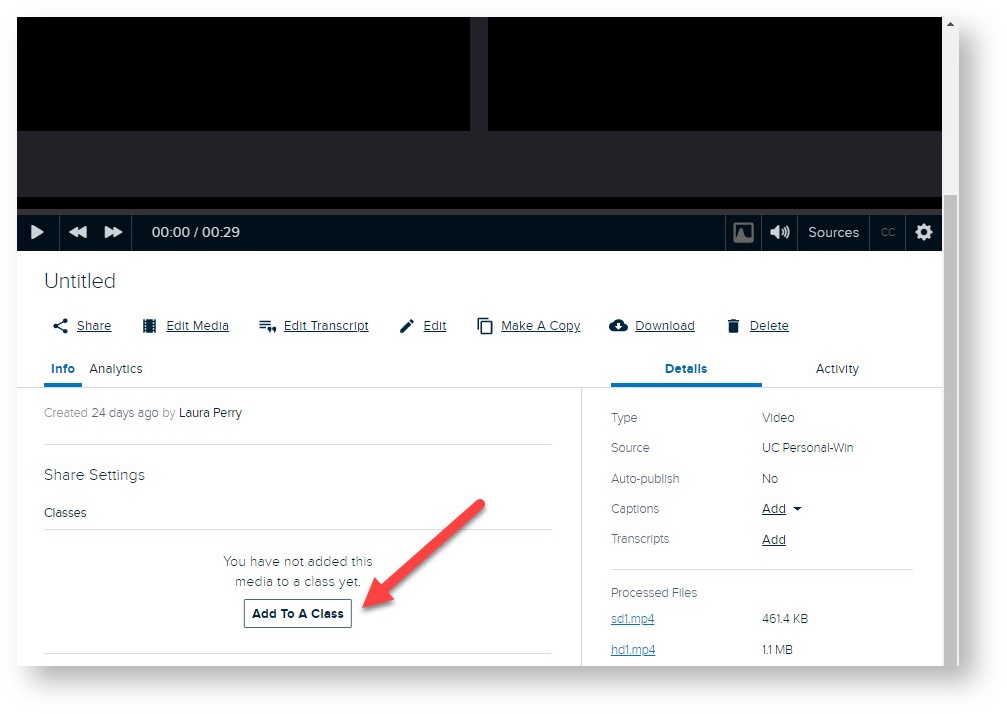
Scroll down until you see Info/Share Settingsrecording.
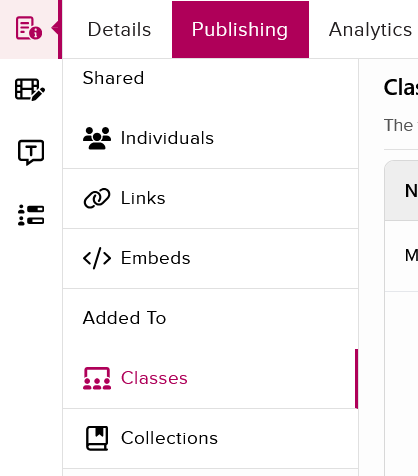
Click Addthe toPublishing A Classtab.
SelectClick Course,Classes Term,in Section,the Added To area.
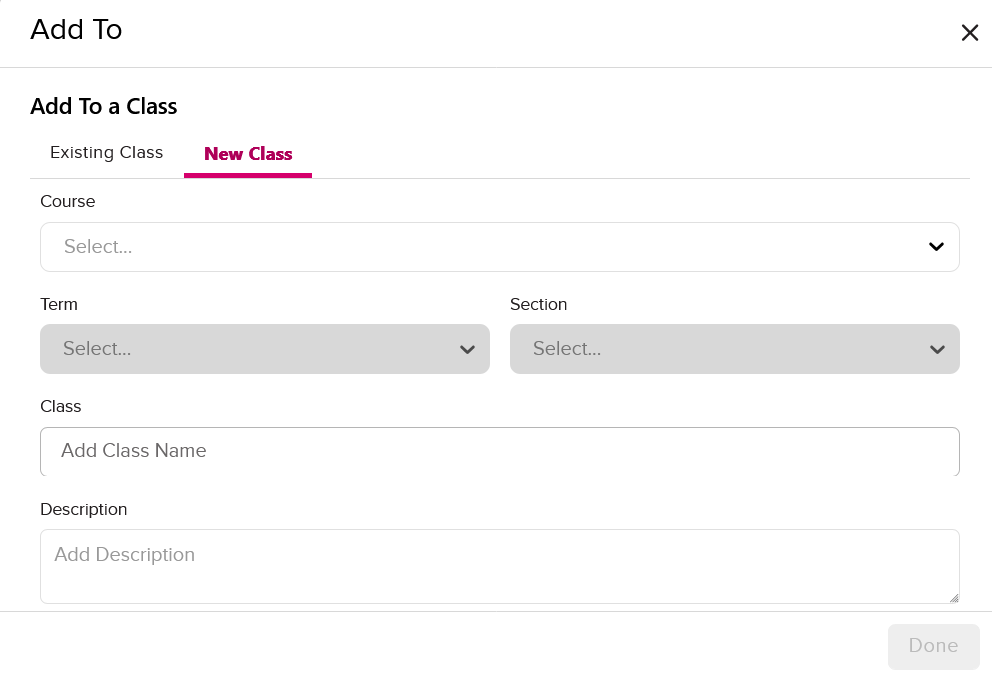
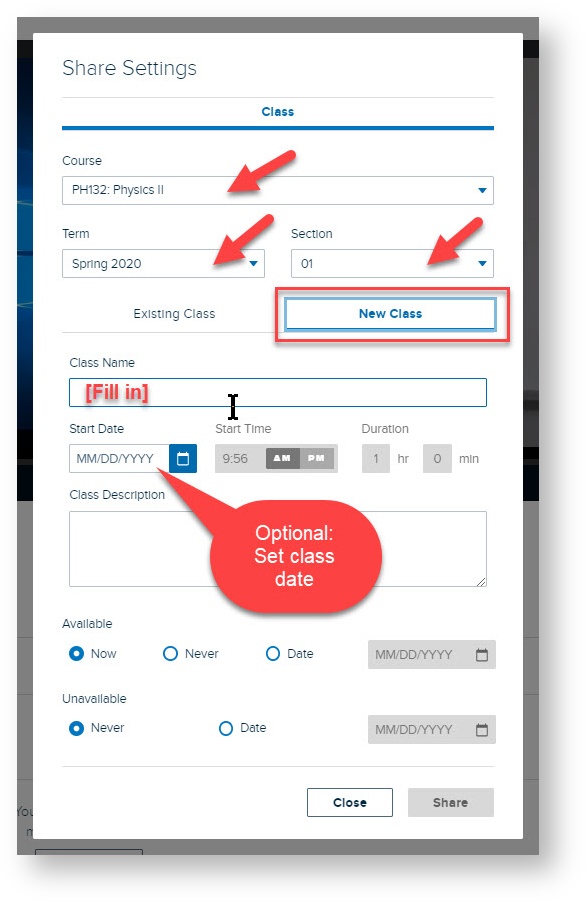
Click New Class towards the top of the pop-up.
Select Course, Term, and Section, then add New Class title. Select any additional Availability Settings -as seedesired.


Now your selected recordings will be available inside the desired Echo course.
Read on to link your Echo recordings to your course in Moodle so students can view.