
Accessibility & Universal Design for Learning
What's the Difference?
Accessibility and Universal Design for Learning (UDL). although closely related in that they both aim to support diverse learners, they approach the challenge from different angles. The main differences between the two is as follows:
-
Accessibility is about the product (Making sure the file, video, or webpage works for assistive technologies).
-
UDL is about the process (Making sure the actual teaching methods and assessments offer flexibility for different minds).
When you combine both, you end up creating a classroom environment where nobody feels singled out, and everyone has the tools they need to succeed from day one. Since they are so closely related, we cover both on this page so you can easily jump between the two as you work on product and process.
How They Work Together
They aren't mutually exclusive—accessibility is the foundation upon which UDL is built. You cannot have a universally designed course if a screen reader cannot access the text. Conversely, a course can be 100% technically accessible (e.g., all videos have captions), but still be poorly designed according to UDL (e.g., the only way to pass the class is by taking three massive, high-stakes multiple-choice exams, leaving no room for diverse expression). Use accessibility to clear the hurdles, and UDL to open up the highway!

UDL builds on top of accessibility so there is no need to redesign your whole curriculum in order to be in compliance with both.
Three Examples for the Classroom
Example 1: Delivering Course Content (The Weekly Lecture)
-
The Scenario: An instructor uploads a 30-minute recorded video lecture on a core topic.
-
The Accessible Approach: The video includes accurate closed captions, and a full text transcript is provided underneath for students who use screen readers or have hearing impairments.
-
The UDL Approach: The instructor provides the captioned video, but also provides an audio-only podcast version for students to listen to on their commute, and a detailed bulleted text summary with visual diagrams. Students choose the format that best fits their learning environment and cognitive needs that week (Multiple Means of Representation).
Example 2: Class Discussions & Participation
-
The Scenario: Students are asked to discuss a complex case study during the week.
-
The Accessible Approach: The instructor uses the standard Canvas discussion board, ensuring the prompt is formatted with proper text headings so it is fully compatible with screen readers.
-
The UDL Approach: The instructor sets up the discussion board to allow students to reply via text, upload an audio recording, or submit a short video clip using a tool like Canvas Studio. This reduces the barrier for students who express themselves better verbally while still meeting the academic goal of the discussion (Multiple Means of Action & Expression).
Example 3: High-Stakes Assessments (The Midterm)
-
The Scenario: A midterm exam is worth 25% of the final grade and tests students' understanding of five core theories.
-
The Accessible Approach: The exam is untimed for students with approved accommodations from the disability services office, and the digital test platform works seamlessly with text-to-speech software.
-
The UDL Approach: Instead of a traditional exam, the instructor offers a menu of choices to prove mastery of the five theories. Students can choose to write a traditional essay, record a mock podcast episode explaining the theories, or design a digital portfolio. Because choice is baked into the design, it lowers test anxiety and genuinely measures knowledge rather than test-taking stamina (Multiple Means of Engagement).
Accessibility: Removing Barriers (Reactive/Accommodation)
Accessibility is about compliance, legal standards, and removing specific barriers so that individuals with disabilities can access the same information and experiences as everyone else. It often focuses on satisfying specific technical checklists (like the Web Content Accessibility Guidelines, or WCAG).
-
The Approach: Often reactive or prescriptive. It fixes a specific problem for a specific need.
-
The Goal: Equal access. If a building has stairs, accessibility is adding a ramp.
-
Examples in Course Design: * Adding alternative text (alt-text) to images for screen readers.
-
Ensuring all videos have accurate closed captioning.
-
Making sure documents can be navigated using only a keyboard.
-
Universal Design for Learning (UDL): Designing for All (Proactive/Flexibility)
UDL is a pedagogical framework based on cognitive neuroscience. Instead of designing a course for the "average" student and then modifying it for others, UDL assumes from the very beginning that all learners vary in how they look at the world, process information, and stay motivated.
-
The Approach: Proactive and inclusive. It designs flexibility into the core structure of the course so that everyone benefits, regardless of whether they have an official disability diagnosis.
-
The Goal: Expert learners. If accessibility is adding a ramp to a building, UDL is designing the building with a ground-level automatic sliding door that benefits the person in a wheelchair, the delivery worker carrying heavy boxes, and the parent pushing a stroller.
-
Examples in Course Design:
-
Multiple Means of Engagement: Giving students a choice between two different essay prompts to tap into their personal interests.
-
Multiple Means of Representation: Providing a textbook chapter, a podcast episode, and a video diagram all covering the same concept so students can choose how to digest the material.
-
Multiple Means of Action & Expression: Allowing students to demonstrate their mastery of a topic by either writing a paper, recording a presentation, or building a project.
-
Tip: Think about the "curb cut effect" Sidewalk curb cuts were legally mandated for people in wheelchairs (Accessibility). However, they end 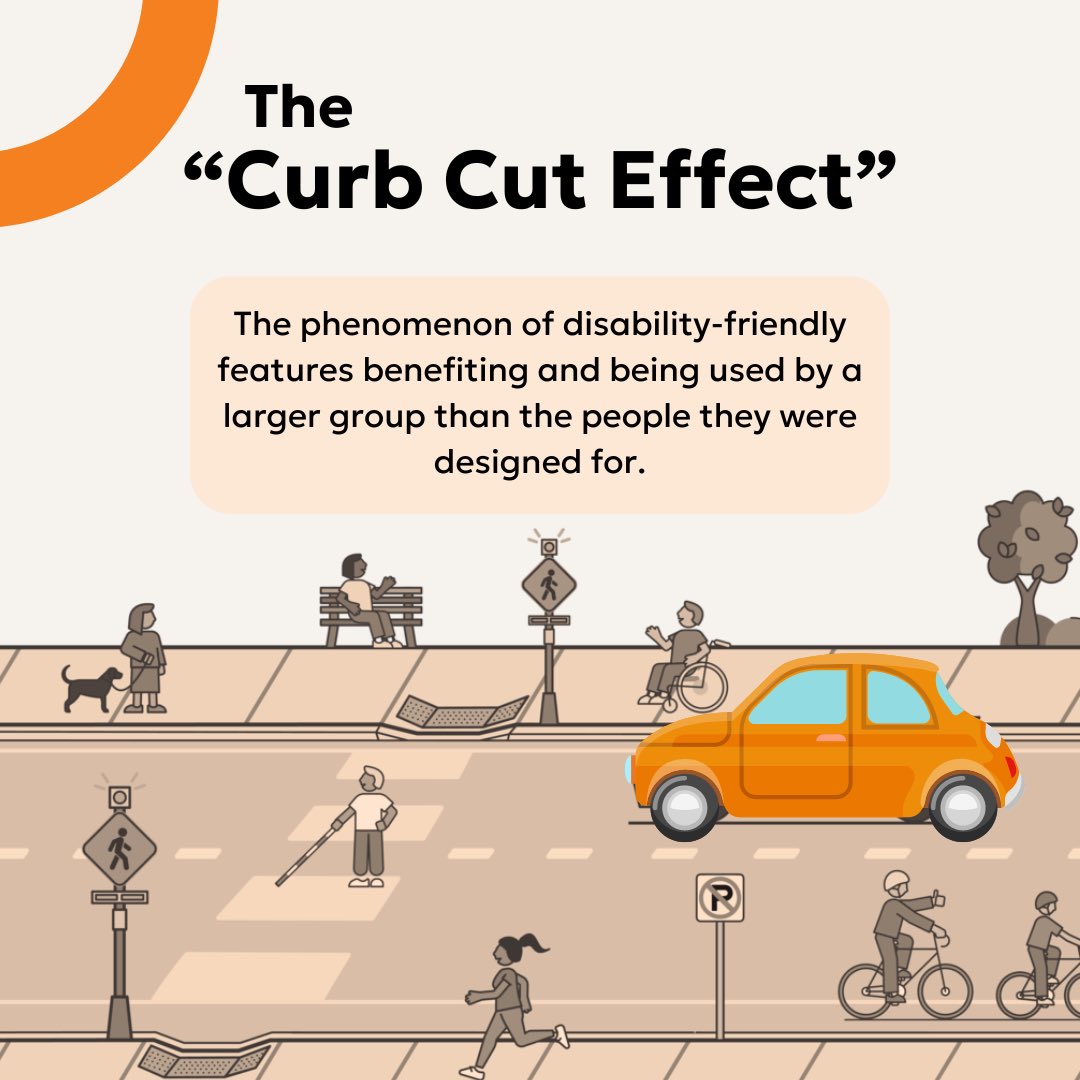 up being used and loved by people pushing strollers, travelers rolling luggage, and delivery workers with hand trucks (UDL).
When course is designed using UDL principles, we aren't just helping students with disabilities—we are helping the working parent, the student with a temporary concussion, the non-native English speaker, and the student studying on a noisy bus.
How to Achieve Digital Accessibility in Moodle
See the complete W3C Accessibility Guidelines (WCAG) 3.0 which provides a wide range of recommendations for making web content more accessible to users with disabilities.