
Configuring eduroam WiFi Using iOS (iPhone/iPad/iPod)
-
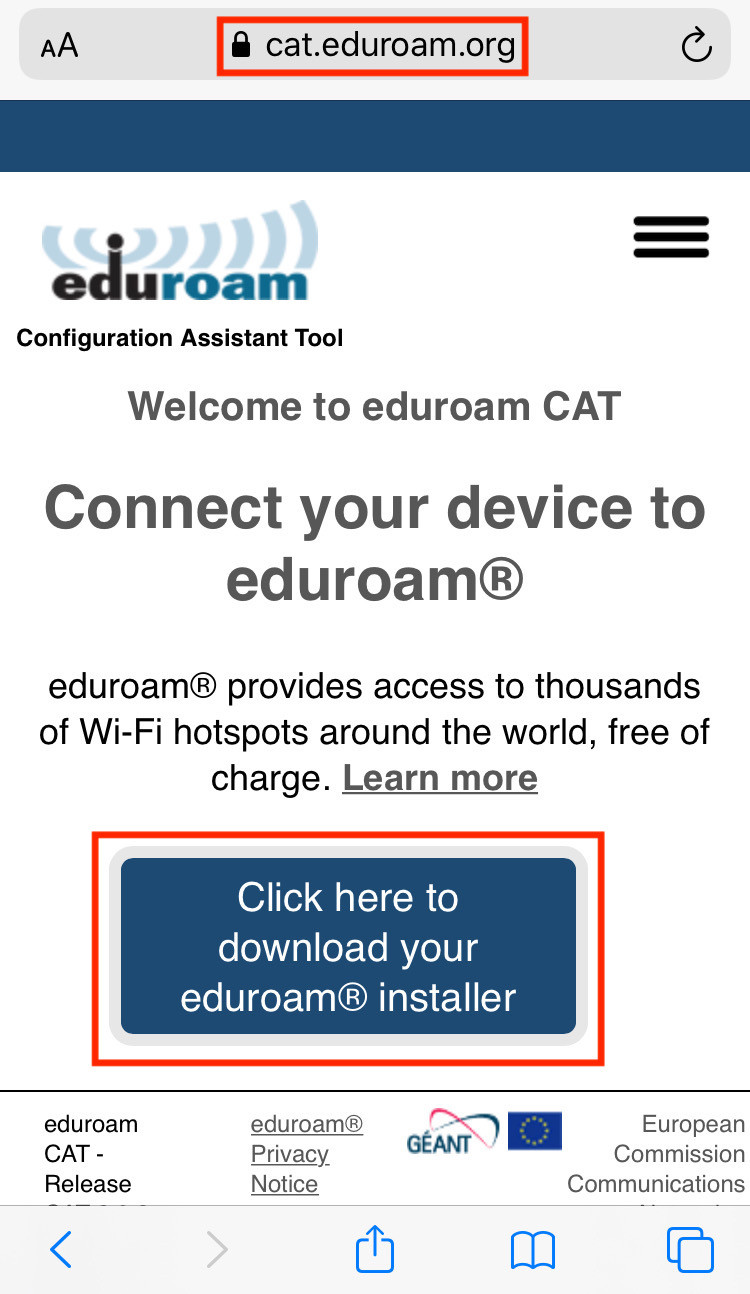
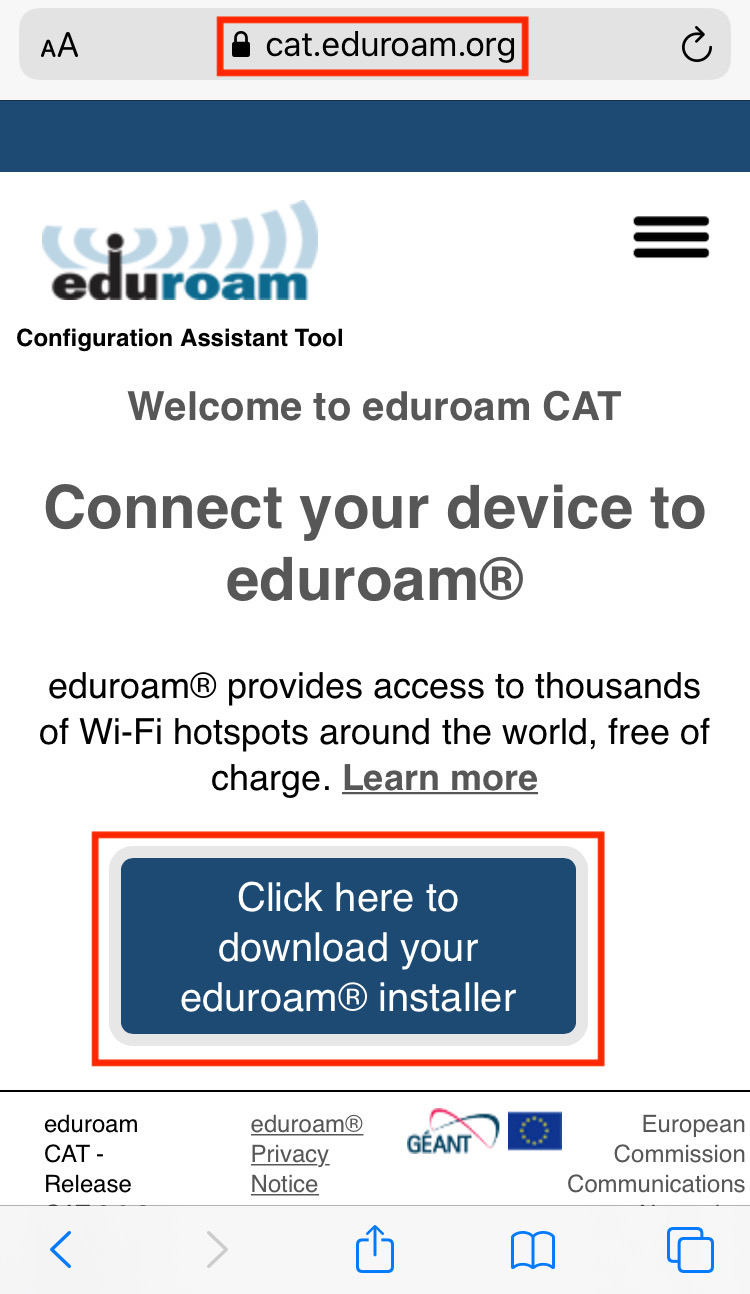
Open Safari and navigate to https://cat.eduroam.org . Note: iOS requires that you use Safari for this process. If you receive any certificate or verification errors, please stop the process and notify the IT HelpDesk.
-
Tap Click here to download your eduroam® installer .

-
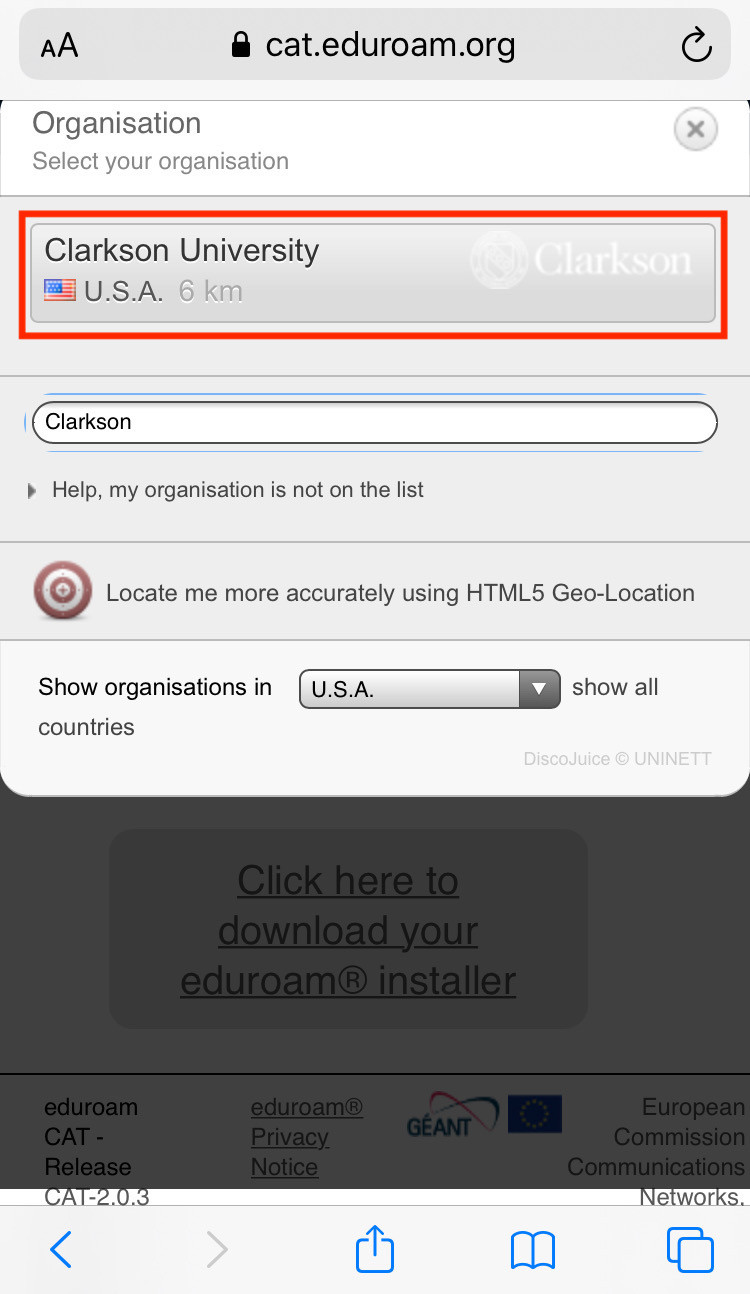
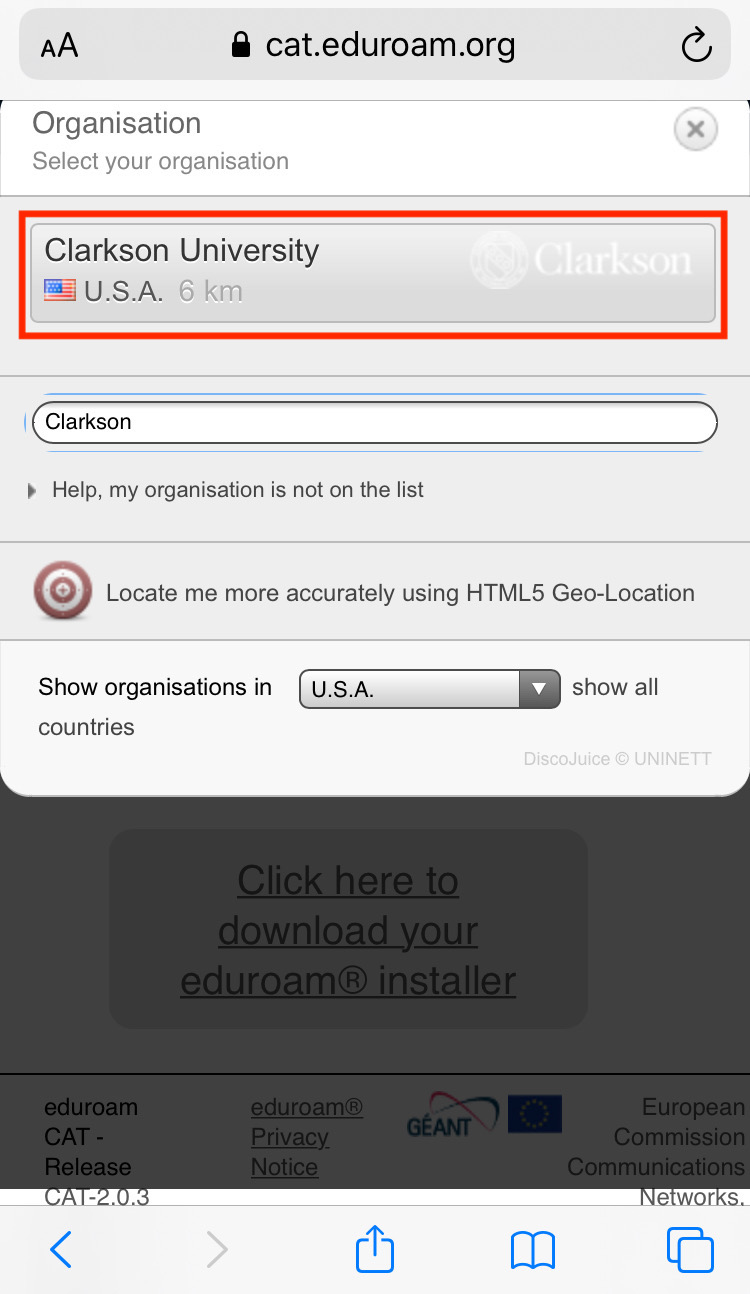
Select Clarkson University from the list. Begin typing "Clarkson" to filter if necessary.

-
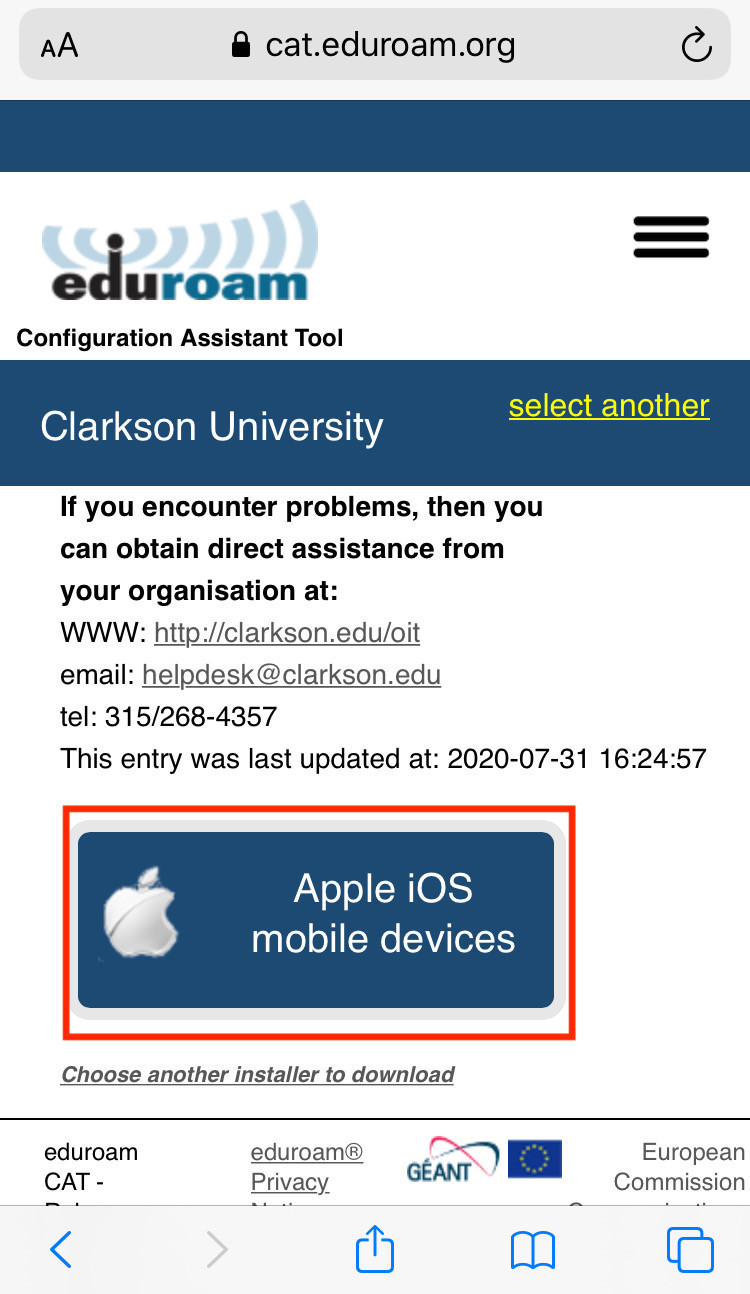
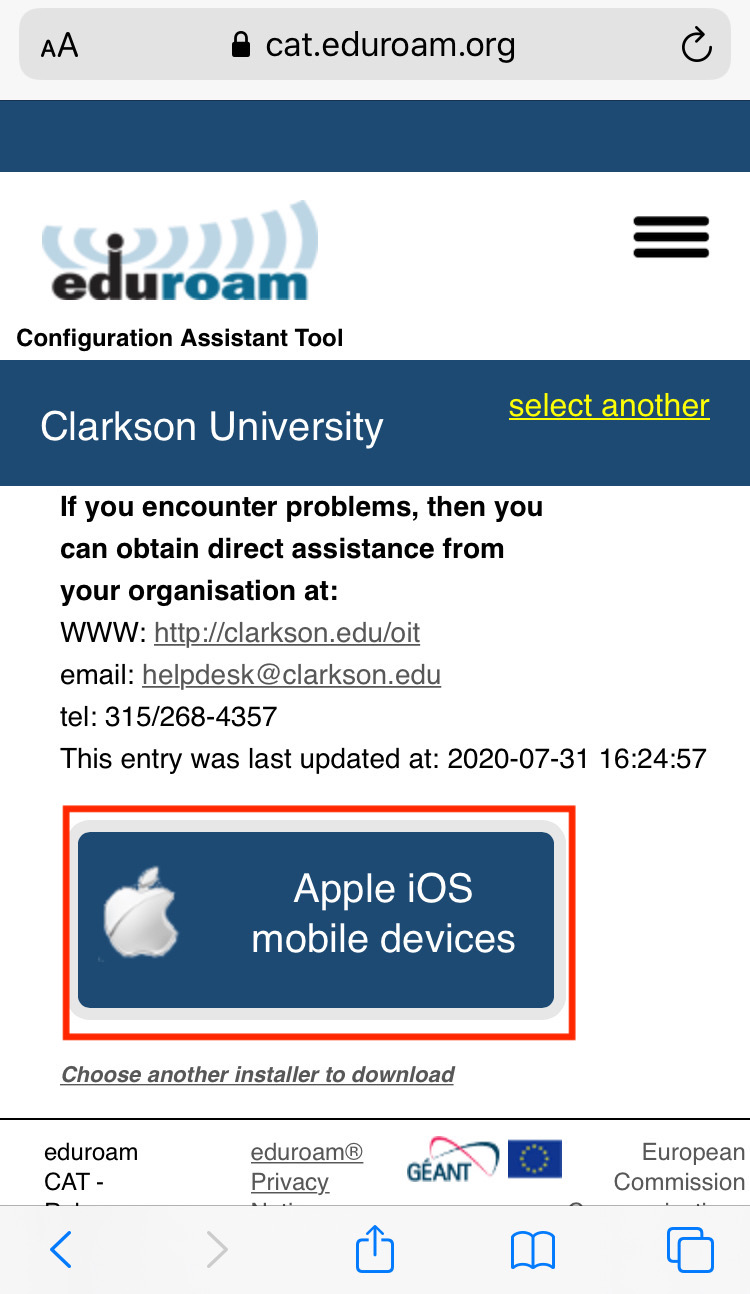
Tap Apple iOS mobile devices, then Allow, then Close.**



-
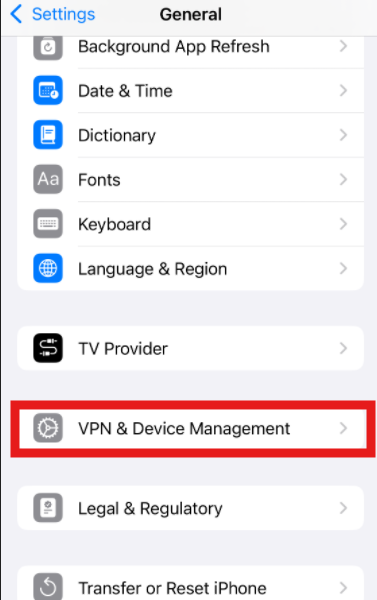
Open the Settings app,
andgochoosetoProfileGeneral,Downloaded.thenChooseVPN & Device Management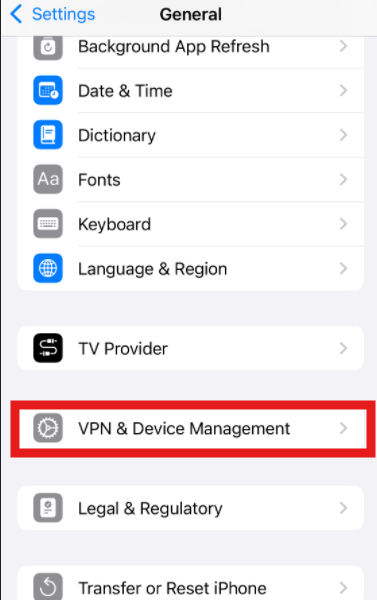
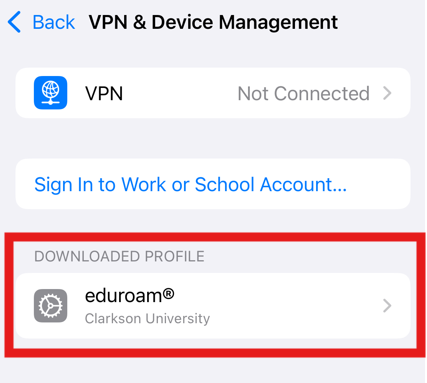
Tap Install.

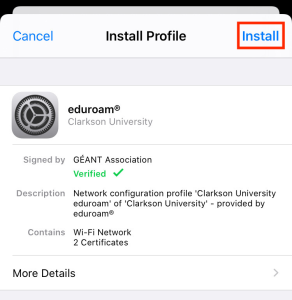
If prompted to enter your device's passcode, enter it. Review the Consent and Warning pages, tapping Next and Install, respectively.
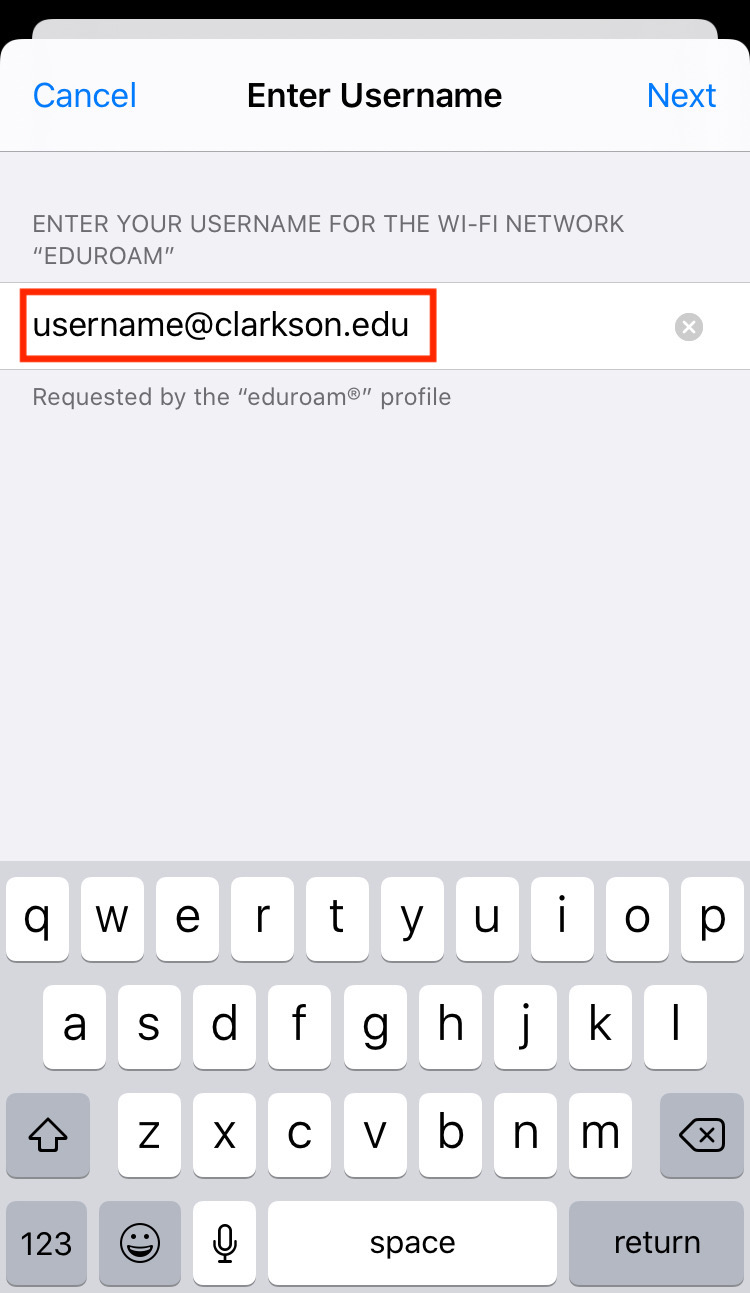
Enter your full Clarkson account username including the "@clarkson.edu" suffix (this will typically match your email address) and tap Next.
Enter your Clarkson account password and tap Next.
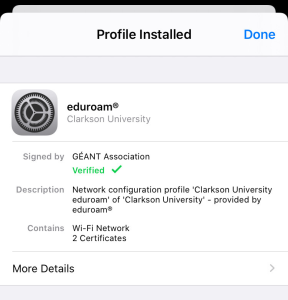
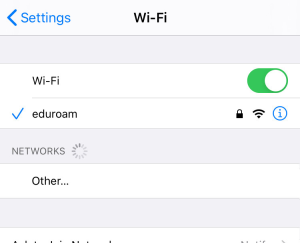
The profile is now installed. Tap Done. Your device should automatically connect to the eduroam network if in range. To verify, navigate to Settings → Wi-Fi.

Guests use public WiFi with ClarksonUniversity
The ClarksonGuest network is available with no authentication for general and guest network access. However performance on this network will be limited, and since it is open, it is NOT considered secure. Only use this network to connect to eduroam CAT, or if your device cannot use eduroam.
