
Clearing Browser Cache In Mozilla Firefox
1.
In Mozilla Firefox, click on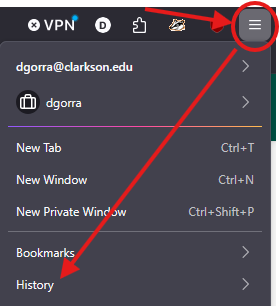

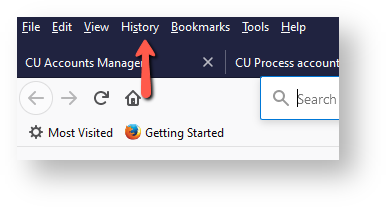
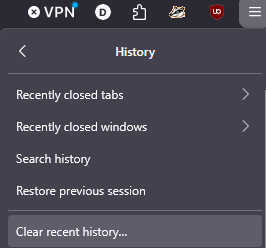
2. Click Clear Recentrecent Historyhistory.
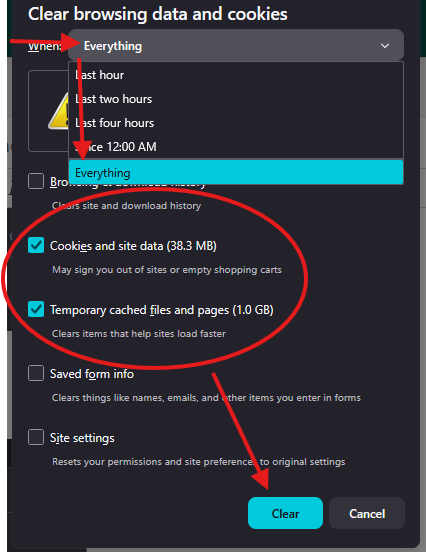
3. In the TimeWhen range to clear dropdown, select EverythingEverything. Check Cookies and site data and Temporary cached files and pages, then click OKClear..

3. WaitIt formay thetake cachea tofew clearmoments thenif it has been a while. Important: Once done, close all instances of Mozillaopen Firefox. Make sure to close all instances of Firefoxbrowsers and re-launch the browser.launch.