
1099 Processing
1099 Processing
- CU_1099_Key_Word_Search query
- Reporting Tools>Query>Query Manager
- Run CU_1099_Key_Word_Search query
- This query will pull up a list of Vouchers with Keywords in the description that do not have a withholding on them
-
Calendars/Schedules>Calendar Builder
-
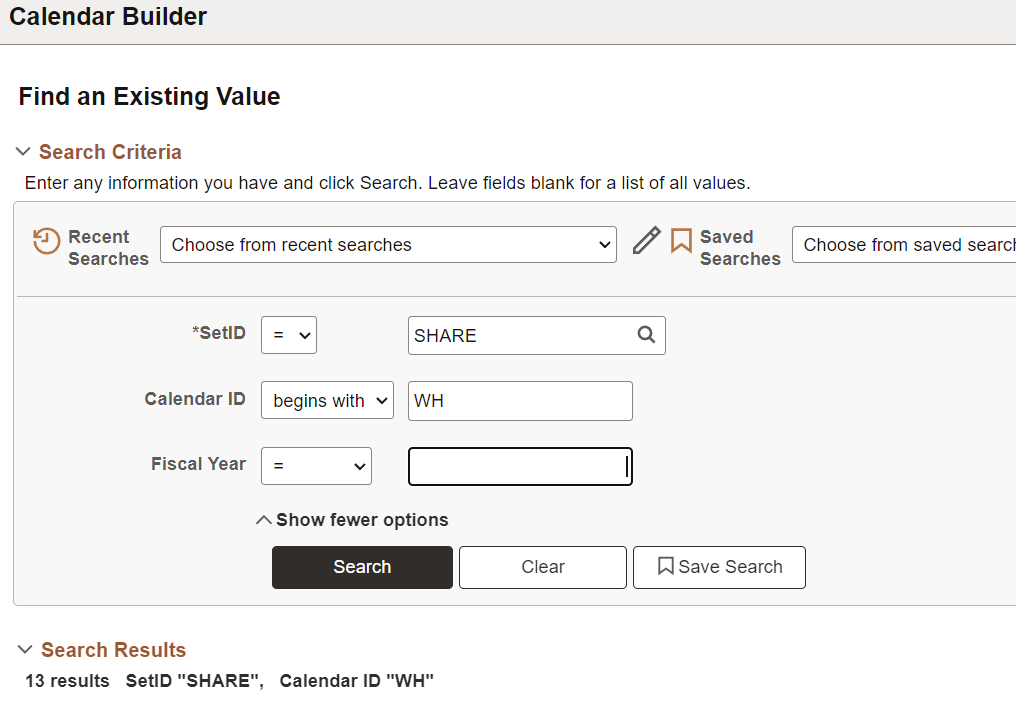
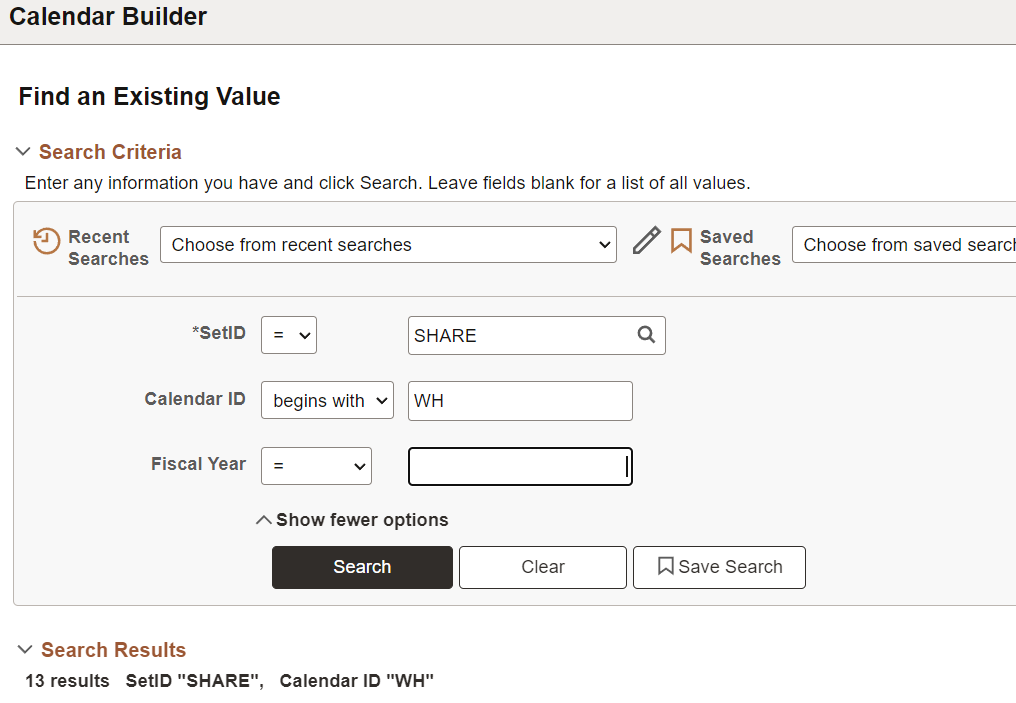
Set Up Financials / Supply Chain > Common Definitions > Calendars/Schedules>Calendar Builder
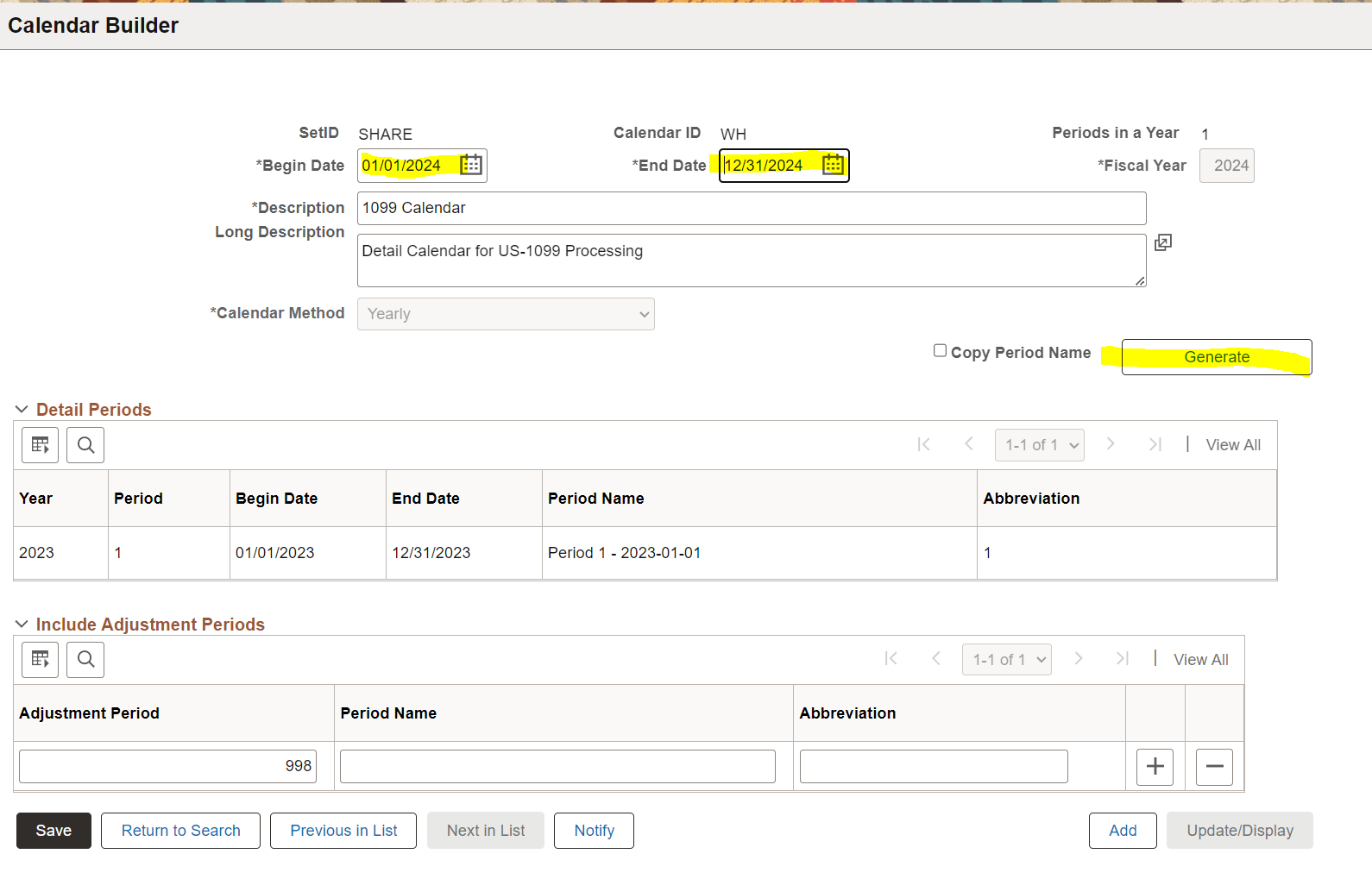
- Search for the calendar with a Calendar Id of WH and pull up the previous Fiscal Year
-
- Then Generate the new FY calendar
-

-
Review PS_PYMNT_VCHR_WTHD data
- Before running the Post Withholding process, query any Withholdings in the PS_PYMNT_VCHR_WTHD table that do not match the voucher amounts, and send the results to AP to review (update the account date criteria)
-
select P.WTHD_TYPE, P.WTHD_BASIS_AMT_ENT, V.GROSS_AMT, V.VENDOR_ID, E.NAME1, V.VOUCHER_ID, V.INVOICE_ID, V.INVOICE_DT from PS_PYMNT_VCHR_WTHD P join PS_VOUCHER V on P.VOUCHER_ID=V.VOUCHER_ID join PS_VENDOR E on V.VENDOR_ID=E.VENDOR_ID where V.ACCOUNTING_DT>='2024-01-01' and V.GROSS_AMT=P.ORG_WTHD_BASIS_ENT and P.WTHD_BASIS_AMT_ENT<>P.ORG_WTHD_BASIS_ENT order by V.VENDOR_ID - If they determine the amounts in the previous query should be fixed run a sql update statement
-
update P set  P.WTHD_BASIS_AMT_ENT=P.ORG_WTHD_BASIS_ENT
from PS_PYMNT_VCHR_WTHD P
    join PS_VOUCHER V on P.VOUCHER_ID=V.VOUCHER_ID
	join PS_VENDOR E on V.VENDOR_ID=E.VENDOR_ID
where
V.ACCOUNTING_DT>='2024-01-01'
and V.GROSS_AMT=P.ORG_WTHD_BASIS_ENT
and P.WTHD_BASIS_AMT_ENT<>P.ORG_WTHD_BASIS_ENT
-
Post Withholdings
-
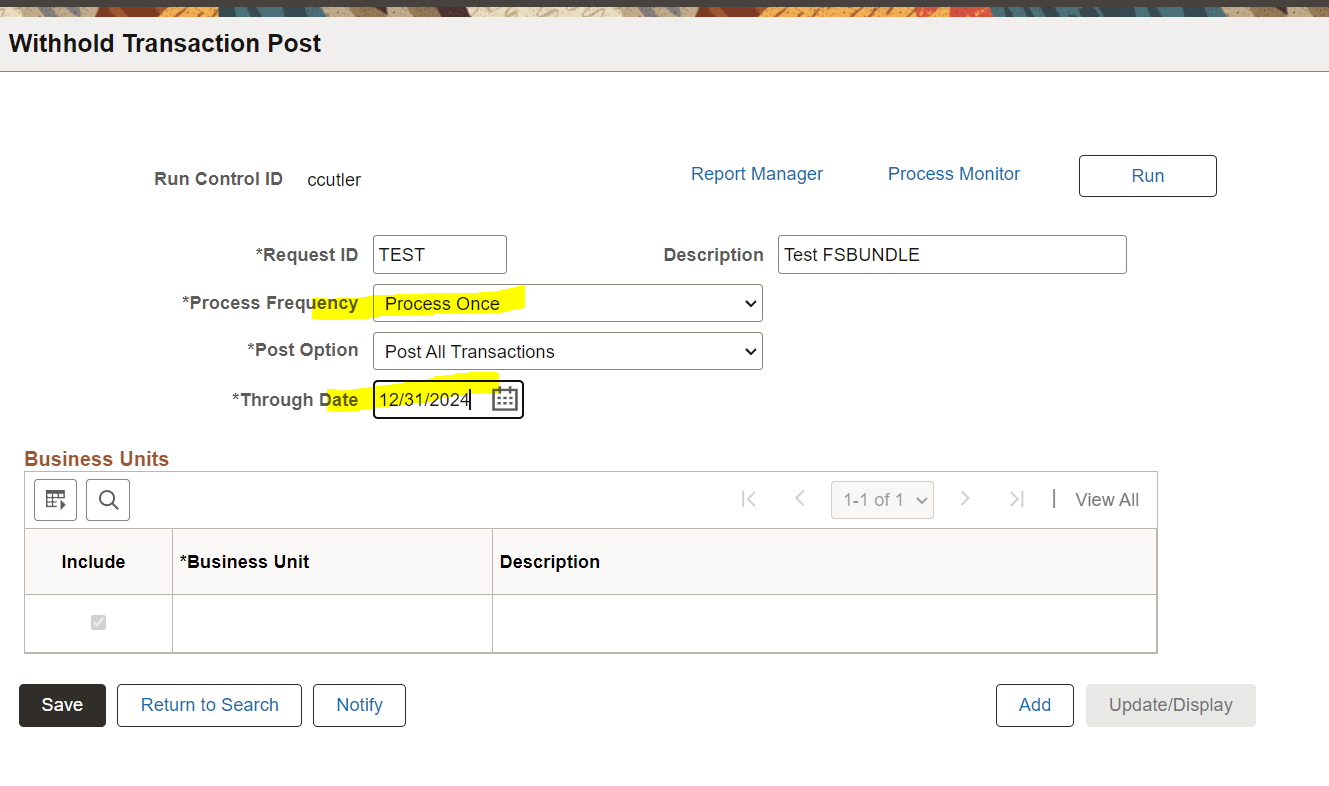
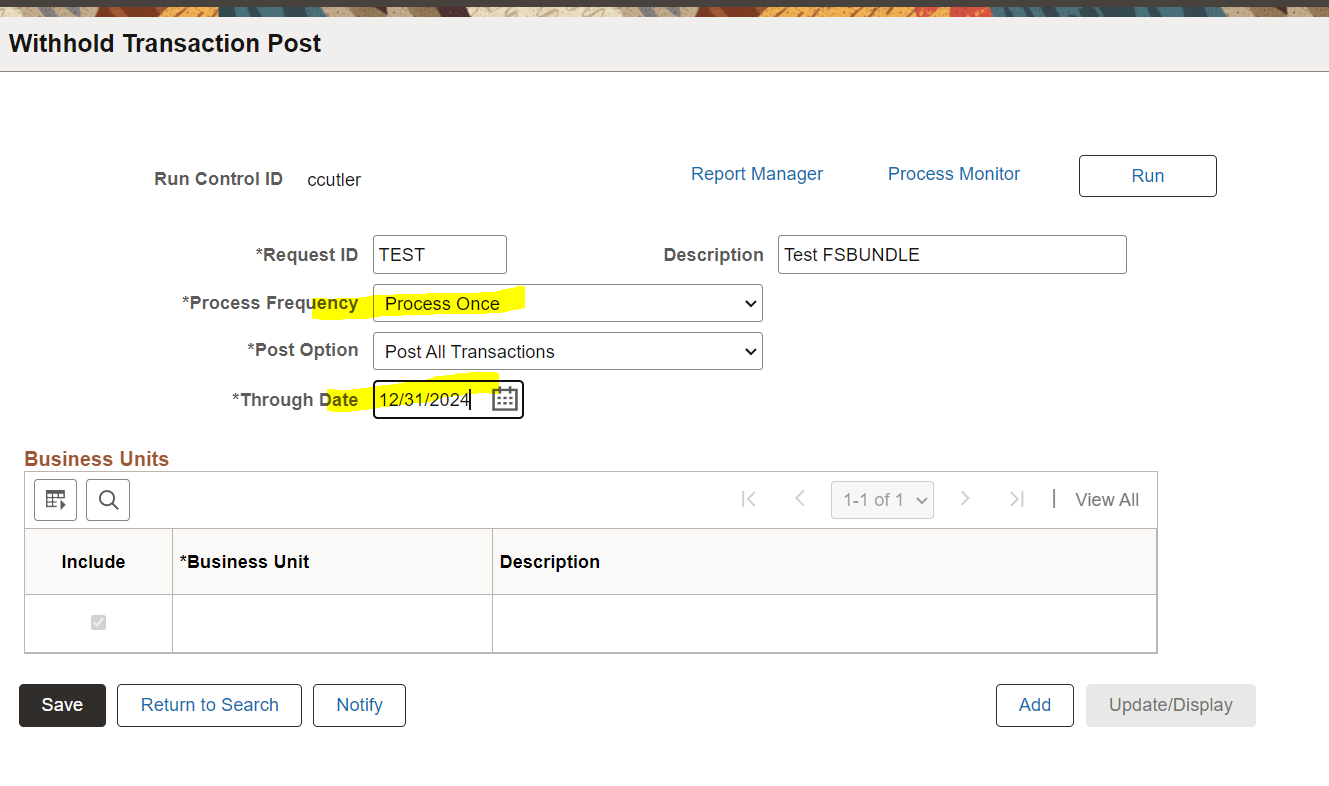
Suppliers>1099/Global Withholding>Maintain>Post Withholdings
- Run the withhold transaction process. Make sure top update the *Through Date and *Process Frequency
-
-
Review PS_WTHD_TRXN_TBL data
- Once the WTHD_BASIS_AMT_ENT amounts are corrected and the AP_WTHD process has been ran, check for any amounts in PS_WTHD_TRXN_TBL that do not match up with the payment table.
- Using the process instance from the AO)WTHD process ran in step 4 query for any payments that do not match up to the withholding amount
-
select W.WTHD_TYPE, WTHD_BASIS_AMT, P.PYMNT_AMT, W.VENDOR_ID, E.NAME1, P.PYMNT_ID_REF from PS_WTHD_TRXN_TBL W join PS_PAYMENT_TBL P on W.PYMNT_ID=P.PYMNT_ID join PS_VENDOR E on W.VENDOR_ID=E.VENDOR_ID where W.PROCESS_INSTANCE = 1532837 --process instance from AP_WTHD and W.WTHD_BASIS_AMT<>P.PYMNT_AMT order by W.VENDOR_ID - send the list to AP for review
-
Wthd Voucher/Supplier Mismatch
-
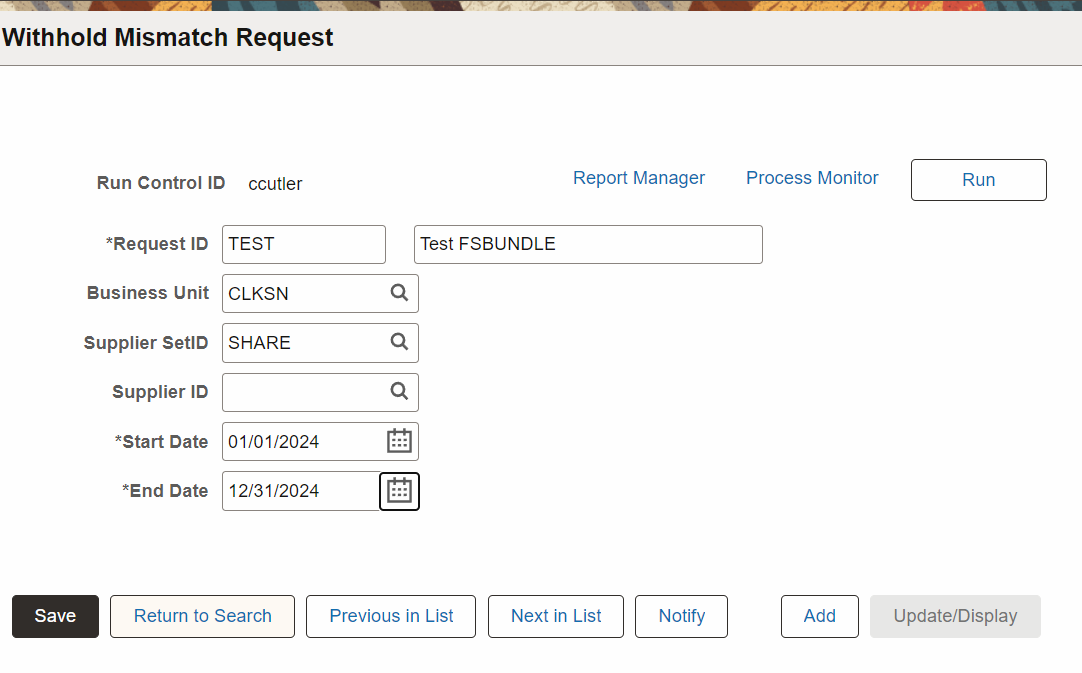
Suppliers>1099/Global Withholding>General Reports>Wthd Voucher/Supplier Mismatch
- Run the PS job withholding MISMTCH job
-

Reporting Tools>Query>Query Manager
- Run query CU_1099_WTHD_MISMATCH to add vendor_Loc to the missmatch report ran above
Suppliers>1099 Global Withholding>Maintain>Update VoucherLine Withholding
- Manual updates on withholding amounts for vendors
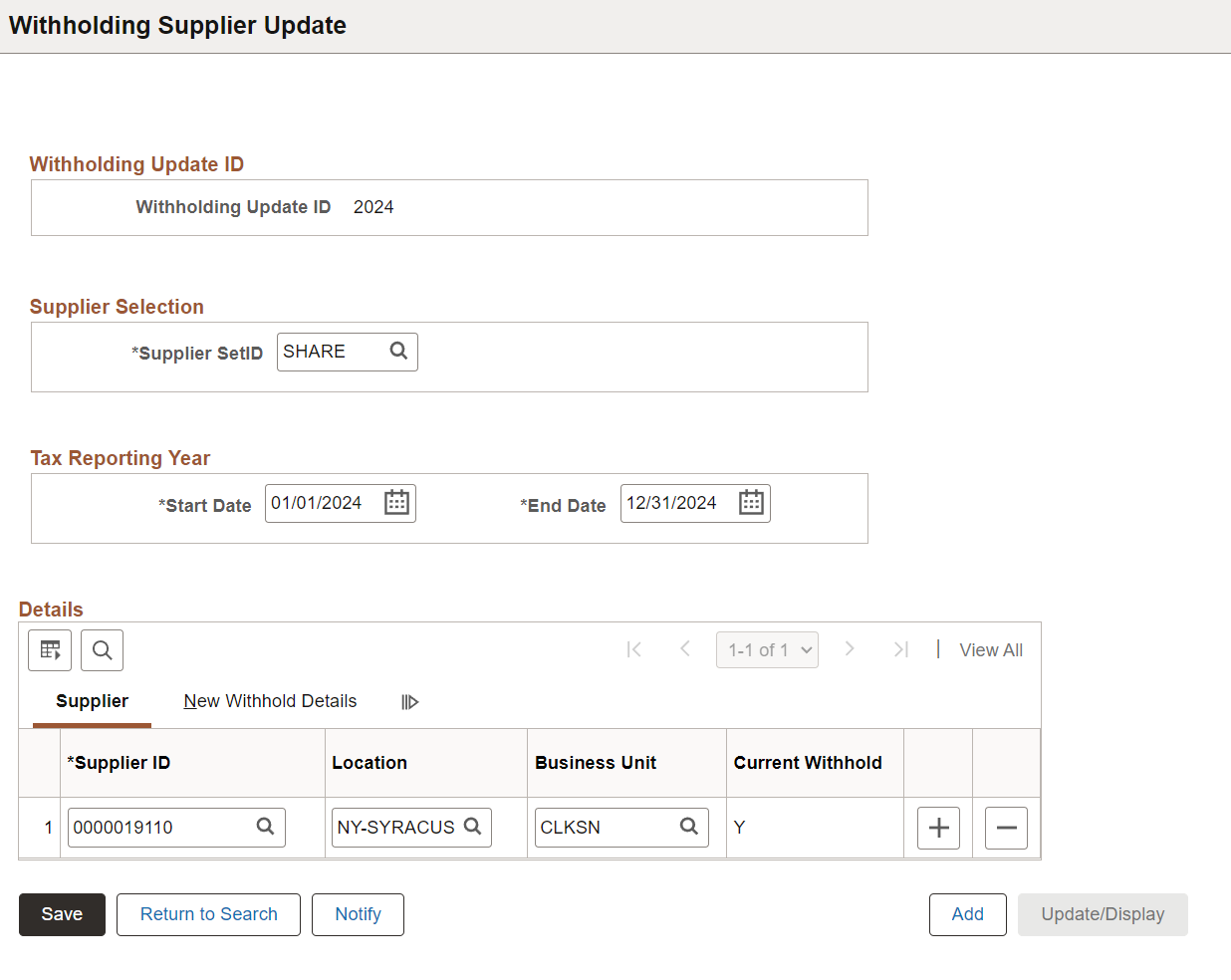
Suppliers>1099/Global Withholding>Maintain>Adjust Withholding
- Set up run control
- Create a new Withholding ID and add Supplier IDs that need to be updated
-
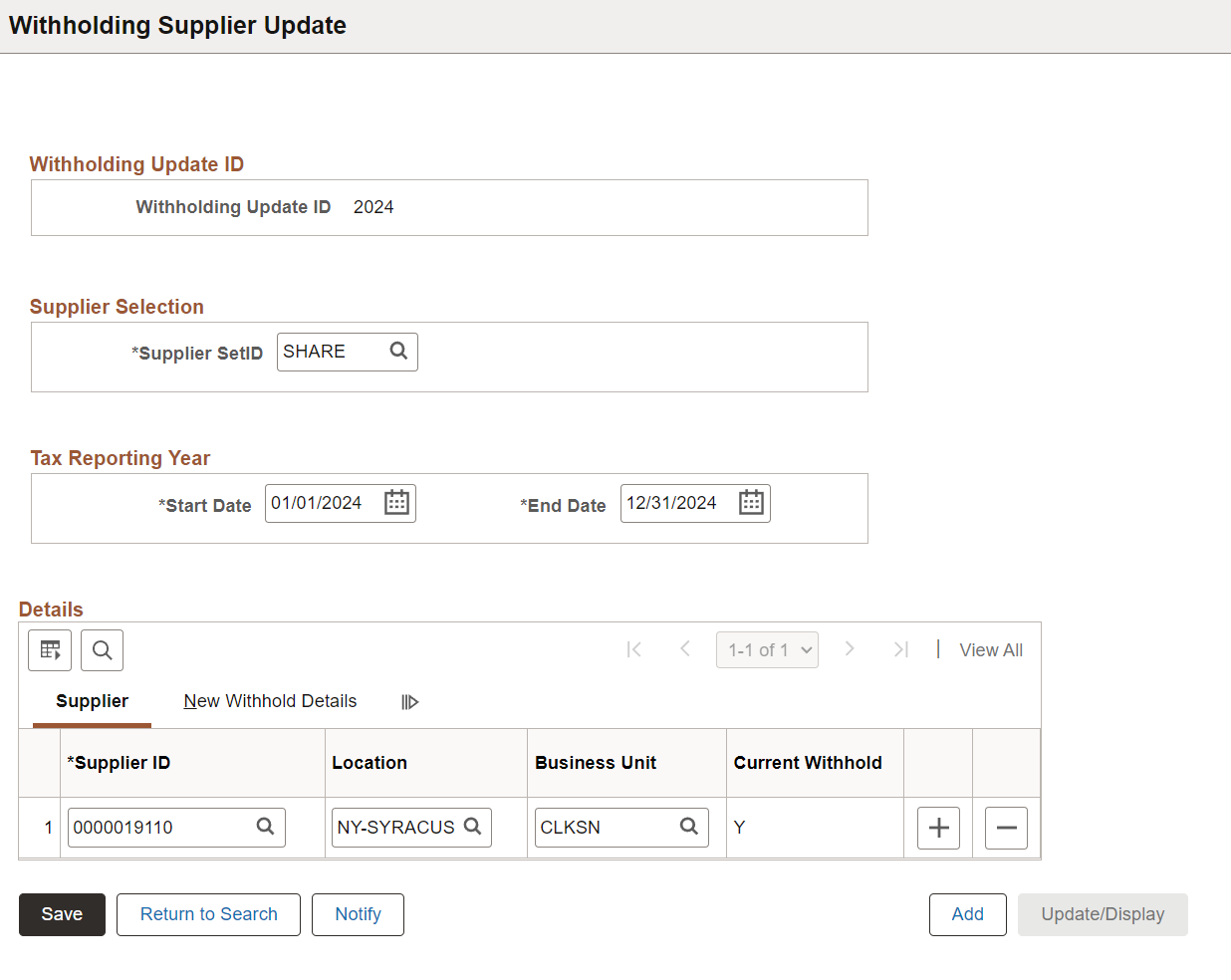
Suppliers>1099/Global Withholding>Maintain>Update Withholdings
- Ru process AP_WTHD_UPDT
Suppliers>1099/Global Withholding>1099 Reports>Withhold 1099 Report Job
- Run job to generate 1099s