
1099 Processing
1099 Processing
-
Reporting Tools>Query>Query Manager
- Run CU_1099_Key_Word_Search query
- This query will pull up a list of Vouchers with Keywords in the description that do not have a withholding on them
-
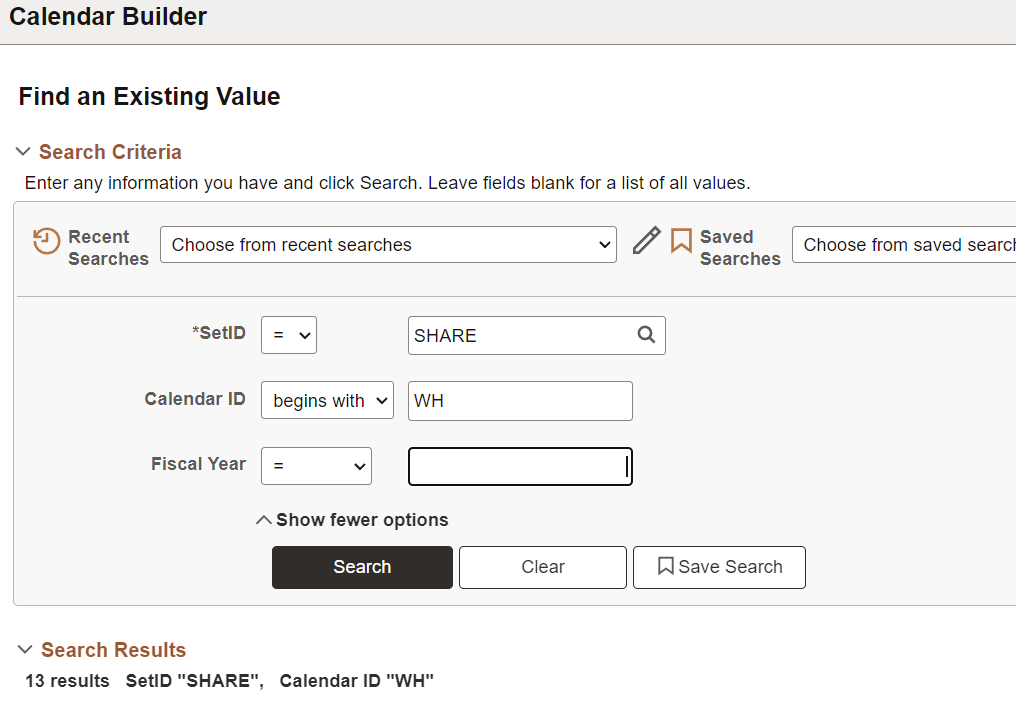
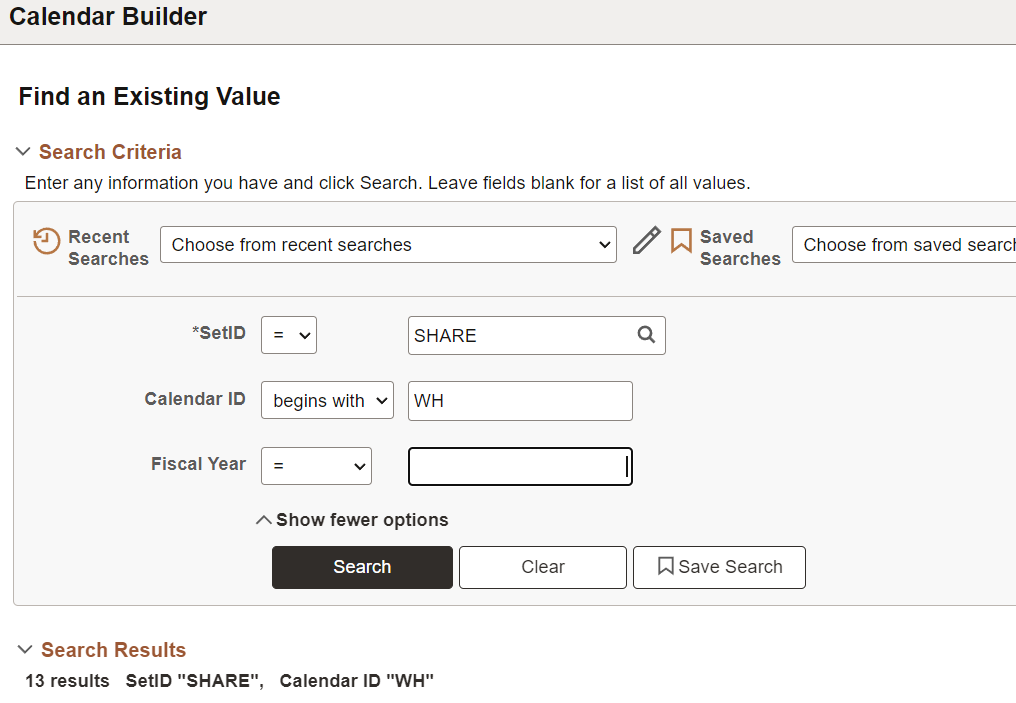
Set Up Financials / Supply Chain > Common Definitions > Calendars/Schedules>Calendar Builder
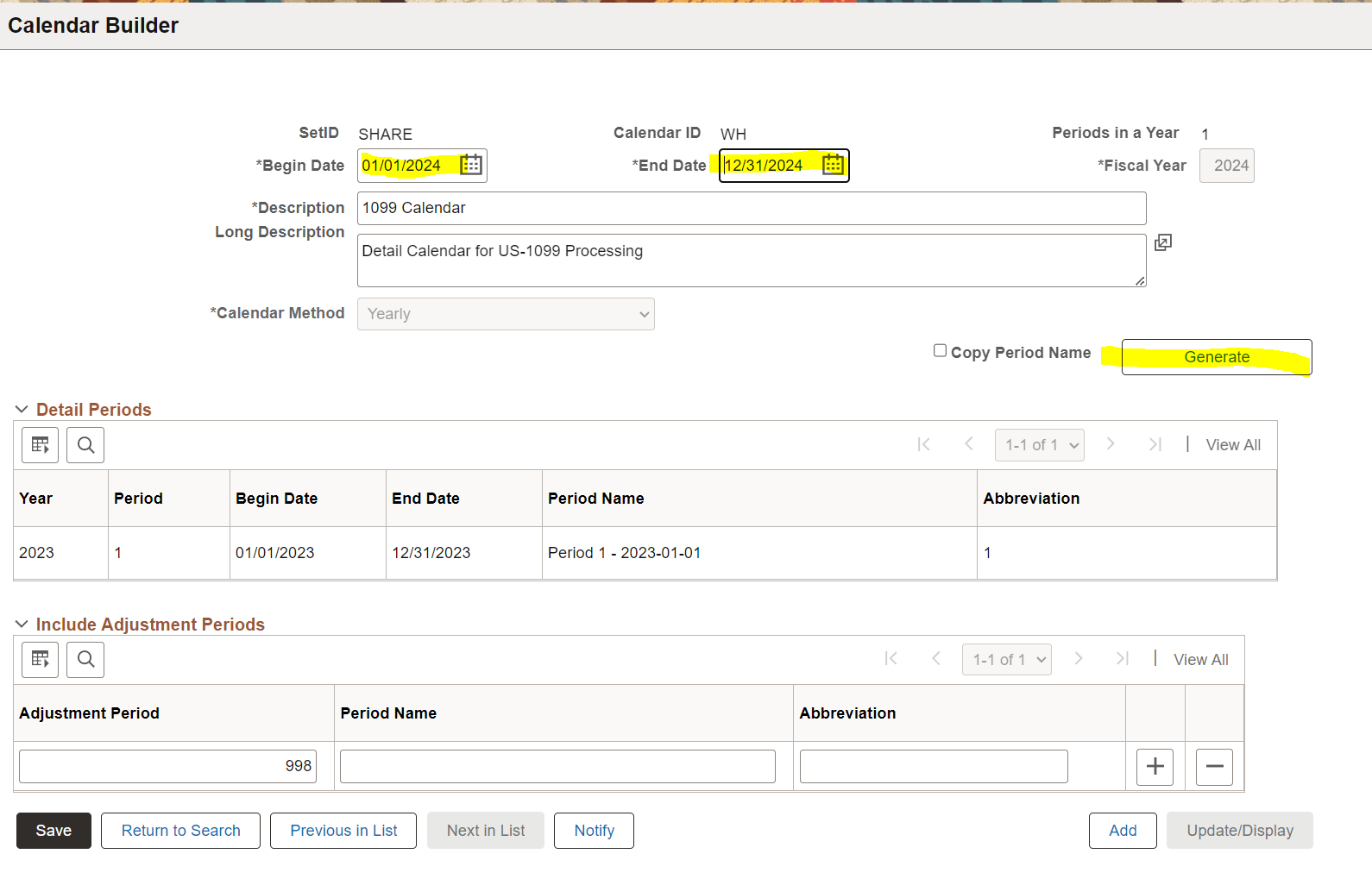
- Search for the calendar with a Calendar Id of WH and pull up the previous Fiscal Year
-
- Then Generate the new FY calendar
-

-
Review PS_PYMNT_VCHR_WTHD data
- Before running the Post Withholding process, query any Withholdings in the PS_PYMNT_VCHR_WTHD table that do not match the voucher amounts, and send the results to AP to review (update the account date criteria)
-
select P.WTHD_TYPE, P.WTHD_BASIS_AMT_ENT, V.GROSS_AMT, V.VENDOR_ID, E.NAME1, V.VOUCHER_ID, V.INVOICE_ID, V.INVOICE_DT from PS_PYMNT_VCHR_WTHD P join PS_VOUCHER V on P.VOUCHER_ID=V.VOUCHER_ID join PS_VENDOR E on V.VENDOR_ID=E.VENDOR_ID where V.ACCOUNTING_DT>='2024-01-01' and V.GROSS_AMT=P.ORG_WTHD_BASIS_ENT and P.WTHD_BASIS_AMT_ENT<>P.ORG_WTHD_BASIS_ENT order by V.VENDOR_ID - If they determine the amounts in the previous query should be fixed run a sql update statement
-
update P set P.WTHD_BASIS_AMT_ENT=P.ORG_WTHD_BASIS_ENT from PS_PYMNT_VCHR_WTHD P join PS_VOUCHER V on P.VOUCHER_ID=V.VOUCHER_ID join PS_VENDOR E on V.VENDOR_ID=E.VENDOR_ID where V.ACCOUNTING_DT>='2024-01-01' and V.GROSS_AMT=P.ORG_WTHD_BASIS_ENT and P.WTHD_BASIS_AMT_ENT<>P.ORG_WTHD_BASIS_ENT -
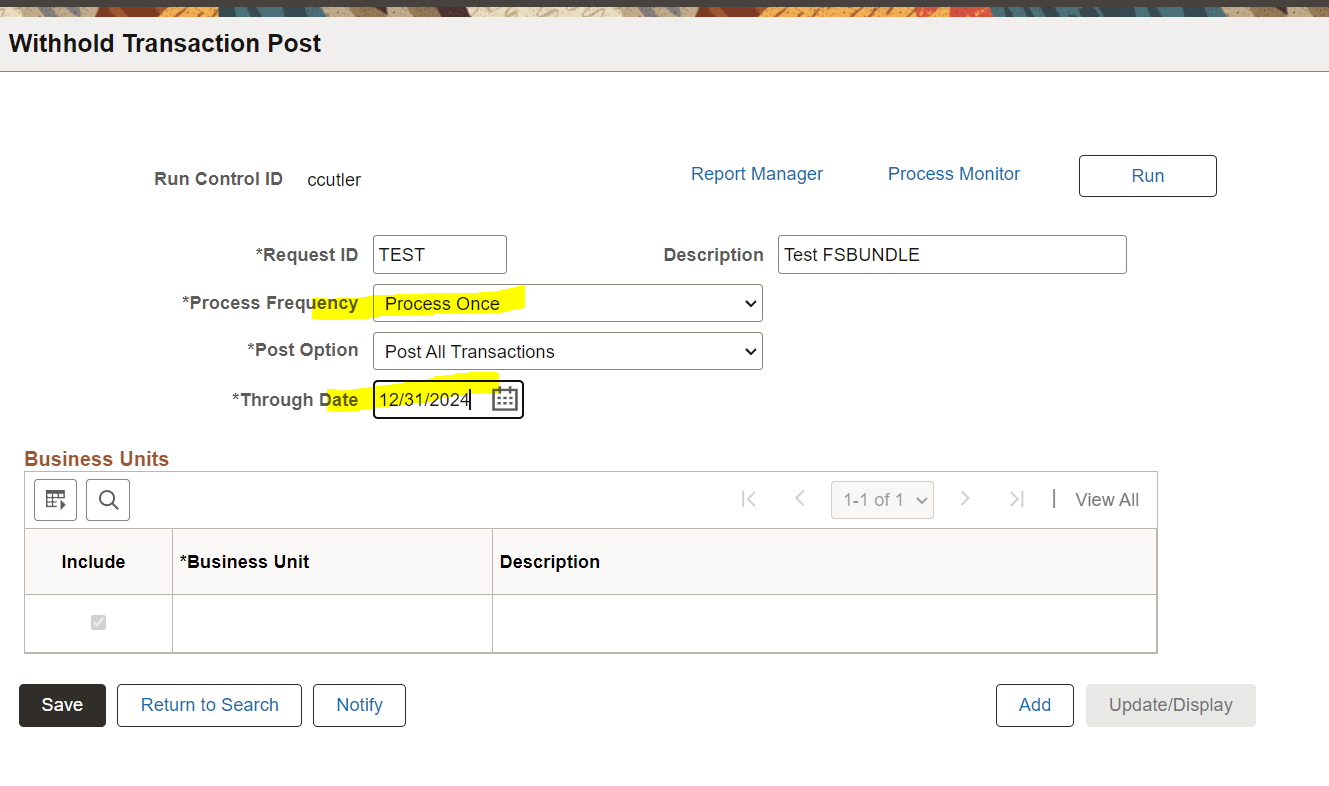
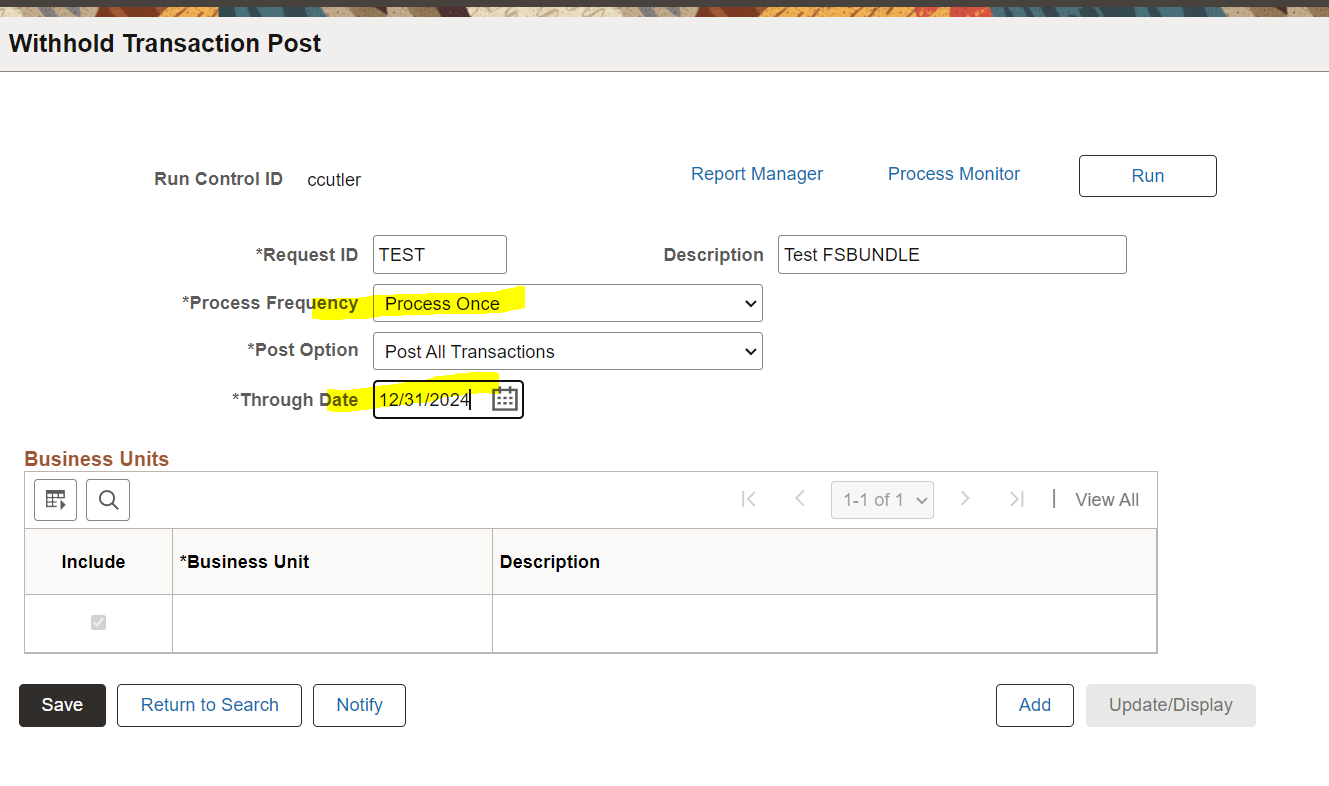
Suppliers>1099/Global Withholding>Maintain>Post Withholdings
- Run the withhold transaction process. Make sure top update the *Through Date and *Process Frequency
-
Review PS_WTHD_TRXN_TBL data
select  W.WTHD_TYPE, WTHD_BASIS_AMT, P.PYMNT_AMT, W.VENDOR_ID, E.NAME1, P.PYMNT_ID_REF
from PS_WTHD_TRXN_TBL  W
   join PS_PAYMENT_TBL P on W.PYMNT_ID=P.PYMNT_ID
   join PS_VENDOR E on W.VENDOR_ID=E.VENDOR_ID
where
W.PROCESS_INSTANCE = 1532837 --process instance from AP_WTHD
and W.WTHD_BASIS_AMT<>P.PYMNT_AMT
order by W.VENDOR_ID- Run the PS job withholding mismatch report
- Run query to add vendor_Loc to the missmatch report ran above
- Find a vendor and select invoices to include or exclude withholding-21 Lincoln's Pest Control (chose exclude withholding)
- Adjust withholdings by dollar amount rather than by invoices like last step-56 Great Northern 99 Amount adjusted 175 and 190
- Run vendor update
- Run Withholding Update
- Run job to generate 1099s
2024 issues
The WTHD_BASIS_AMT_ENT field on the PS_PYMNT_VCHR_WTHD record has some withholding amounts double or tripled,
select  P.WTHD_TYPE, P.WTHD_BASIS_AMT_ENT, V.GROSS_AMT, V.VENDOR_ID, E.NAME1, V.VOUCHER_ID, V.INVOICE_ID, V.INVOICE_DT from PS_PYMNT_VCHR_WTHD P
    join PS_VOUCHER V on P.VOUCHER_ID=V.VOUCHER_ID
	join PS_VENDOR E on V.VENDOR_ID=E.VENDOR_ID
where
V.ACCOUNTING_DT>='2024-01-01'
and V.GROSS_AMT=P.ORG_WTHD_BASIS_ENT
and P.WTHD_BASIS_AMT_ENT<>P.ORG_WTHD_BASIS_ENT
order by V.VENDOR_ID
Once the WTHD_BASIS_AMT_ENT amounts are corrected and the AP_WTHD process has been ran, check for any amounts in PS_WTHD_TRXN_TBL that do not match up with the payment table
select * from PS_WTHD_TRXN_TBL  W
   join PS_PAYMENT_TBL P on W.PYMNT_ID=P.PYMNT_ID
where
W.PROCESS_INSTANCE = 1532843 --process instance from AP_WTHD
and W.WTHD_BASIS_AMT<>P.PYMNT_AMT